Christmas word search for seniors
Discover how to pick or create Christmas word searches designed with large print and simple festive words for seniors' ease and enjoyment.
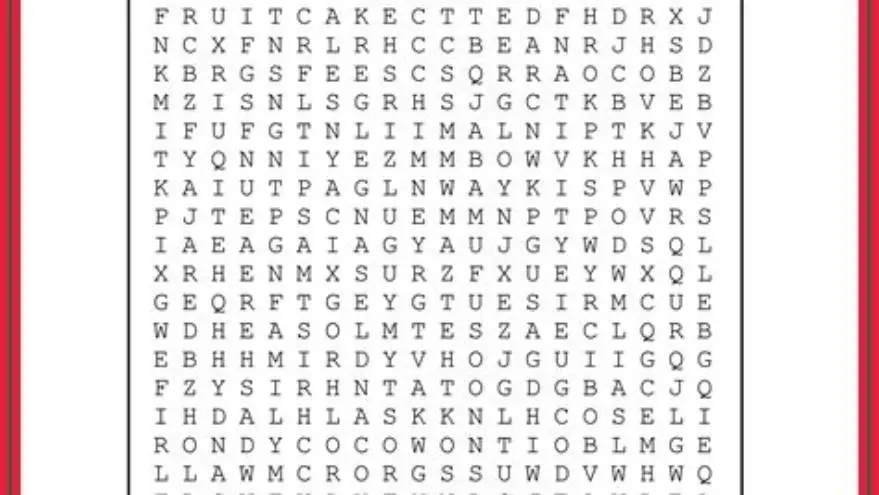
A Christmas word search for seniors should use font sizes between 20 and 24 pt, include simple, familiar Christmas-themed words, and have clear spacing of at least 3 mm between letters to ensure readability and engagement.
On this page (8 sections)
- Key takeaways
- How to choose font size and spacing for seniors
- Choosing word difficulty appropriate for seniors
- Theme words that evoke Christmas but remain easy
- Printable format recommendations for large-print puzzles
- Christmas word search for seniors: large print, simple words, and festive variety
- How BigPrint Puzzle Studio helps make large-print Christmas word searches
- Questions people still ask
Part of our guide on thanksgiving activities for seniors
| Font size | 20-24 pt |
|---|---|
| Letter spacing | ≥ 3 mm |
| Word length | 4-10 letters |
| Theme words | familiar Christmas terms |
| Printable format | PDF recommended |
Key takeaways
- Use font sizes at least 20 pt for easy reading by seniors
- Choose Christmas words that are familiar and simple to avoid frustration
- Space letters well to reduce visual crowding in the puzzle grid
- Printable puzzles in PDF format preserve print quality for large print
- BigPrint Puzzle Studio simplifies making large-print Christmas word searches tailored for seniors
How to choose font size and spacing for seniors
Font size is the single most important factor in making a Christmas word search accessible to seniors. For older adults, especially those with low vision, fonts should be no smaller than 20-point size. Using sizes between 20 and 24 points balances readability and the puzzle’s physical size on the page.
Letter spacing also impacts legibility. Letters should be spaced at least 3 millimeters apart to avoid crowding, which strains the eyes and causes confusion. This spacing refers to the horizontal distance between letters in the grid. Adequate spacing helps seniors differentiate each letter clearly.
Sans-serif fonts like Arial or Verdana are easier to read than serif fonts in puzzles for seniors. These fonts maintain clarity even at larger sizes. Contrast is crucial as well; black letters on white or very light backgrounds work best.
Designers often underestimate space needs; be sure to test print puzzles before distribution. If the puzzle grid is too large, seniors might find it cumbersome. Balancing font size with overall puzzle dimensions and spacing is key to comfort and ease. We cover free printable thanksgiving word scramble in its own article.
- Improves readability
- Reduces eye strain
- Widens audience including low vision users
- Increases puzzle page size
- May reduce number of words fitting comfortably
Choosing word difficulty appropriate for seniors
Word difficulty can make or break the puzzle experience. Seniors often appreciate familiar words rather than obscure or challenging vocabulary. The typical word length for Christmas word searches aimed at seniors ranges from 4 to 10 letters, which is easy to recognize without overwhelming players.
Avoid words with unusual spellings or that require specialized knowledge. Common Christmas terms such as “Santa,” “tree,” “lights,” or “joy” work well. These words evoke the holiday spirit without causing frustration.
The puzzle should not overwhelm with too many words at once; aim for a list of 10 to 15 words per puzzle depending on size and font to maintain achievable challenge. We go through printable word search large print step by step elsewhere on the site.
If memory loss or cognitive decline is a concern, simpler words also reduce anxiety and support engagement. The goal is to spark holiday cheer, not create stress.
In addition to word length and familiarity, consider the cognitive load when choosing words for seniors with mild cognitive impairment. Shorter words with clear, concrete meanings help reduce confusion and enhance focus. For example, words like “Bell,” “Star,” or “Gift” are easier to process and locate within the puzzle.
Another aspect is the repetition of word patterns or letter combinations. Avoid words with similar prefixes or suffixes placed too closely, as this can cause mix-ups. For instance, including both “Snow” and “Snowman” in the same puzzle might be confusing if the letters overlap, so spacing them apart or choosing only one can be helpful. The other half of this decision is christmas activities for dementia patients.
- Encourages participation
- Reduces frustration
- Supports memory and recognition
- May feel less challenging for advanced solvers
- Limits vocabulary diversity
Theme words that evoke Christmas but remain easy
Selecting the right Christmas words is about balance. Words should evoke festive themes clearly but remain easy to find and recognize. Classic words like “Angel,” “Gift,” “Reindeer,” and “Snow” are iconic and easy to spell.
Avoid abstract or less common terms like “Yule,” “Poinsettia,” or “Mistletoe” unless the seniors are known to be familiar with these. Familiarity varies widely by region and experience.
Themes can be expanded carefully beyond just Christmas icons. Related categories include decorations, winter items, and holiday foods. This variety keeps puzzles fresh and taps into multiple aspects of the season. It helps to understand printable puzzles for older adults before going further.
Creating sub-themes (e.g., Christmas carols, holiday foods) can help tailor puzzles to specific interests or groups, increasing relevance and enjoyment.
Besides classic Christmas words, including seasonal words related to winter but not strictly Christmas can broaden appeal without increasing difficulty. Words like “Ice,” “Cozy,” or “Fire” evoke the warmth and atmosphere of the season without requiring specialized holiday knowledge.
For example, a puzzle might include “Candy,” “Tree,” “Snow,” and “Fireplace.” Such a selection maintains theme relevance while keeping the vocabulary simple, diverse, and familiar. This approach can also appeal to seniors who celebrate other winter holidays or prefer a more inclusive seasonal theme. For the detail, see our notes on fall activities for seniors in nursing homes.
- Enhances holiday mood
- Increases word search fun
- Supports memory with familiar concepts
- Risk of too simplistic if overused
- Potential regional vocabulary gaps
Printable format recommendations for large-print puzzles
PDF format is the best choice for printable large-print Christmas word searches. PDFs preserve font size, spacing, and layout exactly as intended, no matter the printer or device used. This avoids the risk of puzzles shrinking or losing clarity when printed from browsers or word processors.
Using vector or high-resolution fonts ensures crisp letters at large sizes. Avoid bitmap images or low-res graphics as they blur and reduce legibility.
Standard letter-size (8.5 x 11 inches) pages work well, but consider larger sizes if the puzzle and font size require it. Keep in mind seniors’ ability to handle larger pages when printed.
Many free tools exist online for converting puzzles to PDF, but for custom large-print puzzles with themes and formatting, specialized software is faster and more reliable.
When preparing printable formats, consider providing options for different paper sizes, such as legal (8.5 x 14 inches) or tabloid (11 x 17 inches), if seniors have difficulty handling smaller pages. Larger sheets can accommodate bigger fonts and spacing without cramping the grid.
Another tip is to use matte or non-glossy paper for printing. Glossy finishes often cause glare under lighting conditions common in care facilities or homes, which can impair readability. Matte paper reduces reflections and enhances visual comfort, making puzzles easier to solve.
- Ensures consistent print quality
- Easy to share and store
- Supports large font and spacing
- Requires PDF reader software
- May need printer adjustments for scale
Christmas word search for seniors: large print, simple words, and festive variety
For seniors to enjoy a Christmas word search, the puzzle must combine large, clear print with a curated word list that is festive but not challenging. A puzzle with 20-24 pt font, generous spacing, and about 10-15 simple words offers the right balance.
Themes should evoke Christmas in ways that trigger memories and positive feelings without requiring complex knowledge or spelling. Using words like “Elf,” “Stocking,” “Tree,” and “Snowman” fits well.
Variety in puzzle style can help, too. Some puzzles place words forwards only, while others add simple backwards or diagonal directions, but avoid puzzles with all directions to prevent confusion.
If you create puzzles yourself, test with your target seniors to adjust difficulty and layout. If you seek ready-made options, look for large-print collections specifically designed for seniors, which will meet these criteria.
- Maximizes accessibility and engagement
- Evokes seasonal joy
- Simple enough to avoid frustration
- Limited challenge for advanced solvers
- Requires careful word selection
How BigPrint Puzzle Studio helps make large-print Christmas word searches
BigPrint Puzzle Studio is a straightforward tool designed to make large-print puzzles quickly for seniors, including Christmas word searches. It simplifies the process by letting you choose font sizes of 16, 20, or 24 pt, and input your own simple word lists or pick from ready themes.
The software automatically arranges words with clear spacing and generates printable PDFs with answer keys and page numbers. This removes the need to tweak fonts or spacing manually, saving time and frustration.
While creating puzzles manually or using free online generators works, these often lack large-print options or flexible theming. BigPrint Puzzle Studio streamlines puzzle creation for activity directors, family caregivers, or sellers who want to provide or market accessible puzzles.
One limitation is that it focuses strictly on puzzle creation and not on medical or therapeutic uses. Also, the one-time purchase means no recurring fees, making it a cost-effective option for repeat use.
- Custom puzzles in minutes
- Large print options built-in
- Ready PDF output with answer keys
- Not a medical tool
- Requires purchase
Questions people still ask
What font size is best for seniors in word searches?
Fonts between 20 and 24 points are usually the best for seniors. This size balances readability and space on the page, reducing eye strain while keeping the puzzle manageable.
How many words should a Christmas word search for seniors have?
About 10 to 15 words is ideal. This keeps the puzzle engaging but not overwhelming, especially when combined with large print and simple words.
Can I use any Christmas words in a seniors’ puzzle?
Choose familiar, simple words like 'Santa' or 'Tree.' Avoid obscure or difficult terms that could confuse or frustrate seniors.
Is it better to print puzzles in PDF format?
Yes. PDFs preserve font size and layout, ensuring the puzzle prints clearly with the intended large print and spacing.
Are there tools to make large-print puzzles quickly?
BigPrint Puzzle Studio is designed specifically for seniors’ puzzles, allowing custom font sizes and easy word input, producing ready-to-print PDFs in minutes.
Ready to try it? It simplifies creating large-print Christmas word searches with correct font size, spacing, and printable PDFs, saving time and technical hassle.
Create large-print puzzles