Big-print puzzles for visually impaired seniors: what makes them easier to use
Print size, font weight, contrast and puzzle type determine whether a senior with low vision can complete a puzzle comfortably.
Big-print puzzles for visually impaired seniors need 18-point type or larger, bold sans-serif fonts, high contrast between text and background, and generous spacing between clues, boxes and lines. Word searches and crosswords adapt better to large print than sudoku.
On this page (8 sections)
- The short version
- Why standard large-print books still feel small for puzzle work
- Key print size and font features that aid visual accessibility
- Types of puzzles best suited for limited vision
- How to choose or adapt puzzles for seniors with visual impairments
- When to use different paper and layout choices
- Making your own large-print puzzle books to gift or sell
- Questions people still ask
Part of the guide: Free large-print puzzles and activities for seniors: printable options
The print size that feels comfortable to read in a book often proves too small to work with in a puzzle where you mark squares and trace lines.
| Minimum clue size | 18-point type |
|---|---|
| Grid letter size | 24-point or larger |
| Best font weight | Bold or heavy (600-700) |
| Ideal contrast | Black on cream or buff |
| Spacing between clues | 1.5 to 2 line heights |
| Puzzles per page | One |
The short version
- Use 18-point type minimum for clues and 24-point for grid letters
- Bold sans-serif fonts like Arial Heavy outperform standard serif type for puzzle grids
- Word searches and simple crosswords work better at large print than number puzzles
- One puzzle per page prevents visual clutter and leaves room for notes
- Black ink on cream paper reduces glare compared to stark white
Why standard large-print books still feel small for puzzle work
Large-print books typically use 14- to 16-point type, which works for passive reading where your eyes track left to right down a page. Puzzles demand more. You scan back and forth between a clue list and a grid. You count squares. You mark letters in boxes the width of a pencil tip. You trace diagonal lines in a word search while your hand shadows part of the grid.
A senior who reads large-print novels comfortably often struggles with a large-print puzzle book printed at the same size. The difference lies in the task. Reading flows in one direction. Puzzle-solving jumps between elements, requires fine motor control, and keeps multiple pieces of information active at once.
18-point type is the practical floor for puzzle clues when the solver has low vision. Grid letters need to be larger still, usually 24-point or above, because you are not reading them as words but matching individual characters while holding a pen. Anything smaller and the solver squints, loses their place, or marks the wrong square.
Spacing matters as much as size. Clues printed in a tight block blur together. Lines in a crossword grid that sit too close make it hard to see where one square ends and the next begins. A word search with letters jammed together turns into a grey rectangle. Generous white space around every element gives the eye anchor points. If that sounds like your situation, read up on puzzle gifts for grandparents next.
Key print size and font features that aid visual accessibility
Font weight changes how easily a letter separates from the background. A bold or heavy sans-serif like Arial Bold or Verdana Bold holds its shape at large sizes and stays crisp when photocopied. Standard-weight fonts, even at 18 or 20 points, can look washed out under fluorescent care-home lighting or when printed on an older inkjet.
Serif fonts add decorative strokes that help with reading flow in books, but those same strokes create visual noise in puzzle grids. The curls on a capital I in Times New Roman can look like a J or a 1 to someone with macular degeneration. A clean sans-serif removes that ambiguity. Letters like O, Q, 0 (zero), I, l (lowercase L) and 1 still cause confusion, but bold weight and extra spacing reduce it.
Contrast between ink and paper affects legibility more than most people expect. Pure black on stark white creates glare that tires aging eyes quickly. Black ink on cream, ivory or pale buff paper cuts glare while keeping contrast high enough for clear reading. Avoid grey text, even if it looks elegant. A senior with cataracts or glaucoma will struggle to distinguish grey letters from the background. The other half of this decision is large print books for older adults.
Line thickness in grids should be 1 to 1.5 points. Thinner lines vanish when someone with low vision focuses on the letters. Thicker lines crowd the squares and make the grid feel cramped. The goal is a framework that guides without dominating. Crossword grids work well with slightly thicker outer borders and standard-weight inner lines to separate sections visually.
| Feature | Works well | Avoid |
|---|---|---|
| Type size for clues | 18-point minimum | 14-point or smaller |
| Grid letter size | 24-point or larger | Under 20-point |
| Font style | Bold sans-serif (Arial, Verdana) | Serif or light-weight fonts |
| Paper color | Cream, ivory, pale buff | Stark white or tinted colors |
| Ink color | Solid black | Grey or low-contrast colors |
Types of puzzles best suited for limited vision
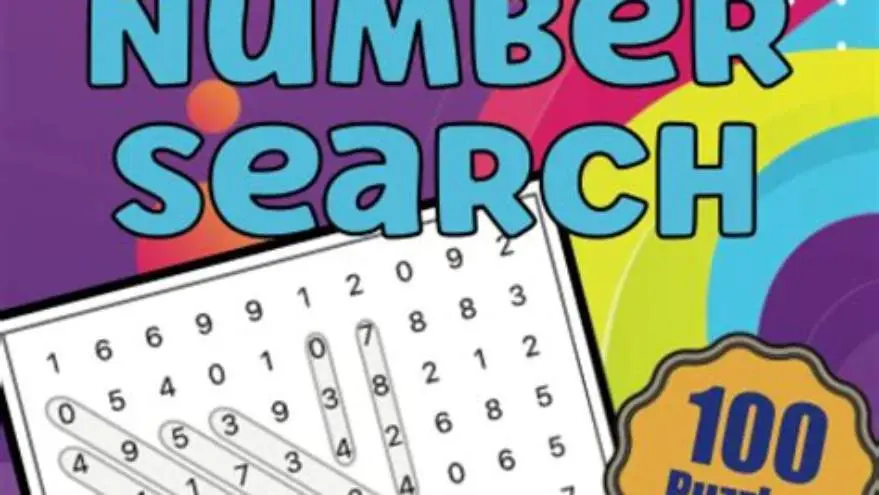
Word searches translate to large print more successfully than almost any other puzzle type. The grid is uniform. Every cell holds one letter. The solver reads horizontally, vertically or diagonally without needing to count squares or track numbered clues. You can print the word list in 20- or 22-point type down the side or at the bottom, with plenty of space between words, and the whole puzzle fits on one page at a readable size.
Simple crosswords work when the grid is small, say 11 by 11 squares or less, and clues are short. Print the grid large enough that each square measures at least a quarter-inch on each side. Number the squares clearly, with the number in the top-left corner in a smaller but still readable size. Print clues in a single column rather than two narrow columns, so the solver does not lose their place when their eyes jump from Across to Down. For the detail, see our notes on activity books with readable fonts.
Sudoku becomes difficult at large print because the standard 9-by-9 grid has 81 cells. Printing each cell large enough for a senior to write a number legibly pushes the grid to nearly a full page, leaving little room for notes or given numbers at a readable size. A 4-by-4 or 6-by-6 sudoku grid works better. These smaller grids use numbers 1 to 4 or 1 to 6 and fit comfortably on a page with large digits.
Mazes and dot-to-dots need wide paths and generous spacing between dots. A maze with narrow passages or many branching paths becomes a frustration rather than a pleasure for someone tracing lines with an unsteady hand or limited vision. Stick to mazes with paths at least a quarter-inch wide and no more than a dozen decision points. Number-connection puzzles (dot-to-dot) should use numbers in 18-point bold and space dots far enough apart that the solver can see each one distinctly.
- Word search: uniform grid, easy to scale, works at 24-point letters
- Simple crosswords: 11-by-11 or smaller, one column of clues, large squares
- Mini sudoku: 4-by-4 or 6-by-6 grids only, standard 9-by-9 grids too cramped
- Mazes: quarter-inch paths, fewer branches, clear start and end markers
- Dot-to-dot: 18-point numbers, generous spacing, under 50 dots per puzzle
How to choose or adapt puzzles for seniors with visual impairments
Start by checking the type size listed on the puzzle book or printable. Many publishers label books as large-print without specifying the point size. If the clues measure less than 18 points, the book will not work for a senior with significant vision loss. Hold the page at arm's length. If you need to bring it closer to read a clue, a senior with low vision will struggle even more. We cover large print puzzles printable in its own article.
Look for one puzzle per page with wide margins. Two puzzles squeezed onto one sheet create visual clutter and leave no room for notes or a magnifier. A margin of at least half an inch on all sides gives the solver space to rest their hand and prevents the edge of the page from obscuring part of the grid. Some seniors use a ruler or a piece of paper to block out surrounding text and isolate one clue or row at a time. White space makes that technique possible.
If you are printing puzzles at home, adjust the scaling before you print. Most word-processing or PDF programs let you print at 110 or 120 percent of the original size. That small bump can make a 16-point puzzle readable at 18 or 19 points. It will cut off margins or split onto two pages, but you can tape sheets together or trim the excess. It is a quick fix when you already have puzzle files and need them larger.
We built a free tool that generates large-print word searches from your own word lists, with letters at 24 points and clues at 20 points. You type in the words, pick a grid size, and download a PDF ready to print. It is faster than formatting a word search by hand and guarantees consistent sizing. The tool produces one puzzle per page with an answer sheet, which saves you from needing to solve it yourself to check someone's work.
For puzzles you cannot adapt yourself, look for books marketed specifically to seniors with low vision rather than general large-print puzzle books. These editions typically use 18- to 20-point clues, bold fonts, and simpler grids. They cost slightly more but eliminate the guesswork. Check the sample pages if the seller provides them. Zoom in on the image to judge the actual print size rather than trusting the description.
When to use different paper and layout choices
Matte paper reduces glare compared to glossy stock. Laser printers produce sharper text on standard copy paper than inkjets, which can feather slightly on plain sheets. If you are printing at home for a senior with low vision, run a test page on your usual paper and check the edges of the letters under bright light. Feathering makes letters look fuzzy. Switch to inkjet-specific paper or print at a copy shop with a laser printer if you see that blur.
Buff or cream paper lowers contrast just enough to reduce glare without sacrificing readability. You can buy cream copy paper at office supply stores. Print your puzzles on that instead of white, and most seniors will notice the difference within a few minutes of working. Their eyes tire less quickly and they are more likely to finish the puzzle in one sitting.
Binding matters when someone has arthritis or limited hand strength. Spiral-bound puzzle books lie flat on a table, which keeps both hands free for writing and eliminates the need to hold pages open. Perfect-bound (glued spine) books close on their own and require one hand to hold them flat, which leaves only one hand for the pencil. That is manageable for someone with good hand strength but frustrating for a senior who needs both hands steady to write clearly.
Print puzzles in landscape orientation when possible. A wide layout gives you more room to increase letter size without making the grid so tall it runs off the page. It also positions the word list beside the grid rather than below it, so the solver does not need to scan as far vertically. That small change reduces neck strain and keeps the puzzle easier to use during longer sessions.
Making your own large-print puzzle books to gift or sell
If you are creating puzzle books to gift to family members or sell on platforms like Amazon KDP or Etsy, you need consistent formatting and a way to generate multiple puzzles quickly. Formatting each puzzle manually in Word or a design tool takes hours. A mistake in margins or font size means re-doing the entire book, and scaling issues show up only after you have uploaded the file or printed a proof copy.
We built BigPrint Puzzle Studio to handle the formatting and layout so you can focus on themes and content. It generates word searches, sudoku, crosswords, mazes and other puzzle types at 18- to 24-point sizes with one puzzle per page. You pick a theme, adjust the difficulty, and export a print-ready PDF. It also creates wrap-around covers and Amazon listing text, which saves the back-and-forth of designing a cover separately and writing product descriptions from scratch.
The tool costs $17 one-time and works on up to three computers without a subscription. You own the PDFs you create and can publish or print them however you like. It does not teach you how to market books on Amazon or guarantee sales. Success depends on your choice of themes, keywords and how you position your books in a crowded market. The tool removes the technical bottleneck of layout and formatting, not the business work.
An alternative is to use free puzzle generators online and manually format the output in Canva or Affinity Publisher. That approach works if you are making one or two books, but it becomes tedious when you are assembling a series or creating multiple themes. Free generators often limit customization, and stitching together a 100-page book from individual puzzle files is time-consuming. The trade-off is your time versus the cost of a dedicated tool.
If you are printing books for personal use rather than selling them, the manual route costs nothing beyond paper and ink. Download free puzzles, scale them up, print them on cream paper, and bind them with a plastic comb binder from an office store. You will spend a few hours per book, but the result is a custom collection tailored exactly to the interests and ability level of the person receiving it. That personal touch often matters more than polished formatting.
Questions people still ask
Can I enlarge a standard puzzle book on a photocopier to make it large-print?
Yes, but quality drops fast beyond 120 percent enlargement. Lines blur, letters lose sharpness, and grids can cut off at the edges. It is a workable short-term fix but not a comfortable long-term solution. Puzzles designed at large print from the start look clearer and are easier to complete.
Do colored grids or backgrounds help seniors with low vision?
Colored backgrounds usually hurt more than they help. Pastels reduce contrast, and bright colors add glare. Stick to black ink on cream or white paper. If you want to add color, use it only for section dividers or borders, never for the puzzle itself.
How do I know if a puzzle is too hard or too easy for someone with vision loss?
Watch how long they spend before they make the first mark. If they stare at the page for several minutes without starting, the puzzle is either too small to read comfortably or too difficult. If they finish in under five minutes and look bored, increase the difficulty or grid size. The right level keeps them engaged for 10 to 20 minutes.
Are electronic tablets with zoom features better than printed puzzles?
Tablets offer adjustable sizing, but many seniors find them fiddly to navigate and tiring to hold. The glare from a backlit screen can be harder on aging eyes than paper, especially in dim light. Printed puzzles work better for most seniors unless they are already comfortable with tablets.
What pencil or pen works best for large-print puzzles?
A soft-lead pencil (number 2 or HB) or a bold-tip pen like a Sharpie Pen (not a permanent marker) gives clear, dark marks without requiring heavy pressure. Thick-grip pencils or pen grips help seniors with arthritis hold the writing tool comfortably.
Ready to try it? It generates word searches at the exact sizes recommended here without manual formatting
Make a word search now