Large-print puzzles printable: font size and layout for easy reading
Discover precise font sizes and layout tips that make large-print puzzles printable and easy for seniors to read and solve.
Large-print puzzles printable use font sizes between 18 and 24 points and grid cells at least 0.75 inches square to ensure easy reading and solving by seniors under typical home lighting conditions.
On this page (8 sections)
- Key takeaways
- What font sizes and grid dimensions define large print puzzles
- Examples of printable large-print puzzles including word searches, crosswords, and sudoku
- How to print puzzles for best visibility and ease of use by seniors
- Large print puzzles printable: font size and layout for easy reading
- How to create large-print puzzles easily using BigPrint Puzzle Studio
- Alternatives to software for making large-print puzzles printable
- Questions people still ask
Part of our guide on activities for elderly with low vision
Exact font sizes and grid layouts that make printable large-print puzzles easy for seniors to read and solve without eyestrain.
| Font size | 18-24 points |
|---|---|
| Grid size | 0.75-1 inch |
| Puzzle types | Word search, crossword, sudoku |
| Print contrast | High (black on white) |
| Recommended print size | US Letter or A4 |
| Recommended tool | BigPrint Puzzle Studio |
Key takeaways
- Font size 18-24 points makes puzzles readable for most seniors.
- Grid cell size 0.75-1 inch supports easy marking and clarity.
- Print on white or light backgrounds at high contrast improves visibility.
- Printable puzzle types include word searches, crosswords, and sudoku.
- Use web tools or manual layout to create large-print puzzles.
What font sizes and grid dimensions define large print puzzles
Large-print puzzles require font sizes from 18 to 24 points to ensure letters are easily seen by older adults, especially those with low vision. This range depends on factors like ambient lighting and the user's eyesight, but fonts below 18 points usually strain the eyes.
Grid dimensions should be at least 0.75 inches square per cell to allow clear demarcation and easy marking. Larger grids, up to 1 inch per cell, benefit users with tremors or limited dexterity by giving enough space for pencil or pen movements.
The choice of font matters: sans-serif fonts like Arial or Verdana enhance readability due to their clean lines, while decorative fonts reduce clarity. Bold weights improve contrast, making puzzle clues and answers stand out clearly.
Spacing between lines and puzzle elements should not be cramped. At minimum, line spacing of 1.2 to 1.5 times the font height prevents crowding and reduces visual confusion. People in this spot often ask about brain games seniors printable as well.
Examples of printable large-print puzzles including word searches, crosswords, and sudoku
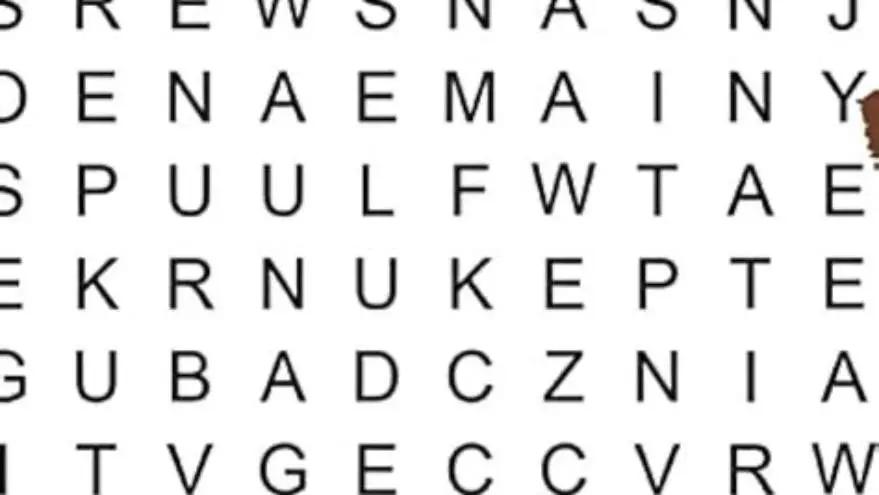
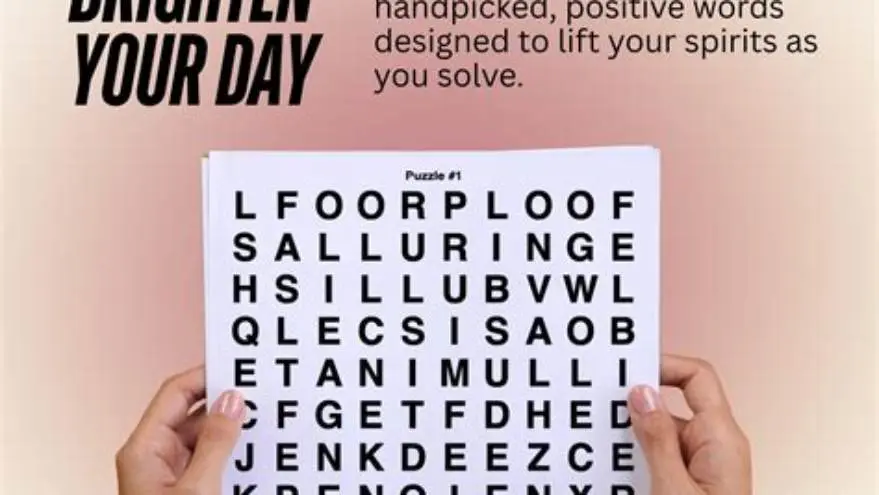
Word searches printed with 20-point letter size and a grid cell of about 0.75 inch make it easier to scan and circle words. The puzzle’s word list should also use large fonts to avoid strain when reading clues.
Crossword puzzles benefit from 22-point font for clues and answers within a grid size of 0.8 to 1 inch per square. This spacing supports users who write answers in large letters, avoiding cramped entries.
Sudoku puzzles require a clear, bold font with grid lines at least 0.75 inches thick. Large-print sudoku grids sized to fit on US Letter or A4 pages enable better focus and less visual fatigue. People in this spot often ask about creating activity books for seniors as well.
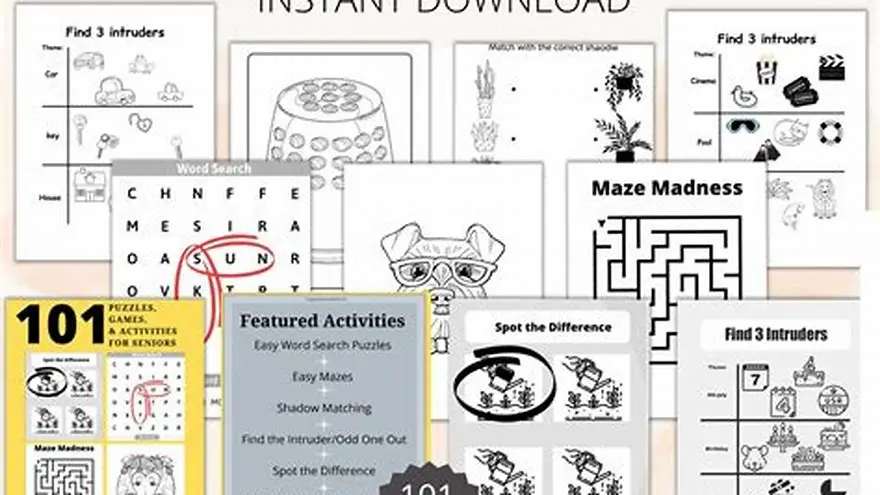
Printable examples can often be found as PDFs online or created manually using design software that supports text and table layout features. Ready-to-print templates with these sizes reduce hassle.
When creating large-print puzzles, ensure that the puzzle type suits the user’s cognitive and motor ability to maintain engagement without frustration.
| Puzzle Type | Font Size (points) | Grid Cell Size (inches) |
|---|---|---|
| Word Search | 18-20 | 0.75 - 1 |
| Crossword | 20-22 | 0.8 - 1 |
| Sudoku | 20-22 | 0.75 - 1 |
How to print puzzles for best visibility and ease of use by seniors
Printing large-print puzzles on matte white paper with black ink yields the best contrast and reduces glare, which otherwise makes reading difficult under indoor lighting. It helps to understand personalized puzzles for grandparents before going further.
Choose a print size compatible with the puzzle grid and font used—typically US Letter or A4. Avoid shrinking puzzles to fit smaller formats as this defeats the purpose of large print.
Use high-quality printers with at least 300 dpi resolution to keep letters crisp. Blurry or pixelated printouts cause eye strain and reduce engagement.
Laminating puzzles or placing them under a clear sleeve allows reuse with dry-erase markers, helping seniors who prefer physical interaction without wasting paper. The other half of this decision is 25x25 word search printable large letters.
Print multiple copies to rotate puzzles or use different difficulty levels. Keep an ample supply available for repeated use over days or weeks.
- Paper type: Matte finish to reduce glare
- Ink color: Black on white for maximum contrast
- Print size: Match puzzle grid for readability
- Resolution: Minimum 300 dpi for sharp text
- Reuse: Laminate or use protective sleeves
Large print puzzles printable: font size and layout for easy reading
Large-print puzzles printable must balance font size, grid layout, and overall page design to maximize ease of reading. Fonts between 18 and 24 points with generous spacing prevent eye fatigue.
Page margins should be wide enough to avoid crowding the puzzle area. Standard margins of 0.75 to 1 inch keep the layout clean and inviting. If that sounds like your situation, read up on paper for large print puzzles at home next.
Use a simple color scheme—black letters on a white background with minimal decorative elements—to preserve focus on the puzzle itself.
The solution key, if included, should follow the same large print standards and be located conveniently on the page or a separate sheet to avoid clutter.
Consistency in font style and size throughout the puzzle book aids users in quickly adapting to the format, promoting repeated use and satisfaction.
How to create large-print puzzles easily using BigPrint Puzzle Studio
BigPrint Puzzle Studio is a web-based tool designed specifically to create large-print puzzles quickly. It handles font size, grid dimensions, and print layout automatically, ensuring puzzles are easy for seniors to read.
With options for word searches, crosswords, sudoku, mazes, and more, it allows you to build customized puzzles with font sizes preset between 18 and 24 points and grids sized for comfortable solving.
A built-in wrap-around cover maker and Amazon listing helper assist in assembling complete puzzle books ready for print or digital sale without needing technical design skills.
The tool’s single upfront cost avoids subscription fees, making it cost-effective for caregivers, family members, or activity directors who want quality puzzles without the hassle of manual formatting.
While it does not guarantee income from selling puzzle books, it saves hours of manual setup and avoids formatting errors that reduce puzzle readability.
- Automates font size and grid layout
- Supports multiple puzzle types
- Print-ready PDFs for Amazon KDP
- No ongoing subscription fees
- Requires learning publishing skills to sell
- Not a fast money-making shortcut
Alternatives to software for making large-print puzzles printable
Manually creating large-print puzzles is possible using word processors or desktop publishing software, but it requires significant time to set font sizes, grid dimensions, and ensure consistent spacing.
Free online puzzle generators exist, but most produce standard print sizes with smaller fonts, requiring extra manual adjustment to enlarge text and cells properly.
For caregivers and families without design skills or software, printable large-print puzzle books from trusted sources offer a ready solution, though they lack customization.
Open-source font tools and spreadsheet software can build simple puzzles, but layout and print quality often fall short of professional results, risking poor readability.
Ultimately, the choice depends on your time, skill level, and whether you intend to sell puzzles or just create for personal use.
- No upfront software cost
- Full control over design
- Can tailor puzzles exactly
- Time-consuming setup
- Risk of inconsistent formatting
- Lower print quality without expertise
Questions people still ask
What is the minimum font size for large-print puzzles for seniors?
A minimum font size of 18 points is recommended for seniors to read puzzles comfortably. Smaller fonts cause eye strain, especially under low light or vision impairment.
What grid size should I use for large-print sudoku?
Grid cells of at least 0.75 inches square improve visibility and make marking answers easier for seniors with dexterity challenges.
Can I use standard puzzle generators to make large-print puzzles?
Most generate puzzles in standard print sizes with small fonts. You will need to manually resize or use specialized tools to ensure large print standards.
Is high contrast important for printing puzzles?
Yes. Black text on a white matte background yields the best contrast, reducing glare and improving legibility for older eyes.
What type of font is best for large-print puzzles?
Sans-serif fonts like Arial or Verdana are best because their clean lines enhance readability, especially at larger sizes.
How can I reuse large-print puzzles multiple times?
Printing on heavy paper and laminating puzzles allows dry erase markers to be used, so puzzles can be wiped clean and reused.
Ready to try it? It automates creating large-print puzzles with appropriate font sizes and layouts, saving hours of manual formatting.
Create large-print puzzles now