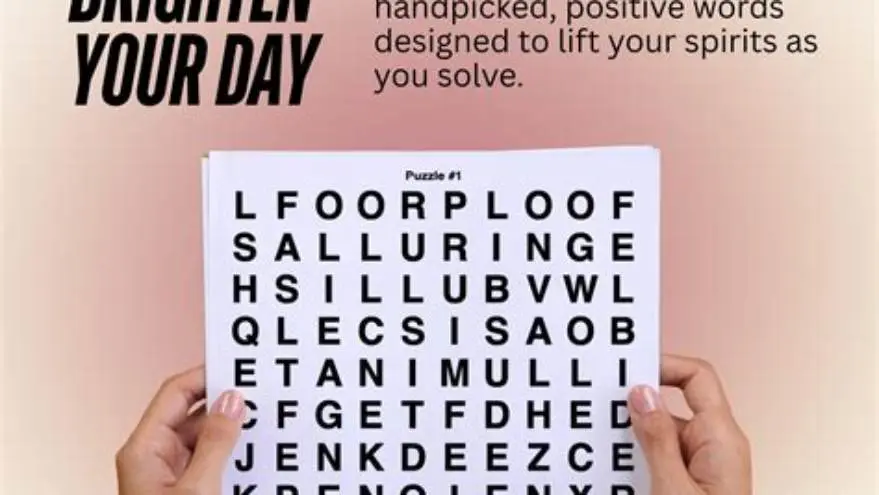
25x25 word search printable with large letters and where to find them
Find out how to print or create a 25x25 word search with large letters on standard paper, plus tips for seniors and where to get printable puzzles.
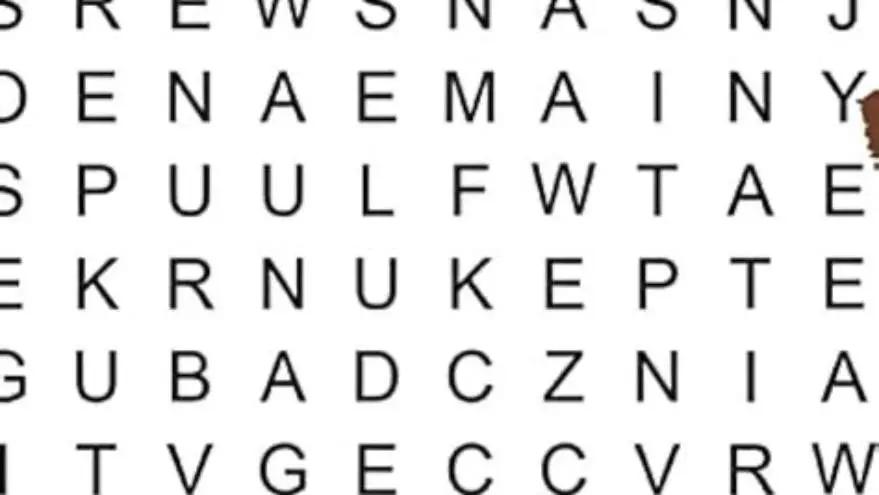
A 25x25 word search with large letters fits on standard US letter or A4 paper by sizing letters around 16-20 point with 0.1-0.15 inch spacing. Use landscape layout and sans serif fonts. For easier solving, limit word count and provide answer keys or row/column labels.
On this page (8 sections)
- Key takeaways
- How to fit a 25x25 word search grid on common paper
- What counts as large letters for seniors in word searches
- How to get or create 25x25 word searches with large letters
- Where to find giant word search puzzles online with big letters
- Tips to manage solver difficulty for large 25x25 word searches
- How to print and prepare 25x25 large-letter word searches for seniors
- Questions people still ask
Part of our guide on indoor activities for seniors at home
| Grid size | 25x25 letters |
|---|---|
| Letter size | 16-20 pt recommended |
| Spacing | 0.1-0.15 inch |
| Paper size | US Letter or A4 |
| Layout | Landscape |
| Solver difficulty | Moderate with fewer words |
| Creation tool | BigPrint Puzzle Studio |
Key takeaways
- Print 25x25 grids landscape on letter or A4 paper with 16-20 pt letters
- Leave 0.1-0.15 inch spacing to keep letters clear and legible
- Limit words and include answer keys to reduce solver difficulty
- Free and paid tools can create or find large-print 25x25 puzzles
- BigPrint Puzzle Studio offers a practical way to create such puzzles
How to fit a 25x25 word search grid on common paper
Printing a 25x25 word search grid with large letters requires careful sizing to fit on standard paper. Typical letter sizes for seniors range from 16 to 20 points, depending on the font style and the printer's margins. The grid layout should be landscape orientation on US Letter (8.5x11 inches) or A4 (8.3x11.7 inches) paper to maximize horizontal space.
Each letter cell should have enough spacing—usually 0.1 to 0.15 inches between letters—to prevent crowding and ensure readability. At 16-20 point size, letters are roughly 0.22 to 0.28 inches tall, so factoring spacing and margins, the entire 25x25 grid occupies most of the printable area but fits without scaling issues.
Margins must be minimal but printer-safe, typically around 0.25 inches on each edge. Using a sans serif font like Arial or Verdana helps clarity at these sizes. Avoid fonts with thin strokes or excessive decoration, which can reduce legibility for seniors with low vision.
| Paper Size | Orientation | Letter Size (pt) | Spacing (inch) | Margins (inch) |
|---|---|---|---|---|
| US Letter | Landscape | 16-20 | 0.1-0.15 | 0.25 |
| A4 | Landscape | 16-20 | 0.1-0.15 | 0.25 |
What counts as large letters for seniors in word searches
Large letters for older adults typically measure 16 points or larger. Research and user feedback indicate that print sizes below 14 points become hard to read, especially for people with mild to moderate vision loss. Letters sized between 16 and 20 points balance clarity and page fit for a 25x25 grid. Before you commit to anything, it is worth looking at cream paper for large print puzzles at home.
Letter spacing also influences perceived size. Crowding reduces legibility quickly, so 0.1 to 0.15 inches between letters is recommended to visually separate characters while maintaining the grid's compactness. Avoid condensed fonts and opt for clear, evenly weighted sans serif types.
Letter shape can make a difference. Fonts like Arial, Verdana, or Tahoma, which have open counters and consistent stroke widths, improve recognition. Italics or cursive-style fonts are not suitable because they reduce reading speed and increase errors.
How to get or create 25x25 word searches with large letters
You can create your own 25x25 large-letter word search puzzles using grid templates and word list tools, or download ready-made ones designed for seniors. Free methods include manually adjusting font size and spacing in word processors or spreadsheet software, which requires trial and error. There is more on activities for seniors living alone in a separate guide.
Alternatively, specialized puzzle-making software like BigPrint Puzzle Studio simplifies the process. It allows you to set large print sizes (16, 20, or 24 points), choose themes, and generate puzzles with answer keys formatted for easy printing and solving. This tool eliminates manual layout adjustments and testing.
For a free approach, use Excel or Google Sheets: set cell sizes to accommodate the desired letter size, pick a large sans serif font, and insert letters manually or with formulas. While free, this method is time-consuming and less precise, especially for complex word placements.
Where to find giant word search puzzles online with big letters
Finding ready-made 25x25 word searches with large letters for seniors online is challenging; many free puzzles use smaller fonts to fit on a page. Websites offering large-print puzzles often have simpler grids (10x10 or 15x15) rather than giant 25x25 layouts. It helps to understand personalized puzzles for grandparents before going further.
Some puzzle sites let you adjust print settings or download puzzles in PDF with scalable fonts, but font sizes large enough for seniors usually require custom creation. Etsy sellers and Amazon KDP publishers sometimes offer printable large-print word search collections, but these may not precisely match a 25x25 grid.
If you want the full 25x25 experience with large letters ready to print, using a puzzle creation tool or commissioning a custom puzzle is often necessary. Libraries and senior centers occasionally have printables but with smaller grids and mixed font sizes.
| Source Type | Availability of 25x25 Large Print | Customization | Cost |
|---|---|---|---|
| Free Websites | Rare | Low | Free |
| Puzzle Software | Yes | High | One-time or subscription |
| Etsy/Amazon Printables | Some | Medium | Paid |
| Custom Commission | Yes | Very High | Varies |
- Some free puzzles available in large print
- Printable PDFs often easy to access
- 25x25 with large letters rarely pre-made
- Font sizes often too small for low vision
- Limited customization on free sites
Tips to manage solver difficulty for large 25x25 word searches
A 25x25 grid with many words can overwhelm solvers, especially seniors with cognitive or vision challenges. Reducing word count to 15-20 words keeps the puzzle engaging but manageable. Highlighting the word list clearly and providing an answer key improves success and enjoyment. We cover activities for elderly with low vision in its own article.
Using shorter words or words with distinct letter patterns helps solvers distinguish entries more quickly. Avoid overlapping words excessively, as it increases visual clutter. Allowing solvers to mark found words with highlighters or colored pencils also aids focus.
Including row and column labels with numbers or letters supports tracking progress and makes it easier to locate words. Puzzles without these labels can frustrate solvers who lose place. Consider breaking very large puzzles into sections or using simpler themes to maintain interest.
- Limit word count to 15-20 for moderate difficulty
- Use shorter, distinctive words for easier spotting
- Include answer keys to reduce frustration
- Add row and column labels for navigation
How to print and prepare 25x25 large-letter word searches for seniors
Choose the correct paper and printer settings before printing. Use high-quality paper (at least 24 lb) for durability and clear print. Set your printer to landscape mode and check that the page scaling is set to 100% or 'actual size' to avoid shrinking the letters. There is more on safe indoor and outdoor options in a separate guide.
Preview the printout on screen to verify letter sizes and spacing. If letters appear crowded or too small, increase font size or spacing and try again. For seniors with severe vision loss, consider printing on colored paper with high contrast (black letters on pastel backgrounds).
After printing, provide a comfortable reading environment with good lighting to reduce eye strain. If you plan to reuse puzzles, consider laminating pages and supplying dry-erase markers so solvers can mark and wipe clean easily.
- Select landscape orientation on US Letter or A4 paper
- Set font size to 16-20 pt sans serif and spacing ~0.1 inch
- Preview print to check fit and clarity
- Adjust margins to printer minimum (0.25 inches)
- Print on quality paper with high contrast
- Laminate for repeated use if needed
Questions people still ask
Can I print a 25x25 word search on regular letter paper without shrinking letters?
Yes, if you print in landscape and use 16-20 point letters with minimal margins and proper spacing. Avoid automatic scaling in printer settings to maintain legibility.
What font is best for large-print word searches for seniors?
Sans serif fonts like Arial, Verdana, or Tahoma are best because they have clear, open letter shapes and consistent stroke widths that improve readability.
Are free 25x25 large-print word searches widely available online?
No, most free puzzles online have smaller grids or smaller fonts. Large 25x25 puzzles with big letters usually require custom creation or paid puzzle software.
How many words should a 25x25 word search have to be suitable for seniors?
Limit to around 15-20 words to keep the puzzle solvable without fatigue, especially when using such a large grid.
Is there software to make large-print puzzles easily?
Yes, BigPrint Puzzle Studio lets you create puzzles with adjustable large fonts, automatic layouts, and answer keys, saving hours compared to manual methods.
Ready to try it? It simplifies creating and printing large 25x25 puzzles with clear letters and answer keys, saving time and guesswork.
Create large-print puzzles