Large print activity books: what font size and layouts work best for adults
Font size, contrast and layout determine whether an activity book is truly readable for older adults with low vision.
Large print activity books for adults use 16pt minimum for instructions and 18-24pt for puzzle grids and answer spaces. Sans-serif fonts, high contrast and wide spacing make the real difference in readability for older eyes.
On this page (8 sections)
- The short version
- What font size qualifies as large print for adults
- How layout and contrast affect readability in large print books
- Which puzzles and activities suit large print formats
- Choosing paper weight and binding for durability and ease of use
- Where to find or print free large print activity books
- Testing your activity book with actual users before printing in bulk
- Questions people still ask
Part of the guide: Free large-print puzzles and activities for seniors: printable options
Most books labeled large print still use 14pt type that strains aging eyes—here's the threshold that actually works.
| Minimum body text | 16pt |
|---|---|
| Puzzle grid size | 18-24pt |
| Best contrast ratio | Black on cream, 15:1 or higher |
| Ideal line spacing | 1.5x font size |
| Page finish | Matte, not glossy |
| Binding for flat pages | Spiral or wire-o |
The short version
- Body text needs 16pt minimum; puzzle grids work best at 18-24pt depending on complexity
- Sans-serif fonts like Arial or Verdana beat decorative faces for readability in low vision
- Black ink on cream or white paper gives better contrast than grey text on glossy stock
- Spiral binding lets pages lie flat; perfect binding forces readers to press books open
- Word searches and sudoku adapt well to large print; complex crosswords often don't fit the page
What font size qualifies as large print for adults
Large print starts at 16pt for body text and 18pt for puzzle content. Anything smaller defeats the purpose for readers with age-related vision loss. The American Printing House uses 18pt as the standard for low-vision readers, but activity books with dense grids can push that to 20-24pt and still fit on a letter-size page.
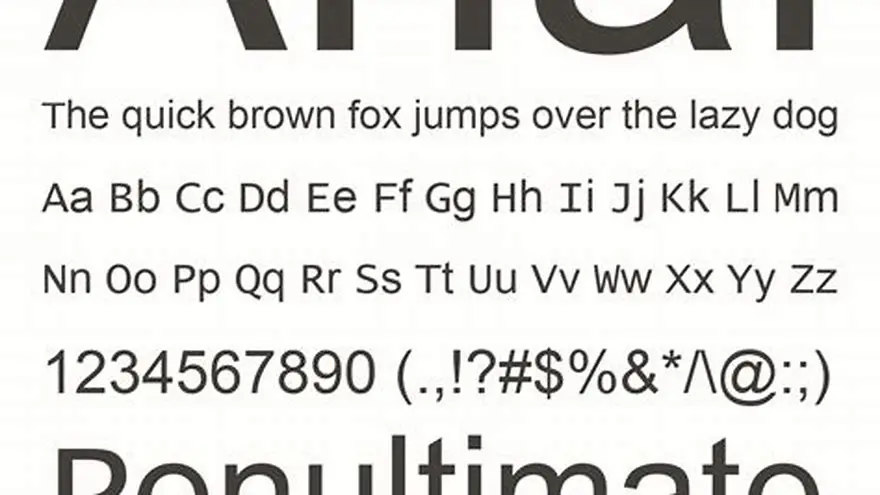
Font choice matters as much as size. Sans-serif faces like Arial, Verdana or Tahoma give clearer letterforms than serif fonts at large sizes. Decorative or script fonts fail completely: readers with macular degeneration or cataracts need high contrast and distinct shapes. Letters like I, l and 1 must look different at a glance.
Line spacing should run 1.5 times the font height. A 16pt line needs 24pt of leading. Tighter spacing causes lines to blur together for readers with reduced contrast sensitivity. Word spacing matters too: a full space between words, not the compressed spacing you see in newspapers.
Publishers often cheat by calling 14pt large print. It's not. A 75-year-old with early macular degeneration will still squint at 14pt under standard room light. Test it yourself: print a page at 14pt and hold it at arm's length. If you have to lean in, it's too small. We go through best fonts for older readers step by step elsewhere on the site.
| Content type | Minimum size | Comfortable size | Notes |
|---|---|---|---|
| Instructions | 16pt | 18pt | Short blocks only |
| Word search grid | 18pt | 20-22pt | Depends on grid size |
| Sudoku cells | 20pt | 24pt | Must fit 9×9 grid |
| Crossword clues | 16pt | 18pt | Numbered clearly |
| Answer blanks | 18pt | 20pt | Space for handwriting |
How layout and contrast affect readability in large print books
Black ink on cream or white matte paper gives the best contrast for aging eyes. Glossy paper reflects light and creates glare that washes out text for readers with cataracts. Grey text on white looks modern but drops contrast below the threshold many older adults need. Aim for a contrast ratio of 15:1 or higher - pure black on white delivers 21:1.
Margins must be wide enough to prevent crowding. A half-inch margin on all sides is the minimum; three-quarters of an inch is better. Puzzles that run to the edge of the page force readers to bend the book open, and perfect-bound spines resist that. Spiral or wire-o binding lets pages lie completely flat, which matters when someone is holding a magnifier in one hand and a pen in the other.
Grid lines in puzzles need to be 0.5pt minimum, ideally 1pt. Faint grid lines disappear under bright light or for readers with reduced contrast vision. Sudoku boxes should use a heavier line (1.5pt or 2pt) to mark the 3×3 regions. Word search grids benefit from slightly bolder letters than the surrounding word list, so the active puzzle area stands out. The other half of this decision is large print puzzle books for seniors with low vision.
White space is not wasted space. A page crammed with two puzzles feels cluttered and hard to navigate for someone with vision loss or cognitive changes. One puzzle per page, with clear instructions at the top and the answer on the back or at the end of the book, gives readers a clean target. If you must fit two activities on a page, separate them with a heavy horizontal rule at least 2pt thick.
- Matte finish paper: no glare under lamps or daylight
- High contrast: black ink on cream, never grey on white
- Bold grid lines: 1pt for puzzles, 2pt for sudoku box borders
- Wide margins: three-quarters of an inch minimum
- Flat binding: spiral or wire-o so pages stay open
Which puzzles and activities suit large print formats
Word searches adapt perfectly to large print. A 15×15 grid at 20pt fits comfortably on a letter-size page with room for the word list below. Go smaller than 12×12 if you need 22pt or 24pt letters. The word list itself should match the grid size (20pt grid, 18pt list) so readers aren't switching focus between two different scales.
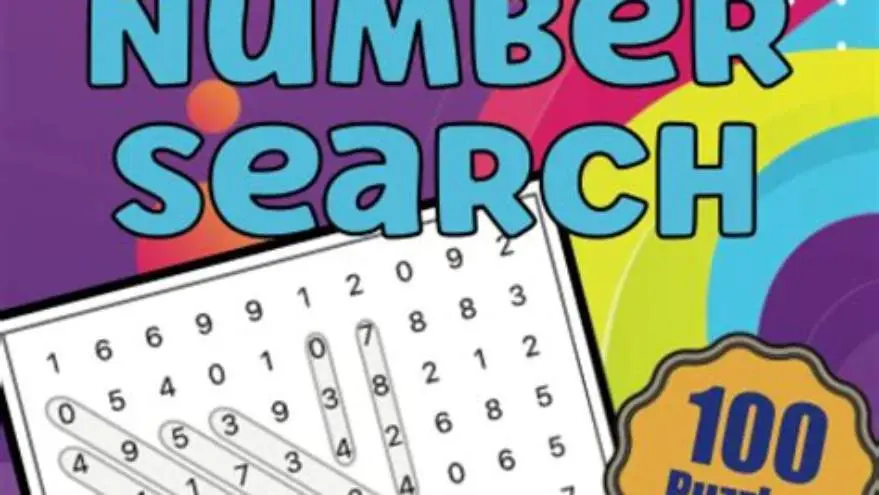
Sudoku works well if you stick to 9×9 grids and 20-24pt cells. Each cell needs space for a handwritten number, so test with an actual pen, not just a screen preview. Number puzzles, logic grids and simple mazes also translate cleanly to large print because they have fewer elements per page. Dot-to-dot and color-by-number activities suit large print if the numbers are sized up and spaced generously. It helps to understand designing puzzles for easier reading before going further.
Crosswords struggle in large print. A standard 15×15 crossword with 18pt squares barely fits on a page, and the clue list runs long. If you want crosswords, use smaller grids (9×9 or 11×11) and print clues at 16pt on the facing page. Quick crosswords with short clue lists work better than cryptic or themed puzzles that need dozens of clues.
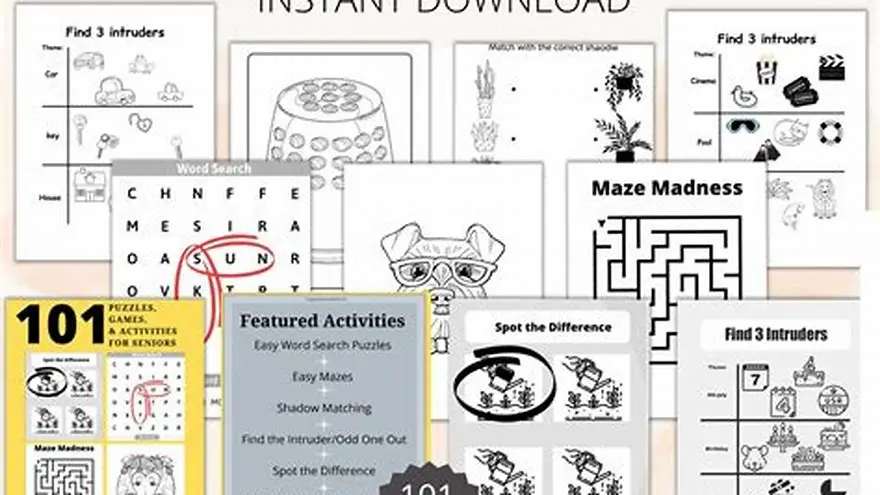
Coloring pages, trivia and conversation prompts all work if the text is large enough. Coloring designs should have bold outlines at least 2pt thick so readers with tremor or reduced fine motor control can stay inside the lines. Trivia questions at 18pt with a few lines of space for answers give readers something to write or discuss. We make a printable activity kit with conversation cards and puzzles at three levels: it's built for people with memory loss and sized for low vision.
| Puzzle type | Fits large print | Ideal size | Limitation |
|---|---|---|---|
| Word search | Yes | 20-22pt, 12×15 grid | Word list can run long |
| Sudoku | Yes | 22-24pt, 9×9 grid | Cells need writing space |
| Crossword | Difficult | 18pt, 9×11 grid max | Clue list too long |
| Mazes | Yes | Wide paths, 2pt lines | Complex mazes don't scale |
| Trivia | Yes | 18pt questions | Needs space for answers |
| Coloring | Yes | 2pt outlines | Fine detail lost |
Choosing paper weight and binding for durability and ease of use
Paper weight should be 24lb bond minimum, ideally 28lb or 32lb if the book will be used repeatedly. Thin paper lets ink from the reverse side show through, which ruins contrast for readers with low vision. Heavier stock also tolerates erasing better if someone wants to reuse a puzzle. Card stock (65lb or 80lb cover weight) works for single-sheet activities that get laminated or slipped into page protectors. It helps to understand activities for seniors at home before going further.
Binding style changes how the book behaves in use. Perfect binding (glued spine) is cheap and common, but pages don't lie flat and the book wants to snap shut. Saddle-stitch (stapled) works for books up to about 60 pages and lets the book open fully if you crease the spine. Spiral or wire-o binding is the best choice for activity books: pages turn easily, lie completely flat, and the book stays open to the page you're working on. That matters when someone needs both hands for a magnifier and a pen.
Covers should be card stock (at least 80lb cover weight) so the book doesn't bend or curl when carried in a bag. A matte laminate or UV coating protects the cover from spills and fingerprints without adding glare. Avoid glossy covers on books meant for people with vision loss: they catch light and become hard to see.
Consider whether the book is for one-time use or repeated practice. Single-use books can use lighter paper and simpler binding. Books for group settings or care homes need heavier stock and durable binding because they'll be handled by multiple people. Laminated pages or write-on-wipe-off surfaces extend life but add cost and weight.
- Paper weight: 24lb bond minimum, 28-32lb for repeated use
- Card stock: 65-80lb cover for single sheets and covers
- Spiral binding: pages lie flat and stay open
- Matte finish: covers and pages, to prevent glare
Where to find or print free large print activity books
You can print free large-print puzzles from several sites that focus on seniors and accessibility. We have a free word search maker that builds a large-print PDF from your own words, sized for older adults, with an answer page included. Print it on your home printer in letter or A4 size. Other sources include public library websites, senior center resource pages, and a few publishers who offer sample pages as downloads.
If you're printing at home, use a laser printer rather than inkjet for sharper text. Inkjet output can look fuzzy at large sizes, especially on budget paper. Print at the highest quality setting and check the actual output against the screen preview: fonts sometimes render smaller than the PDF shows. Use matte or uncoated paper, never glossy photo paper, which creates glare.
For ongoing use, you can build your own books. Print individual puzzles, punch holes and put them in a three-ring binder with sheet protectors. Readers work on the puzzle through the protector with a dry-erase marker, then wipe it clean and reuse it. This works well in care homes and senior centers where the same puzzles rotate through different groups. The upfront work is higher, but the materials last.
If you want to create and sell large-print puzzle books, we built a tool called BigPrint Puzzle Studio that generates print-ready PDFs for Amazon KDP or Etsy. It includes eight puzzle types, 42 themes, and a cover maker. One-time payment, no subscription. It doesn't guarantee sales (that depends on your marketing and the market) but it handles the layout and formatting work so you can focus on publishing.
Testing your activity book with actual users before printing in bulk
Print three to five sample pages and hand them to someone in your target age group under normal lighting. Watch where they hesitate, squint or lean in. Ask them to complete one puzzle without help. If they skip the instructions or struggle to find the starting point, your layout isn't clear enough. If they hold the page closer than arm's length, your font is too small.
Test contrast by photographing a page in black and white on your phone. If the text looks grey rather than black, boost your printer's toner or ink density setting. Print another copy and compare. Low-contrast prints that look fine to you may be illegible to someone with macular degeneration or cataracts. Check how the page looks under a bright lamp and under softer lighting: both matter.
Check usability while the book is bound. Can the reader open it flat without pressing hard on the spine? Do pages stay where they're turned, or does the book snap shut? Does the binding let someone write in the puzzle without their hand hitting the center seam? Spiral binding solves most of these problems, but you won't know until you hold a bound copy.
Run the book past an activity director or caregiver if the book is meant for group settings. They'll catch things you missed: clue text too close to the puzzle grid, not enough space for answers, word lists that wrap awkwardly. They'll also tell you which puzzle types get used and which get ignored, which saves you from printing 50 pages of mazes nobody wants.
If you're making books to sell, order a single proof copy from Amazon KDP or your printer before approving the full listing. KDP's preview tool is not accurate for font size or contrast. The physical proof shows you the real paper weight, ink saturation and how the cover feels. Approve the proof only after you've checked every page under real conditions. Fixing problems after 100 books have shipped is expensive and frustrating.
Questions people still ask
Can I use a serif font like Times New Roman in a large print activity book?
You can, but sans-serif fonts like Arial or Verdana are clearer at large sizes for readers with low vision. Serifs add detail that can blur together when someone has macular degeneration or cataracts. If you prefer a serif font, test it at the size you plan to use and check that letters like I, l and 1 are distinct.
How do I make my own large print activity book if I don't have design software?
Use free tools like Google Docs or LibreOffice Writer and set your font to 18-20pt Arial. Create a simple grid using a table, or use a free word search generator and print the PDF. Punch holes in printed pages and bind them with a three-ring binder or take them to a copy shop for spiral binding.
What's the best way to print a large print book at home without spending a lot?
Use a laser printer with standard copy paper, 24lb weight if you can get it. Print one puzzle per page and bind with a report cover and brads, or punch and use a binder. Avoid inkjet printers for large print: they use more ink and the output is less crisp. Print in draft mode for tests, then switch to high quality for the final version.
Do large print books work for people with dementia or memory loss?
Yes, if the puzzles match their ability level. Large print makes the page easier to see, but you still need activities that fit their cognitive stage. Simple word searches, matching games and picture-based activities work better than complex crosswords. Our activity kit includes three difficulty levels for people with memory loss, and everything is printed large.
Is 14pt font large enough for a senior activity book?
No. 14pt is too small for most older adults with vision loss. You'll see it called large print in some books, but it doesn't meet the standard used by low-vision organizations. Stick to 16pt minimum for instructions and 18-24pt for puzzle content.
Ready to try it? It builds a large-print word search PDF from your own words, with an answer page, sized for older adults and ready to print at home.
Make your word search