Large-print brain games for seniors: free PDFs with clear big fonts
Free printable brain games in large, clear fonts designed for seniors with low vision and memory changes.

You can download free large-print brain game PDFs from sites like ActivityConnection, DailyCaring, and this site's own collection. Most offer word searches, crosswords and sudoku in 18-20pt fonts. Print on bright white paper for best contrast.
On this page (8 sections)
- The short version
- Where to download free large-print brain game PDFs
- Types of brain games suitable for seniors
- Recommended font size and layout for easy reading
- How to print and use these games effectively
- When pre-made puzzles don't fit the person's interests
- What to do when the puzzles get too hard or too easy
- Questions people still ask
Part of our guide on activities for seniors with low vision
Most free puzzle PDFs are formatted for younger eyes, with 10pt fonts that frustrate seniors who need them most.
| Minimum font size | 18-20pt for readability |
|---|---|
| Best paper | Bright white, matte finish |
| Easiest puzzle types | Word search, simple crosswords |
| Print setting | Actual size, no scaling |
| Reusable | Yes, laminate or use page protectors |
The short version
- 18-20pt font minimum for low vision; 24pt for moderate impairment
- Print on bright white or cream paper, never grey recycled stock
- Word searches and crosswords work better than complex logic puzzles for memory loss
- Save PDFs locally so you can reprint favorites without searching again
- Test one puzzle type first before printing a full packet
Where to download free large-print brain game PDFs
You'll find free large-print brain games on ActivityConnection, DailyCaring, and sites run by senior centers. This site offers a collection of word searches, crosswords and memory games formatted for older adults. Most are in 18-20pt fonts with thick grid lines and clear spacing. Download them as PDFs, save them to a folder on your desktop, and print what you need when you need it.
Check the file size before downloading. A single-page word search runs 50-150KB. A ten-page packet should land under 2MB. Anything larger is probably scanned rather than digitally typeset, which means blurry letters and poor contrast. Open the PDF in your browser first and zoom to 150 percent. If the letters stay crisp, the file is clean. If they pixelate, skip it.
Some sites gate their content behind email signup. That's fine if they send you the PDF immediately and don't spam you weekly. Others require you to create an account just to download one puzzle. Save yourself the hassle and move on to the next site. Plenty of good free resources exist without barriers.
We make a free tool that builds large-print word search PDFs from your own words, with an answer page included. Type in family names, favorite places, or hobby words and print a custom puzzle in seconds. It's helpful when you want themes tied to the person's life rather than generic topics. People in this spot often ask about free printable brain games as well.
- ActivityConnection: mix of free and paid, clear fonts, some require login
- DailyCaring: fully free, focuses on dementia-friendly activities
- This site: free word searches, crosswords, sudoku in US Letter and A4
- Local senior centers: often post monthly activity sheets as PDFs on their sites
Types of brain games suitable for seniors
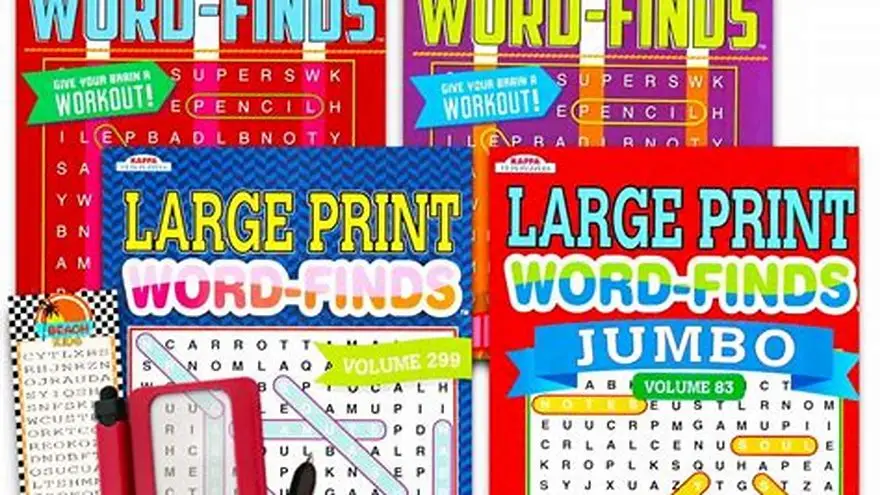
Word searches top the list. They require pattern recognition without time pressure or obscure trivia. The goal is concrete: find the words listed at the bottom. Seniors with early memory loss can work through them independently because the instructions never change. Print ones with 10-15 words maximum and avoid diagonal placements if the person gets frustrated easily.
Simple crosswords come next. Skip the cryptic ones from the Sunday paper. Look for themed puzzles with straightforward clues like "Opposite of hot" or "Month after June." The grid should have large squares, at least half an inch each, so there's room to write clearly. Crosswords spark conversation when you work on them together, unlike solitary number puzzles.
Sudoku works if the person already knows the rules. Teaching it fresh to someone with memory changes rarely goes well. Stick to 4x4 grids rather than the standard 9x9. The smaller version finishes faster and feels less daunting. Number recognition stays longer than abstract reasoning in many forms of dementia, so sudoku can remain doable when other puzzles frustrate. The other half of this decision is seniors puzzle books with large print.
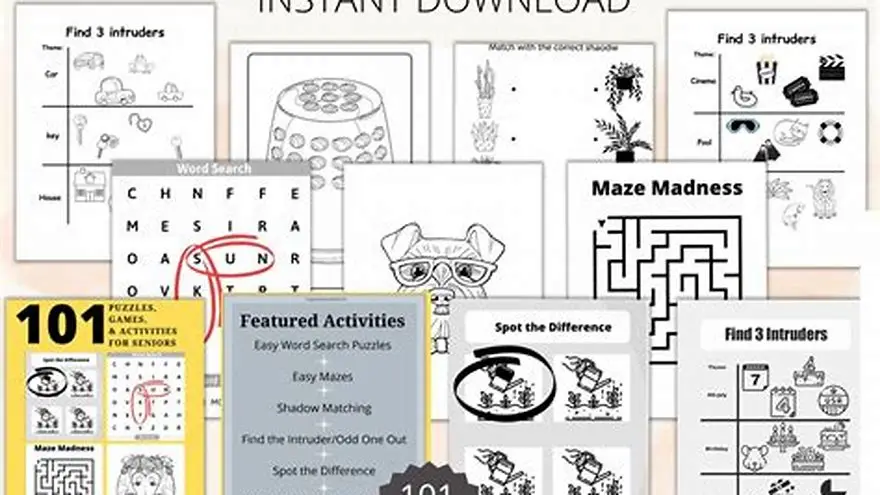
Matching games and spot-the-difference pictures suit visual thinkers. Print two copies of a scene with five to eight differences between them. Circle them together rather than making it a solo task. Mazes can work for some but not others; they require spatial planning that declines early in Alzheimer's. Try one before printing a stack.
| Puzzle type | Difficulty | Works with memory loss | Best grid size |
|---|---|---|---|
| Word search | Easy | Yes, very well | 10-15 words |
| Simple crossword | Easy to moderate | Yes, with help | Large squares, 10x10 max |
| Sudoku 4x4 | Moderate | If already familiar | 4x4 grid |
| Spot the difference | Easy | Yes, as shared activity | 5-8 differences |
| Mazes | Moderate to hard | Often frustrating | Short paths only |
Recommended font size and layout for easy reading
Use 18pt minimum for body text and clues. That works for mild low vision. For moderate impairment, go to 20-22pt. At 24pt and above, you're safe for most seniors with age-related macular degeneration or cataracts. The trade-off is fewer puzzles per page, but readability matters more than paper savings.
Sans-serif fonts like Arial and Verdana test better than serif fonts for large print. Letters stay distinct at size. Avoid decorative or condensed fonts entirely. The lowercase "l" and uppercase "I" should look different at a glance. Check that by typing "Illinois" in the font you're considering. If you squint to tell them apart, the font fails. If that sounds like your situation, read up on books for low vision and memory next.
Grid lines need to be thick enough to see but not so bold they crowd the letters. A 1.5pt to 2pt line weight works well. Faint grey lines disappear under household lighting. Go with black or very dark grey, at least 70 percent opacity. White space between clues should equal at least one full line height so the eye can track from one to the next without losing place.
Margins matter. Leave at least one inch on all sides so the puzzle doesn't run into the printer's no-print zone. Text that gets cut off frustrates everyone. Use landscape orientation for wide word searches and portrait for crosswords. Test-print one page before running a full set. Check it in the actual room where the person will work on it, under that light.
How to print and use these games effectively
Print at actual size, never "fit to page." PDF readers default to scaling, which shrinks an 18pt font down to 15pt without telling you. Open your print dialog, find the page sizing dropdown, and select "Actual size" or "100%." Compare the printed version to the screen. They should match. For the detail, see our notes on december crafts for seniors.
Use bright white paper with a matte finish, not glossy. Glossy sheets reflect light and create glare that makes letters swim. Recycled paper often has a grey tint that lowers contrast. You want black ink on the whitest stock you can buy at the office supply store. It costs a dollar more per ream. Worth it.
Print one or two puzzles at a time rather than a whole packet. Thick stacks overwhelm some people. A single sheet feels doable. Slip it into a page protector and use a dry-erase marker if you want to reuse it. That works well in care homes where the same puzzle rotates through several residents. Wipe it clean and it's ready again.
Laminating makes puzzles wipeable and durable, but lamination adds glare. If you laminate, use matte laminating pouches, not glossy ones. Test it with one puzzle first. Some seniors dislike the plastic feel. Others love that mistakes erase instantly. Store printed puzzles flat in a folder or binder, sorted by type. Creased pages are harder to read.
- Open the PDF and check the print dialog for "Actual size" or "100%" scaling
- Load bright white matte paper into your printer
- Print one test page and check it under the room's normal lighting
- Adjust font size or contrast if needed, then print the full set
- Store flat in a folder or slip into page protectors for reuse
When pre-made puzzles don't fit the person's interests
Generic word searches list birds, capitals, or kitchen tools. Those themes bore someone whose life revolved around gardening, gospel music, or the towns they lived in. You can make your own with the person's actual vocabulary. Type in grandchildren's names, favorite hymns, the streets they grew up on. The puzzle becomes a memory prompt, not just a task.
Custom puzzles also let you control difficulty. You decide how many words to hide and whether to allow diagonals. If the person gets frustrated with fifteen words, make one with eight. If they finish it in three minutes and want more, add complexity next time. Pre-made puzzles lock you into someone else's judgment about what's hard.
Print one custom puzzle and watch how it goes. Some people light up when they see familiar names in the grid. Others don't notice or care. If it doesn't spark anything, stick with pre-made puzzles on pleasant topics like animals or seasons. No harm in trying.
You can also theme puzzles around upcoming holidays or events. A Thanksgiving word search with family dishes and traditions works better in November than a generic autumn one. A birthday puzzle listing memories from that person's life makes the activity feel personal rather than institutional.
What to do when the puzzles get too hard or too easy
If someone struggles with a puzzle they used to finish easily, drop down one difficulty level. Switch from a 15-word search to a 10-word one, or from a full crossword to a fill-in-the-blank. Abilities shift, sometimes week to week. The goal is engagement, not proving anything.
When puzzles feel too easy, the person finishes them in minutes and sets them aside. That's fine if they enjoyed those minutes. Not every activity needs to challenge. But if they ask for something harder, try the next level up or introduce a new type. Some people who breeze through word searches get pleasantly stuck on a simple crossword.
Mixing puzzle types in one session keeps attention better than repeating the same format. One word search, one crossword, one matching game. Rotate through them rather than printing ten word searches in a row. Variety helps when focus is short.
If someone stops doing puzzles altogether, they might need a different kind of activity for a while. Puzzles aren't universal. Some seniors prefer conversation cards, coloring, or sorting tasks. Step back and try something else, then circle back to puzzles later. Forcing it builds resistance.
Questions people still ask
Can I print these puzzles in color or should I stick to black and white?
Black and white prints faster and offers better contrast for low vision. Color can help if you're using it to code difficulty levels or mark sections, but avoid light colors like yellow or pastel blue. They vanish under indoor lighting. Dark blue or green borders around sections work fine.
How many puzzles should I print at once for someone with memory loss?
Print one or two at a time. A thick stack overwhelms and gets ignored. A single sheet on the table invites someone to pick it up. You can always print more when those are done.
What if the person keeps doing the same puzzle over and over?
Let them. Repetition comforts many people with dementia. If they enjoy it, print a few copies of that puzzle and rotate them so it feels fresh. Don't force variety if they've found something they like.
Do I need special large-print printer settings?
No special settings needed beyond choosing "Actual size" in the print dialog. Your standard inkjet or laser printer handles large fonts fine. Just make sure you're not scaling the page down, which shrinks everything.
Are there large-print brain games for people who can't see well enough to read even 20pt fonts?
Yes, but you're moving into tactile or audio activities at that point. Textured sorting tasks, large-piece jigsaw puzzles, and conversation cards work better than printed word games when vision is severely limited.
Ready to try it? Makes custom word search PDFs with your own words in big, clear letters
Make your own word search