Word search generators that allow free commercial use and large-print output
Look at free word search generators allowing commercial use plus how to adapt puzzles for large-print books for older adults.
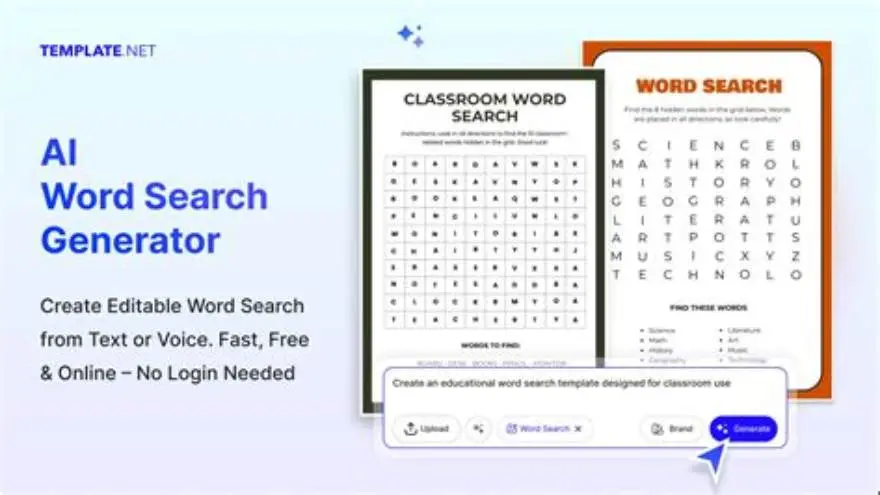
Free word search generators that explicitly allow commercial use are rare and often unclear. Confirm usage rights by checking terms and contacting creators. For large-print, customize font size and grid spacing manually or use dedicated tools made for seniors.
On this page (8 sections)
- The short version
- Which free word search generators permit commercial use
- How to verify usage rights for puzzle generators
- How to customize puzzles for large-print needs
- Tips for creating puzzles suitable for seniors and commercial sale
- Word search generators that allow free commercial use and large-print output
- Alternative free and manual approaches for making commercial large-print word searches
- Questions people still ask
Part of our guide on kdp large print word search
Identify free word search generators that allow commercial use and learn how to create large-print puzzles made specifically for seniors.
| Common font size | 18-24 points |
|---|---|
| Grid size for seniors | 10x10 to 15x15 squares |
| Commercial use clarity | Varies, often unclear |
| Typical puzzle types | Word search, sudoku, mazes |
| BigPrint Puzzle Studio | Large-print focused |
| Free tools available | Limited commercial rights |
The short version
- Not all free generators allow commercial use: verify terms carefully.
- Manual checks or contacting creators ensure you avoid legal issues.
- Customizing font size and grid spacing is essential for large-print puzzles.
- BigPrint Puzzle Studio simplifies large-print commercial puzzle creation.
- Free tools exist but often lack commercial licenses or large-print options.
Which free word search generators permit commercial use
Most free word search generators do not clearly state commercial use permissions. You must carefully check their terms of service or usage guidelines. Some explicitly forbid using puzzles for profit without a license.
A few free tools allow commercial use but require attribution or have restrictions on volume. Always look for clear licensing statements such as Creative Commons licenses that permit commercial usage.
If the website or tool does not state commercial rights, contact the developer or owner directly. Written permission protects you from legal risks when selling puzzle books.
Beware of generators that offer free puzzles but limit commercial rights to paid plans. Some let you download puzzles freely but restrict selling printed versions. We go through how to sell printable puzzles on etsy step by step elsewhere on the site.
Some free word search generators allow commercial use only under certain conditions, like limiting the number of puzzles you can sell per year. For example, a tool might let you sell up to 100 puzzles annually before requiring a paid license. This limit means small projects can stay free but larger volumes need permissions.
Open source puzzle generators often allow commercial use without fees. However, you must follow license terms such as crediting the developer or sharing your modifications under the same license. Check licenses like MIT or GPL to confirm these details. This approach suits those comfortable with running software locally.
How to verify usage rights for puzzle generators
Start by reading the terms of use or licensing pages of puzzle websites. Look specifically for sections mentioning commercial or resale rights. Before you commit to anything, it is worth looking at large print word search generator.
If the terms are vague or missing, use the contact form or email to ask the site owner for written clarification on commercial use.
Keep any permission emails or documented licenses as proof. This is crucial if you plan to sell puzzle books on platforms like Amazon KDP or Etsy.
When no explicit permission is given, assume commercial use is not allowed. Respecting intellectual property prevents legal troubles. We go through word search book without canva step by step elsewhere on the site.
Check the dates on the licensing or terms pages, as terms can change. Older pages might show outdated permissions that no longer apply.
Use screenshots or saved copies of terms and permissions pages in case the website removes or alters them later. This protects you if disputes arise about your puzzle use.
Ask if you can modify puzzles or their layouts before selling. Some licenses allow using the puzzles only as-is, with no changes. Knowing this avoids accidental breaches.
- Locate licensing or terms of use on the generator's site.
- Check for commercial use or resale mentions.
- Contact the owner for clarification if needed.
- Save all correspondence or license documents.
How to customize puzzles for large-print needs
Large-print puzzles require font sizes typically between 18 and 24 points, depending on the target user's vision. Smaller print undermines readability for seniors.
Grid sizes should be moderate, around 10x10 to 15x15 squares, to keep the puzzle manageable and the letters large enough.
Adjust spacing between letters and words to prevent crowding. Adequate white space improves clarity for users with low vision.
Many free word search generators do not offer sufficient customization for large-print puzzles. You often need to export puzzles and adjust them manually in design or word-processing software.
Specialized tools like BigPrint Puzzle Studio automate this process, generating puzzles already optimized for large print, saving time and avoiding layout errors.
Test print a sample puzzle at your chosen font size and grid spacing. This check helps spot issues like letters too close together or lines running into margins.
Consider using sans-serif fonts for large print puzzles. Fonts like Helvetica or Calibri also improve readability for low-vision users alongside Arial and Verdana.
If you add colors, use high contrast combinations such as black letters on pastel yellow. Avoid color combinations like red and green, which can be hard for colorblind users.
Tips for creating puzzles suitable for seniors and commercial sale
Choose clear, legible fonts like Arial or Verdana for easy reading. Avoid decorative fonts that confuse letters.
Keep word lists thematically simple and familiar to seniors, such as seasons, holidays, or common objects.
Limit puzzle complexity by using moderate grid sizes and fewer hidden words to reduce frustration.
Include an answer key on a separate page with the same large print.
Design puzzles with high contrast between letters and background for visibility.
For commercial sales, include copyright and licensing information if required, and ensure all content complies with platform requirements.
Offer puzzles with varying difficulty levels. Easy puzzles with fewer hidden words suit beginners, while harder puzzles keep experienced seniors engaged.
Use consistent formatting across all puzzles in a commercial set. Uniform font sizes, spacing, and answer key styles give a professional look and avoid confusing buyers.
Include instructions with clear language and large print. Explain how to find words and use the answer key. Clear instructions reduce customer questions and improve satisfaction.
- Font choice: Arial or Verdana, 18-24 points.
- Themes: familiar topics aid engagement.
- Puzzle size: 10x10 or 15x15 grids.
- Answer keys: always include, large print.
- Contrast: dark letters on white background.
Word search generators that allow free commercial use and large-print output
Free generators with explicit commercial use allowance and large-print options are rare. Many free tools focus on personal or classroom use only.
Manual methods remain common: generate puzzles with free word search sites, export to PDF or image files, then adjust font size and layout in software like Microsoft Word or Adobe InDesign.
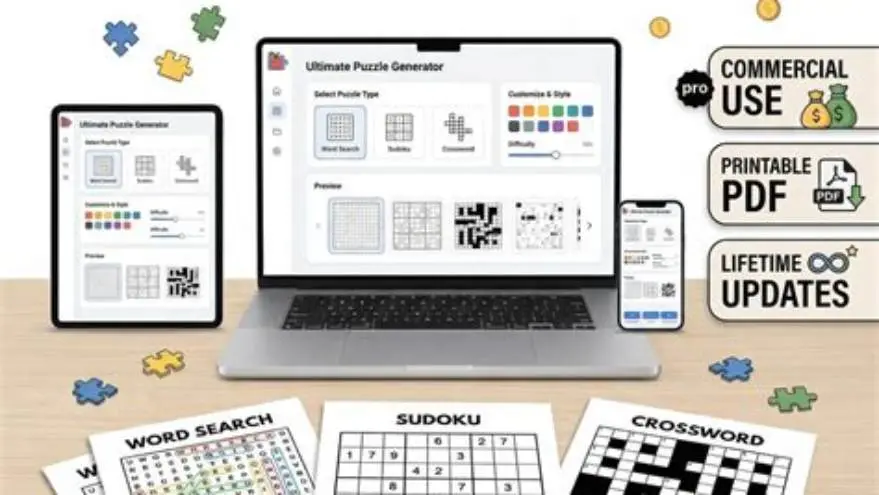
BigPrint Puzzle Studio fills this gap by offering a web-based platform that generates large-print puzzles ready for commercial sale. It supports multiple puzzle types, large-print formatting, and Amazon KDP-compatible PDFs.
The software costs a one-time fee, removing subscription hassles. It also includes wrap-around covers and keyword helpers, streamlining puzzle book publishing for seniors.
BigPrint Puzzle Studio avoids the common pitfall of unclear commercial rights because you own the puzzles you create. Its large-print focus means no extra manual formatting.
If you want a quick, reliable way to produce large-print puzzles for sale, this tool saves hours of manual work and guesswork about usage rights.
- Large-print friendly output
- Clear commercial use
- Multiple puzzle types
- Includes covers and listing tools
- One-time cost required
- Not a guaranteed income source
Alternative free and manual approaches for making commercial large-print word searches
If you prefer free options, use free online word search generators to create puzzles without commercial licenses, then redesign them manually for large print.
Export puzzles as images or PDFs, open them in word processors or design software, then increase font size to 18-24 points and space letters wider.
You must create your own copyright notices and ensure you have rights to all puzzle content before selling.
This DIY method is time-consuming and requires design skills but costs nothing.
Another option is the free Large Print Word Search Maker for personal use; it lacks commercial licenses and customization but serves as a starting point.
Manual methods suit hobbyists or low-volume sellers but are impractical for serious commercial publishing.
- No upfront payment
- Full control over design
- Good for one-off puzzles
- Licensing unclear or absent
- Labor-intensive process
- No built-in large-print support
Questions people still ask
Can I sell puzzles made with free word search generators?
Only if the generator explicitly permits commercial use. Check their terms or get written permission. Many free tools restrict selling puzzles created with them.
How large should the font be for large-print puzzles?
Font sizes between 18 and 24 points usually work best for older adults with low vision. Adjust the grid size accordingly to keep puzzles legible and manageable.
Is manual puzzle customization a good option?
It works for occasional use but takes considerable time and design skills. Licensing can be uncertain, so ensure you have rights before selling.
What puzzle types suit seniors apart from word search?
Sudoku, mazes, and simple crosswords also work well when designed with large print and moderate difficulty.
Does BigPrint Puzzle Studio guarantee sales or income?
No tool guarantees income. Success depends on your publishing and marketing efforts, but it removes barriers to creating suitable commercial puzzles.
Ready to try it? It directly creates large-print puzzles with clear commercial rights and formats suited for seniors and puzzle book sales.
Try BigPrint Puzzle Studio