Make a large-print word search book without Canva
Discover free methods and formatting tips to create large-print word search books for seniors without relying on Canva.
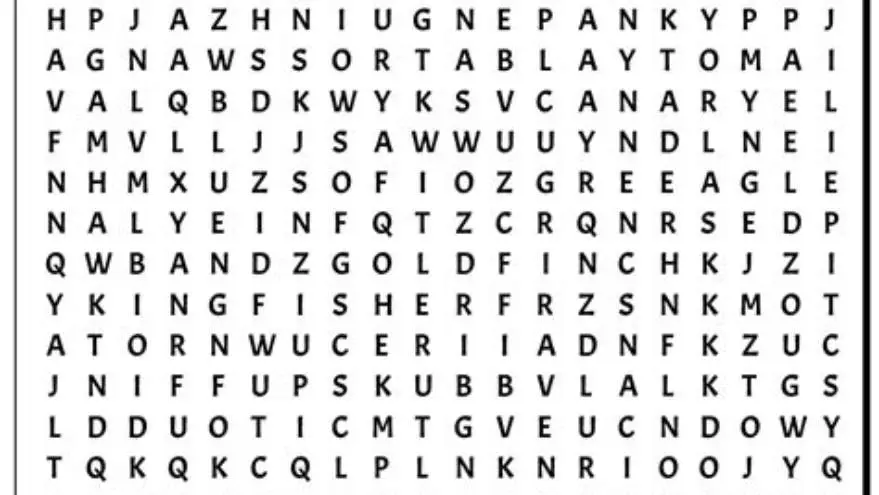
You can make a large-print word search book without Canva by using free puzzle generators like Puzzle Maker or Microsoft Word’s grid tools, adjusting fonts to 16-24 pt for readability, and exporting as print-ready PDFs with correct margins.
On this page (8 sections)
- Key takeaways
- How to generate word search puzzles without Canva
- Tools or software alternatives to Canva for word search creation
- Formatting large-print puzzles for easy reading
- Exporting to PDF or print-ready files for puzzle books
- Tips for organizing and compiling puzzles into a book
- How to make a word search book without Canva
- Questions people still ask
Part of our guide on how to create large print puzzles kdp
| Font size | 16-24 pt |
|---|---|
| Common puzzle size | 10x10 to 15x15 grid |
| PDF margin | 0.5-0.75 inch |
| Software cost | Free alternatives available |
| Pages per book | 30-60 puzzles typical |
Key takeaways
- Large-print puzzles need fonts sized 16-24 pt for seniors’ easy reading.
- Free puzzle generators and Word’s table features can replace Canva.
- Formatting for print requires careful margin setup per Amazon KDP standards.
- Export PDFs with embedded fonts to avoid layout shifts in printing.
- Organize puzzles with titles, answer keys, and page numbers for book structure.
How to generate word search puzzles without Canva
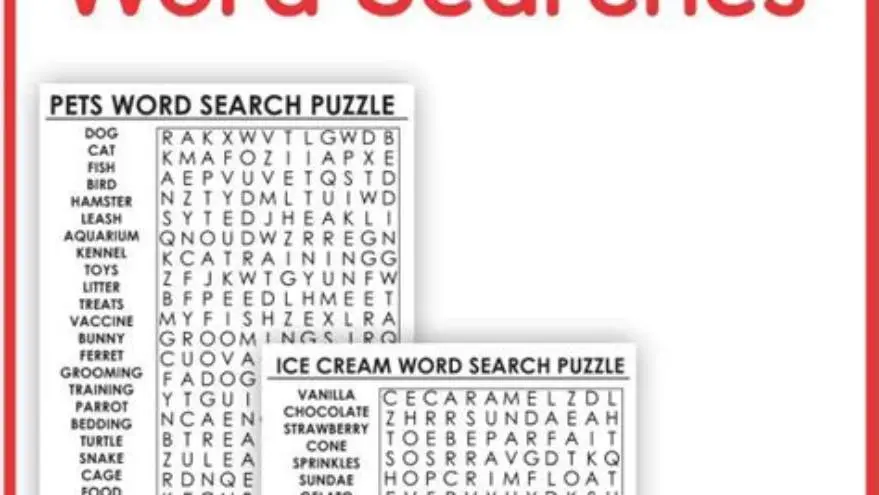
You do not need Canva to create word search puzzles. Free online puzzle generators such as Discovery Education’s Puzzle Maker or the EclipseCrossword software let you input word lists and produce puzzles instantly. These tools usually support grids sized from 10x10 to 15x15 squares, which work well for large-print versions once you increase font size.
Another manual approach is to use spreadsheet software like Excel or Google Sheets. You can create a grid of cells, place your letters, and format the font size to 18-24 pt, which is readable for older adults with lower vision. This method requires more time but gives you full control over puzzle design and word placement.
Choose the grid size based on your target audience’s reading comfort. Grids too large make searches overwhelming, while too small can crowd letters. Around 12x12 grids often balance challenge and clarity, especially when sized up for large print.
Tools or software alternatives to Canva for word search creation
Several free tools exist beyond Canva that can create word searches. Microsoft Word lets you build tables with set rows and columns, then fill letters and highlight words. Adjusting font size between 16 and 24 pt increases legibility for seniors. For the detail, see our notes on top puzzle book software.
Puzzle Maker websites offer straightforward puzzle creation with no downloads. However, they sometimes limit font size or export quality, requiring you to tweak puzzles further in Word or Publisher.
For more automated puzzle book creation, BigPrint Puzzle Studio is designed specifically for large-print puzzles. It streamlines creating multiple puzzle types, includes ready themes, and formats output for KDP or Etsy. It does not require design skills but costs a one-time fee. If you want a free route, manual methods remain practical but more time-consuming.
- free to use software options
- full puzzle customization
- no installation needed for online tools
- manual formatting needed
- some free tools limit print quality
- no automatic book compilation
Formatting large-print puzzles for easy reading
Large print means font sizes between 16 and 24 pt, depending on puzzle complexity and page layout. Use sans-serif fonts like Arial or Verdana for better clarity. Margins around puzzles should be at least 0.5 inch to avoid cutting off letters when printed. The other half of this decision is how to create an activity calendar.
Space between puzzle cells and words also affects readability. Aim for at least 1.5 line spacing in tables or grids. Use bold letters to improve contrast, especially if puzzles will be printed on lower-quality paper.
Consistent puzzle layout helps seniors focus without distraction. Place the puzzle title above with a clear theme or word list, and provide answer keys on separate pages or at the book’s end. Page numbers also aid navigation.
In addition to font size and spacing, color contrast is vital for readability. Using black text on a white background maximizes contrast, but if you want to add color, ensure it is dark enough against the light background. Avoid pastel or neon shades for letters, as these can strain the eyes, especially for older readers. Testing prints on your home printer before finalizing the book helps confirm that letters remain crisp and legible. It helps to understand word search book large print before going further.
When formatting puzzles in Word or similar software, use table borders sparingly. Thin, light gray borders help define cells without cluttering the page. Thick or dark borders may distract from the letters themselves. Also, consider leaving some extra vertical space between the puzzle grid and the word list below to give the eyes a rest and make navigation easier.
If your word search book includes multiple puzzle types or varying difficulty levels, use consistent visual cues like color-coded titles or symbols in the puzzle header. This system helps users quickly identify puzzles suited to their preferences and maintains a professional look throughout the book. For example, a simple star icon next to easy puzzles or a different font style for more advanced ones can be effective.
Exporting to PDF or print-ready files for puzzle books
Once you finish puzzle design and formatting, export your pages as PDF files. PDF is the preferred format for print-on-demand platforms like Amazon KDP and Etsy printables because it preserves layout and fonts exactly. If that sounds like your situation, read up on creating ready-to-sell puzzles next.
Make sure fonts are embedded during export to prevent substitution or layout shifts. Check that your page size matches the book size you intend to publish, commonly 8.5 x 11 inches or 8 x 10 inches for large-print puzzle books.
If using Word or Google Docs, select 'Save as PDF' or 'Export as PDF' and review the output on different devices to verify formatting. Avoid exporting to image files unless absolutely necessary since those can reduce print sharpness.
Some PDF export options allow you to compress images and reduce file size, but for puzzle books, maintain the highest resolution possible. Low image quality can blur letters and make puzzles harder to solve, especially in large print. Check output settings for image quality or DPI (dots per inch) and set it to at least 300 DPI for sharp printing. For the detail, see our notes on make themed large print word searches.
After exporting your PDF, open it on various devices such as a desktop, tablet, and smartphone. This step verifies that your fonts render correctly and no layout shifts occurred. Zoom in to check letter clarity and ensure no letters overlap cell borders. This visual inspection acts as a final quality control before uploading your file to a publisher or printer.
If your puzzle book includes answer keys, consider exporting them as separate PDFs from the puzzles. This approach allows you to upload answer keys as a companion file or provide them digitally to customers without spoiling the puzzles. Some print-on-demand platforms support multi-file uploads, so keeping puzzles and solutions separate can be a neat organizational benefit.
Tips for organizing and compiling puzzles into a book
Arrange puzzles logically by theme, difficulty, or alphabetically to help readers progress comfortably. Include a contents page listing puzzles and page numbers. For the detail, see our notes on make sudoku book sell amazon.
Use a consistent header and footer style with book title, page numbers, and optionally, publisher or author name. This helps seniors track their place in the book.
Answer keys should be separated from puzzles to avoid accidental spoilers. You can place answers at the back or on alternate pages if you want a spiral-bound format.
Cover design is important. Without Canva, use free tools like GIMP or Microsoft Publisher to create a clear, simple cover with large fonts and relevant images.
Finally, check print margins against your publishing platform’s requirements. Amazon KDP, for example, often demands at least 0.5 inch inner margins to avoid content loss during binding.
- List your puzzles and assign page numbers.
- Create a contents page referencing those numbers.
- Design consistent headers and footers.
- Place answer keys at the back of the book.
- Prepare a clear, large-print cover.
- Verify margins and sizing for your publisher.
How to make a word search book without Canva
To make a word search book without Canva, start by generating your puzzles using free online tools or spreadsheet grids, then format puzzles in Word or similar software with large-print fonts.
Build your book by compiling the puzzle pages into a single document, adding titles, answer keys, and page numbers as described. Use PDF export ensuring embedded fonts and correct margins.
If you want to speed up this workflow or avoid manual layout struggles, BigPrint Puzzle Studio offers a specialized solution. It creates large-print puzzles and assembles them into print-ready books quickly, including covers and listing helpers for Amazon KDP or Etsy. The trade-off is a one-time purchase; it’s not free but saves hours of formatting.
Choose manual methods if your budget is zero and you don't mind extra effort. Opt for BigPrint Puzzle Studio if you want a focused tool for large-print puzzle book creation without learning design software.
Questions people still ask
Can I use Excel to make word search puzzles for large print?
Yes, Excel lets you create grids and format letters with large fonts. You must manually input words and check they fit. It requires more time but offers control over layout.
What font size is best for seniors in word search books?
Between 16 and 24 pt is best. Choose a clean sans-serif font like Arial for clarity and ease of reading.
How do I avoid puzzles being cut off during printing?
Keep margins at least 0.5 inch around all content and confirm your print provider’s margin requirements before exporting PDFs.
Is BigPrint Puzzle Studio good for beginners?
Yes, it is designed to be user-friendly for those new to puzzle book creation, focusing on large print and ready-to-print output.
Can I sell puzzle books made without Canva on Amazon KDP?
You can, provided your PDF meets KDP’s formatting guidelines, including page size, margins, and embedded fonts.
Ready to try it? BigPrint Puzzle Studio simplifies generating large-print word searches and assembling them into print-ready books, saving time and formatting hassle.
Create large-print puzzles easily