Canva word search vs puzzle generators: which best fits big-print puzzle books
Canva word searches look fine on screen but lack the grid control and font sizing older eyes need. Puzzle generators built for print deliver faster.
Canva's word search tools require manual grid building and lack senior-friendly font sizing. Dedicated puzzle generators produce print-ready large-print puzzles in minutes with proper letter spacing and answer keys included.
On this page (8 sections)
- The short version
- How to generate word searches in Canva
- What puzzle generators do differently for print clarity
- Features Canva lacks compared to puzzle generators
- Print quality and customization for seniors
- Which tool saves time while ensuring clarity
- When to use each tool for puzzle book creation
- Questions people still ask
Part of our guide on kdp large print word search
Canva gives you design freedom but no print-optimized grid; puzzle generators deliver senior-friendly spacing without the layout work.
| Canva word search setup | manual grid, 20-40 min per puzzle |
|---|---|
| Puzzle generator output | print-ready PDF in under 2 min |
| Minimum readable font | 18pt for low-vision readers |
| KDP interior margin | 0.5 inch all sides for 8.5×11 |
| Answer key inclusion | manual in Canva, automatic in generators |
The short version
- Canva word searches need manual grid setup and lack automatic answer key generation
- Puzzle generators built for print give you 18-24pt fonts and proper grid spacing by default
- Canva works for one-off designs; generators save hours when you're making full books
- Test print quality at actual size before committing to either tool
- BigPrint Puzzle Studio handles layout, covers and eight puzzle types for KDP books
How to generate word searches in Canva
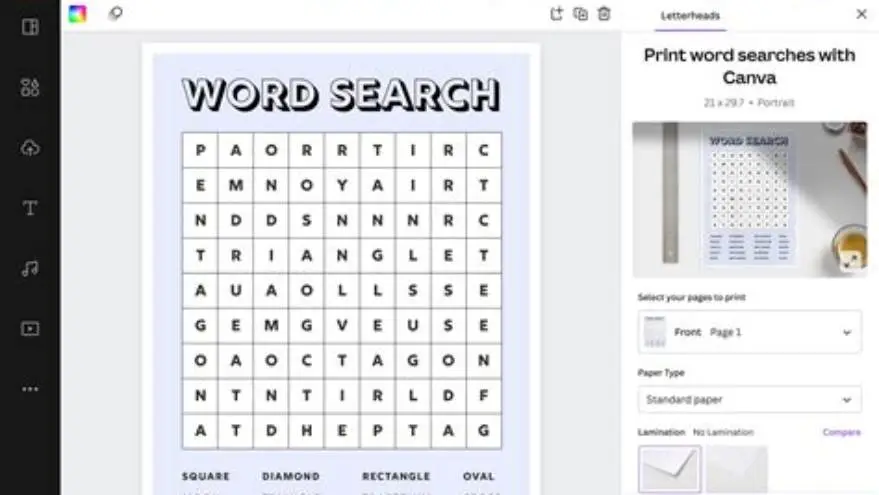
Canva doesn't have a built-in word search generator. You build the grid yourself using text boxes and a table element. Create a square table, usually 15×15 or 20×20 cells, then type one letter into each cell. You pick the words, hide them in the grid by hand, and fill empty cells with random letters. The process takes 20 to 40 minutes per puzzle depending on grid size and how fast you type.
Font control is where Canva shines. You choose any typeface, set the size to 18pt or larger for readability, and adjust letter spacing inside each cell. Color and background options let you brand the page. But every puzzle starts from scratch unless you duplicate a previous design and swap out all the letters. No algorithm places your words or checks for overlaps.
You'll also build the word list separately, usually in a text box below the grid. Canva won't generate an answer key, so you either highlight the hidden words by hand using shapes or create a second page with circled letters. That's another 10 to 15 minutes of manual work per puzzle. The result looks polished if you have design skills, but the time cost adds up fast when you're making a book with 50 or 100 puzzles.
For a single puzzle to print at home, Canva works fine. You control every pixel. But for batch creation or consistent formatting across a book, the repetitive grid-building becomes a bottleneck. Each puzzle is a separate design file unless you organize them into a multi-page document, and Canva's free plan limits you to a certain number of pages per document. The other half of this decision is how to make a word search book without canva.
What puzzle generators do differently for print clarity
Dedicated puzzle generators place your word list into a grid automatically. You type the words, pick a grid size, and the software arranges them with proper overlaps in under two minutes. Most generators targeting senior readers default to 18pt to 24pt fonts and space the grid so letters don't touch. That's the spacing low-vision readers need, and it's built into the template.
Answer keys generate at the same time. The tool produces a second page with the hidden words circled or highlighted, ready to print. You don't draw anything by hand. Print quality stays consistent because the generator uses the same margin and font settings for every puzzle in the batch. When you're building a 100-page book, that consistency matters more than custom colors.
Puzzle generators also handle the math for KDP's trim size and margins. An 8.5×11 inch book needs 0.5-inch margins on all sides to avoid the gutter eating your letters. Generators built for publishing bake that into the PDF output. Canva requires you to manually set margins and check them on every page, or use a bleed template and hope the letters stay inside the safe zone. We cover word search maker for commercial use in its own article.
The tradeoff is design flexibility. Most puzzle generators give you two or three font choices, black ink on white paper, and minimal layout control. You won't get gradients, photos, or brand colors unless the tool specifically includes theme options. For a functional large-print puzzle book, that's usually fine. For a gift book or a branded printable, Canva's design freedom can justify the extra time.
| Feature | Canva | Puzzle Generator |
|---|---|---|
| Setup time per puzzle | 20-40 minutes | Under 2 minutes |
| Word placement | Manual, letter by letter | Automatic from word list |
| Answer key | Manual highlight or second page | Generated with puzzle |
| Font size control | Full control, any size | Fixed 18-24pt for seniors |
| KDP margin presets | Manual setup required | Built into PDF output |
| Design flexibility | Unlimited colors and fonts | Limited to theme options |
Features Canva lacks compared to puzzle generators
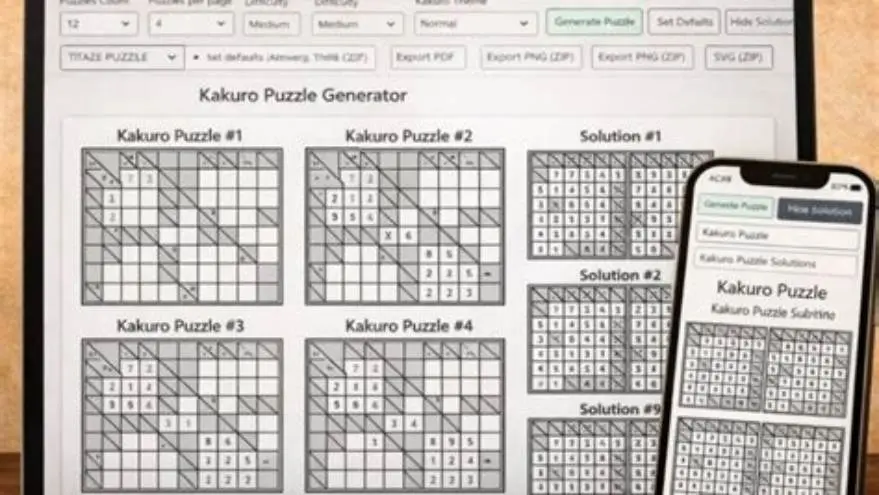
Canva has no batch export. You download each puzzle as a separate PDF or PNG, then combine them into a book file using another tool. Puzzle generators built for KDP produce a single multi-page PDF with all puzzles, the answer key section, and sometimes a title page and instructions. That file uploads directly to KDP without extra steps.
Automatic word placement is the biggest gap. Canva won't check if your words fit the grid or overlap properly. You can accidentally leave gaps, hide words in ways that make them impossible to find, or run out of space and need to rebuild the grid. Puzzle generators validate the word list and reject words that don't fit the grid size you chose. Some also flag duplicate words or words too short to be challenging. We go through designing grids for easy printing step by step elsewhere on the site.
Most puzzle generators include theme templates with matching word lists. A spring-themed book gets garden and weather words pre-loaded; a holiday book gets seasonal terms. Canva requires you to write every word list yourself or paste from a source. For a 50-puzzle book, that's 500 to 1,000 words you need to source and type. Generators with theme libraries cut that work to zero.
Cover creation is another split. Canva excels at custom covers with photos, textures, and brand elements. Puzzle generators either skip covers entirely or provide a basic template with a title and subtitle. If you're selling on KDP, you'll likely use Canva or another design tool for the cover even if a generator handles the interior. We built BigPrint Puzzle Studio to include a wrap-around cover maker because most puzzle tools leave that step to you, and KDP's cover calculator intimidates a lot of first-time publishers.
- Batch PDF export: generators give you one file for the whole book; Canva needs manual combining
- Word validation: generators check fit and reject impossible layouts; Canva doesn't warn you
- Theme libraries: generators include pre-written word lists; Canva starts blank every time
- Answer key automation: generators produce it with the puzzle; Canva requires a second manual page
Print quality and customization for seniors
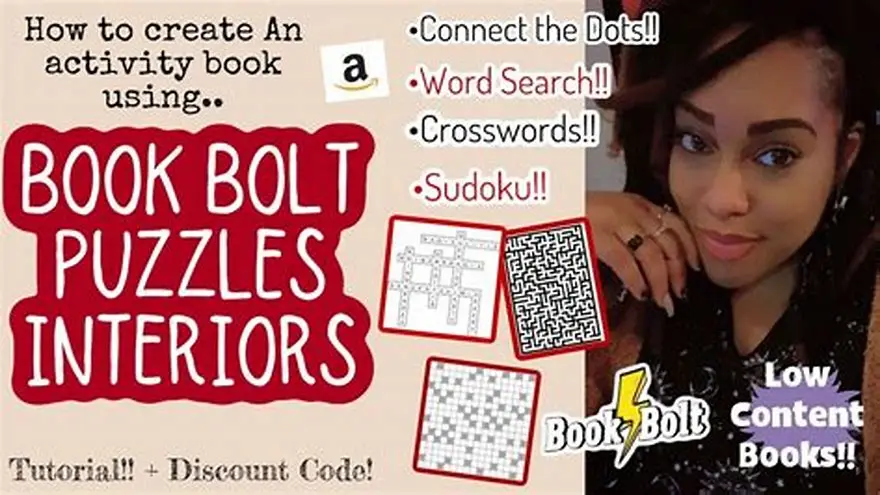
Print quality comes down to font weight, letter spacing, and margins. Older eyes struggle with fonts below 16pt, and readers with macular degeneration or glaucoma need 18pt minimum with bold or semi-bold weight. Canva lets you set any font and weight, but you must remember to apply it to every grid cell. Miss one cell and the letter size drops, making that puzzle harder to read. We cover book bolt alternative for puzzle books in its own article.
Letter spacing inside the grid matters as much as font size. If letters touch or sit too close, the grid looks like a solid block of text. Puzzle generators targeting seniors set cell padding to 0.15 to 0.25 inches between letters. Canva's table tool doesn't expose cell padding as a setting, so you adjust it by shrinking the font slightly or increasing the table size. That trial-and-error process takes time, and the spacing won't match across puzzles unless you duplicate the same table every time.
Margin mistakes show up on paper. KDP trims the edges of your PDF, and a 0.5-inch margin is the safe minimum for 8.5×11 inch books. Go narrower and letters near the spine or edge get cut. Canva's bleed settings help, but you still need to manually position your grid inside the safe zone. Puzzle generators built for KDP set margins automatically and won't let you place content in the trim area.
Customization is where Canva pulls ahead. You can add large-print instructions at the top of each page, adjust grid shape to rectangular instead of square, or use a serif font if your readers find it easier. Puzzle generators lock you into the template the developer chose. Some allow font switching or theme colors, but most assume one default look. For readers with specific visual needs, Canva's flexibility can make the difference between a puzzle they can complete and one they abandon. People in this spot often ask about one-time payment puzzle generator as well.
Which tool saves time while ensuring clarity
Puzzle generators win on speed for books with 20 or more puzzles. You generate the interior in under an hour, proof the PDF, and upload to KDP. Canva's manual grid-building makes a 50-puzzle book a 20 to 30-hour project unless you're duplicating a single template and only swapping letters. If you're making one book to sell and testing the market, that time investment is manageable. If you're planning a series or publishing regularly, the generator pays for itself in saved hours.
Clarity depends on whether the tool enforces large-print standards. Canva gives you control but no guardrails. You can accidentally set a 12pt font, use low-contrast gray text, or place the grid too close to the margin. Puzzle generators targeting senior readers lock those settings at accessible defaults. You trade design freedom for confidence that every page meets readability standards.
For one-off printables sold on Etsy or given away as freebies, Canva's design control justifies the time. You can match brand colors, add decorative borders, or include a custom header. For KDP books where readers expect function over style, a generator's speed and consistency matter more. Your book competes on theme, word choice, and puzzle variety, not on whether the grid has a gradient background.
We built BigPrint Puzzle Studio to handle the parts that slow creators down: automatic grid generation, theme libraries with pre-written words, answer keys, and a cover maker that outputs KDP's exact wrap-around dimensions. It covers eight puzzle types including word search, sudoku, and mazes, all with large-print defaults. The one-time $17 cost makes sense if you're publishing more than a couple of books. If you're testing the market with a single book, start with Canva or a free generator and switch to a paid tool once you know publishing is worth your time.
When to use each tool for puzzle book creation
Use Canva when you're making under 10 puzzles, need full design control, or want brand consistency with other printables you sell. It's also the better choice for gift books where visual polish matters as much as the puzzles themselves. The time cost is acceptable for small batches, and you'll have a design you can reuse or adapt for other projects.
Use a puzzle generator when you're making a full KDP book with 50 to 100 puzzles, publishing a series, or need fast turnaround. Generators save you days of manual work and reduce the risk of formatting mistakes. They're also better if you're new to publishing and want a tool that handles margins, trim size, and answer keys without a learning curve.
Consider hybrid workflows. Generate the puzzles in a tool built for speed, export the PDF, then use Canva to design the cover and any front matter like instructions or a welcome page. That approach gives you production speed where it matters and creative control on the pages that sell the book. Most puzzle generators export standard PDFs, so you can open them in another tool and tweak individual pages if needed.
If you're printing puzzles for personal use or a care home activity binder, a free generator is enough. We offer a free large-print word search maker on this site that produces a single puzzle with an answer key, formatted for Letter or A4 paper. It's limited to word searches, but it's instant and requires no signup. For a single-page handout, that beats opening Canva or paying for software.
- Canva: best for under 10 puzzles, branded printables, or gift books with custom design
- Puzzle generator: best for 50+ puzzle KDP books, series publishing, or first-time authors
- Hybrid: generate puzzles for speed, design cover and front matter in Canva for polish
- Free tools: enough for single-page handouts or testing before you commit to a larger project
Questions people still ask
Can Canva generate word search puzzles automatically?
No. Canva has no built-in word search generator. You build the grid manually using a table element and type each letter into the cells. Word placement, random letter fill, and answer keys are all manual tasks that take 20 to 40 minutes per puzzle.
What font size works best for large-print word searches?
Use 18pt minimum for readers with low vision, and 20pt to 24pt for readers with macular degeneration or significant vision loss. Bold or semi-bold fonts improve readability more than increasing size alone. Test a printed page with your intended reader before finalizing.
Do puzzle generators work for printables sold on Etsy?
Yes, but design flexibility is limited. Generators produce functional puzzles fast, which works for budget printables. If your Etsy brand relies on custom colors, decorative borders, or themed graphics, Canva gives you more design control even though it takes longer.
How long does it take to make a 50-puzzle book in Canva?
Expect 20 to 30 hours if you're building each grid by hand. You can cut that to 10 to 15 hours by duplicating a single puzzle template and swapping letters, but you still need to generate word lists and answer keys manually for every puzzle.
Can I mix Canva-designed puzzles with generator output in one book?
Yes. Export both as PDFs and combine them using a PDF editor or upload them together to KDP. Just make sure page size, margins, and font size stay consistent so the book doesn't look patched together.
Ready to try it? It generates print-ready large-print puzzles with answer keys and covers in minutes, solving the speed and formatting problems Canva creates.
Make your puzzle book with it