Large print word search books
Follow exact font size and layout rules to create large print word search books that meet KDP standards and appeal to older adults.
Large print word search books require font sizes of at least 16-20 pt for readability, word search grids designed with 12-15 letters per side, and KDP files formatted with suitable margins and bleed. Proper niche keywords boost sales on Amazon KDP.
On this page (8 sections)
- Key takeaways
- What font sizes qualify as large print in word search books
- How to format word search grids for readability in large print books
- KDP file formatting and upload tips for large print word search books
- Niche targeting and keywords for large print word search books on KDP
- How to format and layout large print word search books for KDP success
- How BigPrint Puzzle Studio helps create large print word search books for KDP
- Questions people still ask
Part of our guide on how to make large print puzzle books for kdp
| Large print font size | 16-20 pt |
|---|---|
| Grid size | 12-15 letters |
| Page margins | 0.5-0.75 inch |
| KDP bleed | 0.125 inch |
| Common niches | Seniors, memory loss |
| Printable page size | 8.5x11 inches |
Key takeaways
- Use font sizes 16-20 pt for large print puzzles
- Design grids with 12-15 letters per side for clarity
- Adjust margins and bleed according to KDP specs
- Target niches with keywords focused on seniors and big print
- Consider puzzle creation tools to speed layout and formatting
What font sizes qualify as large print in word search books
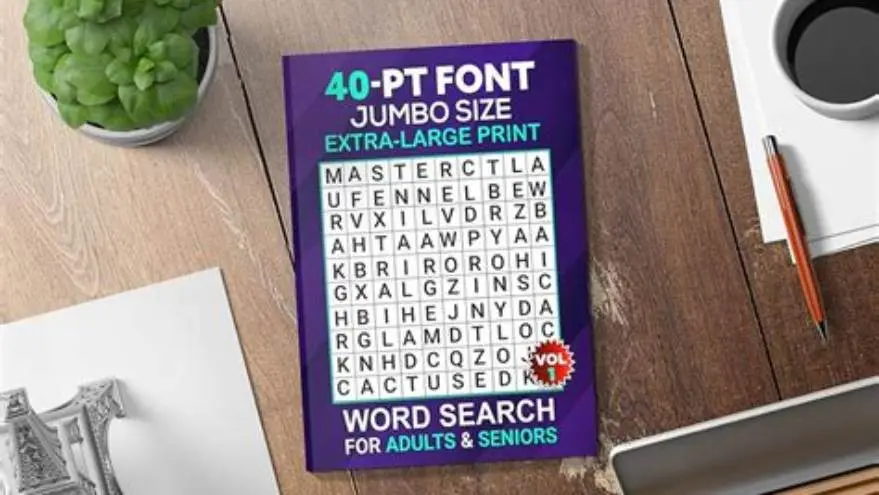
Large print word search books begin at font sizes of 16 pt for the main puzzle elements, including the letters in the grid and the word list. This size range, usually between 16 and 20 points, ensures visibility for older adults with varying degrees of visual acuity.
Using fonts smaller than 16 pt undermines the purpose of large print, as many readers find letters below that size difficult to read comfortably, especially over prolonged activity sessions.
The font used should also be clear and sans-serif or a highly legible serif, avoiding decorative styles that reduce clarity. Fonts like Arial, Verdana, or Times New Roman at 16 to 20 pt provide both clarity and traditional puzzle book look.
Headers and instructions can be slightly larger, between 20 and 24 pt, to provide hierarchy and further assist readers in navigation. Maintaining consistent font sizes throughout the word search grid and word list is critical for usability. The other half of this decision is create word search book no canva.
How to format word search grids for readability in large print books
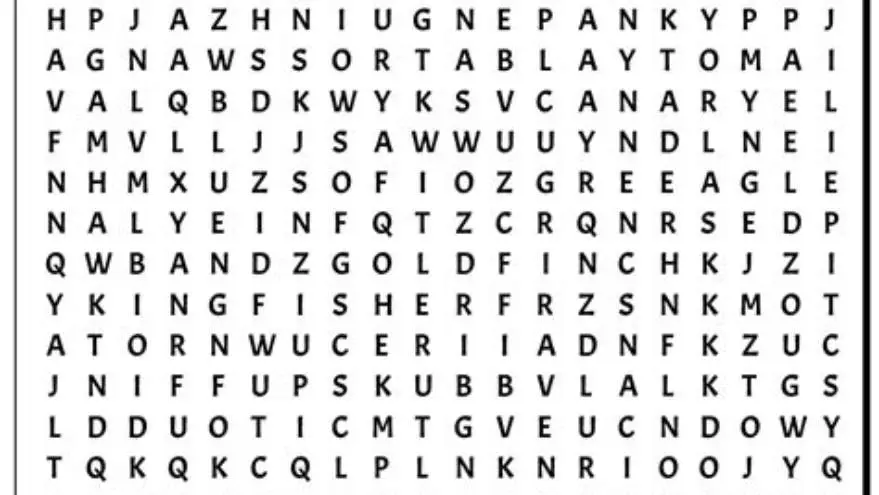
A readable large print word search grid typically contains 12 to 15 letters per side. Grids smaller than 12 letters risk being too simple, while grids larger than 15 letters crowd the page and reduce letter size if the page size stays standard.
Spacing between letters must allow for easy distinction; a minimum letter spacing of 1.5 times the font size works well to prevent letters from visually merging.
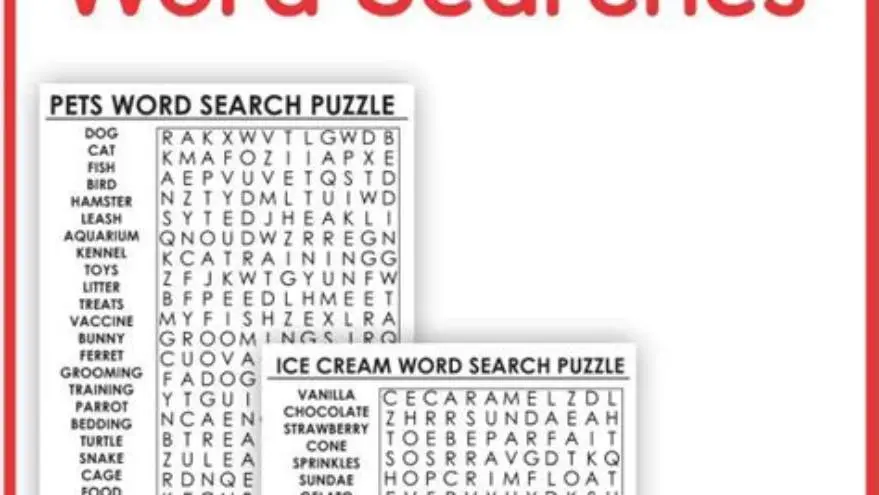
Use a single puzzle per page to maximize font size and keep the grid centered with at least 0.5 inch margins around. Avoid dense pages with multiple puzzles, which forces smaller fonts and cramped layouts. We go through word search for comfortable reading step by step elsewhere on the site.
Highlighting the word list separately with a clear, consistent font size of 16-18 pt helps users find words efficiently. Avoid overly long word lists; limiting to 10-15 words maintains engagement without overwhelming the reader.
- Grid size - 12 to 15 letters per side for balance
- Letter spacing - 1.5x font size minimum
- Page layout - one puzzle per page, centered grid
- Word list - 10-15 words in 16-18 pt font
KDP file formatting and upload tips for large print word search books
Amazon KDP requires margins and bleed settings to avoid content being cut off during printing. For large print puzzle books, set page margins of 0.5 to 0.75 inches inside and outside, and a bleed of at least 0.125 inches if the design extends to the edge.
Use standard page sizes such as 8.5 by 11 inches, common for puzzle books targeted at seniors, to maximize space while maintaining reader comfort. Before you commit to anything, it is worth looking at large print activity book for seniors kdp.
Export your puzzles as print-ready PDF files with embedded fonts. Verify that font sizes remain intact after export, as some software can shrink fonts.
Preview your upload in KDP’s online previewer to check for any clipping or incorrect page breaks. Adjust image resolution to 300 dpi or higher for crisp print quality.
Avoid multi-column layouts that confuse page flow, and include page numbers for easy navigation. Use black text on cream or off-white backgrounds to reduce glare. It helps to understand kdp font size for seniors before going further.
- Margins - 0.5 to 0.75 inches to prevent cutting
- Bleed - minimum 0.125 inch for edge-to-edge printing
- Page size - 8.5x11 inches standard
- File type - PDF with embedded fonts
- Resolution - 300 dpi minimum for clarity
Niche targeting and keywords for large print word search books on KDP
Targeting niches that emphasize large print puzzles for seniors, people with low vision, or memory loss increases visibility and sales potential. Use keywords like “large print word search for seniors,” “big font puzzles for older adults,” or “memory loss activity book” in your title, subtitle, and backend keywords.
Avoid generic keywords like “word search” alone, as these compete with millions of standard puzzles. Instead, combine terms related to age groups, visual accessibility, and puzzle difficulty.
Seasonal or themed niches such as holiday word searches, nature themes, or hobbies can also differentiate your book but maintain the large print emphasis clearly in metadata. For the detail, see our notes on choosing readable fonts for word searches.
Keep keyword phrases natural and human-focused rather than keyword stuffing. Check competitor listings in your niche to identify effective keywords but avoid copying directly.
Regularly update keywords seasonally or based on sales data to maintain relevance. Use KDP’s search suggestions or Amazon’s auto-fill as a guide for trending phrases.
- Use long-tail keywords focused on seniors and visibility
- Include “large print” or “big font” in titles and descriptions
- Target themed niches to stand out
- Avoid generic keywords that compete with standard puzzles
- Update keywords based on performance and trends
How to format and layout large print word search books for KDP success
Start with a consistent template: fixed page size (8.5x11 in), uniform margins (0.5-0.75 in), and stable font sizes (16-20 pt) throughout. Templates help maintain pacing and readability. The other half of this decision is kdp puzzle book maker.
Place one puzzle per page, centered horizontally and vertically, with the word list below or to the side in a box. Avoid clutter that shrinks fonts or hampers scanning.
Add answer keys at the back with the same font size or slightly smaller (14-16 pt), marking found words clearly with contrasting color or highlighting.
Use page numbers in footer or header, 12-14 pt font, helping activity directors and family caregivers organize multiple copies or printouts.
Aim for about 50 puzzles per book to hit a reasonable page count (~100 pages including answers and front/back matter) without overwhelming readers or increasing printing costs excessively.
- Set page size to 8.5x11 inches and margins to 0.5-0.75 inches
- Use font size 16-20 pt for puzzles and word lists
- Design one puzzle grid per page, centered with adequate spacing
- Place word list clearly under or beside each puzzle
- Add answer keys at the back with clear markings
- Number pages for easy navigation
How BigPrint Puzzle Studio helps create large print word search books for KDP
BigPrint Puzzle Studio streamlines creating large print puzzle books by offering preset font sizes of 16, 20, or 24 pt specifically for seniors’ readability. You design word searches with grids sized for clarity without manual layout guesswork.
It includes ready-made themes and word lists tailored to popular niches like seniors, holidays, and hobbies, ensuring your books have market appeal. The tool generates print-ready PDFs with correct KDP margins and bleed settings automatically.
This eliminates the need to master graphic design or complicated desktop publishing software. You get an answer key and page numbers added with each export, saving hours of formatting work.
The one-time purchase model means no subscription or ongoing fees, though the tool focuses on activity creation, not medical or therapeutic claims.
If you prefer manual methods, you can build puzzles in free grid makers or spreadsheet software and format PDFs yourself; however, this requires much more time and knowledge of KDP requirements.
- Preset large print font sizes
- Automatic KDP formatting and margins
- Ready themes and word lists
- Includes answer key and page numbers
- Not medical software
- One-time purchase cost
- Limited to puzzle books
Questions people still ask
What is the minimum font size that qualifies as large print?
The minimum is generally considered 16 points for puzzle letters and word lists. Anything smaller risks being too hard to read for older adults.
Can I use free software to make large print word searches for KDP?
Yes, free tools like spreadsheet software or online grid makers can work, but they require more manual formatting and checking of KDP print settings.
How many puzzles should I include in a large print word search book?
About 50 puzzles balances a good page count and keeps production costs reasonable while giving buyers enough variety.
What keywords are best for selling large print puzzle books on Amazon?
Use long-tail phrases with ‘large print’, ‘seniors’, and ‘memory loss’ to reach your target audience and reduce competition.
Does BigPrint Puzzle Studio handle KDP formatting automatically?
Yes, it applies correct margins, bleed, and page sizing for KDP, providing ready-to-upload PDFs that meet Amazon’s print requirements.
Ready to try it? It simplifies creating large-print word search books with correct font sizes, layouts, and KDP-ready files, saving time and reducing errors.
Create large print puzzles now