Large-print puzzles and 9x9 diagonal sudoku for seniors with low vision
Explore large-print puzzles and 9x9 diagonal sudoku tailored for seniors with low vision to keep minds active and engaged at home.
Activities for elderly with low vision should use large-print puzzles like word searches, crosswords, and especially 9x9 diagonal sudoku printed with 16-24 pt font to ensure readability and cognitive engagement.
On this page (8 sections)
- Key takeaways
- Activities for elderly with low vision
- 9x9 diagonal sudoku large print for low vision
- How to plan a good day of activities at home for seniors with low vision
- Free printable large-print puzzles for elderly with low vision
- Making and selling large-print puzzle books with BigPrint Puzzle Studio
- Activities for elderly with low vision: summary and recommendations
- Questions people still ask
Part of our guide on indoor activities for seniors at home
| Font size | 16-24 pt |
|---|---|
| Sudoku size | 9x9 grids |
| Puzzle types | word search, sudoku, crosswords |
| Printable | Free to download |
| Recommended tool | BigPrint Puzzle Studio |
Key takeaways
- Large-print puzzles use 16-24 pt font for clear visibility.
- 9x9 diagonal sudoku adds a challenging twist accessible to low vision seniors.
- Free printable puzzles help maintain daily mental activity at home.
- Creating custom puzzles with specialized software can save time.
- Matching puzzle complexity to ability prevents frustration.
Activities for elderly with low vision
Adults with low vision benefit most from activities that use large print and high contrast to reduce eye strain. Puzzles printed in font sizes between 16 and 24 points are typically readable for this group, depending on their specific eyesight and lighting conditions. Options like word searches, crosswords, and simple word games are popular because they engage memory and vocabulary without requiring fine visual discrimination.
Physical activities are less common at home for those with low vision, so mental engagement takes priority. When planning a day of activities, intersperse puzzles with breaks to prevent eye fatigue. Use large, clear print and avoid busy or cluttered page layouts. Contrast matters as much as font size; black text on a white or cream background is best. People in this spot often ask about december arts and crafts for seniors as well.
Choosing puzzle types that accommodate vision limitations includes using extra-wide grids and fewer, larger clues per page. Word searches with longer words and less crowded letters support easier scanning. Crosswords should have oversized clue boxes and simple fonts like Arial or Verdana. Mazes with thick lines help with visual tracking. These adaptations reduce frustration and build confidence.
- Font size: 16-24 pt recommended for clarity
- Contrast: black on white or cream backgrounds preferred
- Puzzle types: word search, crossword, sudoku, mazes
- Breaks: allow rests to reduce eye strain
- Layout: spacious, uncluttered pages aid focus
9x9 diagonal sudoku large print for low vision
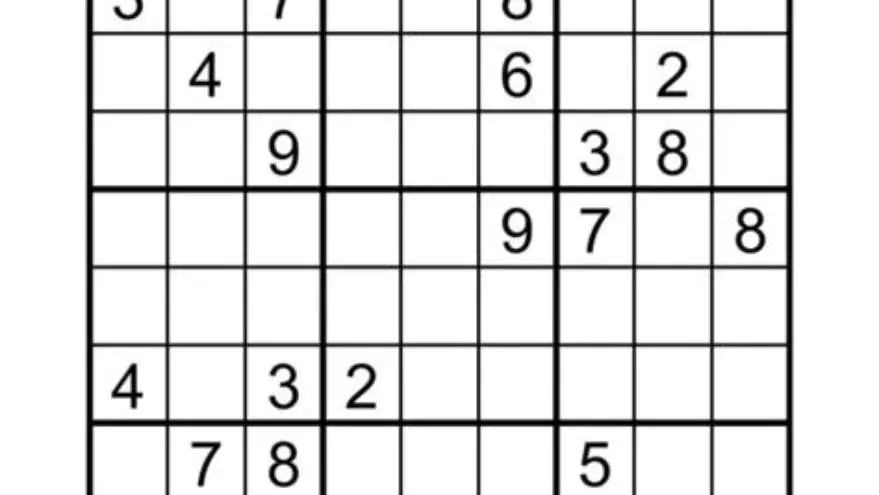
9x9 diagonal sudoku puzzles follow the standard sudoku rules but add the constraint that the two main diagonals also contain unique digits. This variation increases challenge without complicating the layout, making it ideal for seniors seeking engaging puzzles that stimulate logic and concentration. The other half of this decision is safe activities for seniors at home.
When printed in large print, each cell in the 9x9 grid should be at least 0.7 to 1 inch square, with numbers printed in 16-24 pt font. This sizing depends on the solver's visual acuity and the puzzle’s physical format—whether on paper or tablet. Larger cells reduce visual crowding and allow easier number recognition.
Clear, bold lines separating the 3x3 blocks and diagonals help users track their progress. Avoid faint lines or excessive decorations. Offering an answer key in matching print size supports independent solving and confidence building. For those unfamiliar with diagonal sudoku, simple instructions on the same page help reduce confusion.
- Grid size: 9x9 with two additional diagonal constraints
- Cell size: 0.7-1 inch square recommended
- Font size: 16-24 pt for numbers
- Design: bold block and diagonal lines for tracking
- Extras: clear instructions and answer keys included
- Engages logic and memory
- Clear grid helps focus
- Answers support self-checking
- Can be challenging for beginners
- Large print uses more paper space
How to plan a good day of activities at home for seniors with low vision
Start by selecting a mix of large-print puzzles suited to the senior’s vision and cognitive levels. Alternate puzzle types like word searches, crosswords, and sudoku to maintain interest and mental flexibility. Schedule activity periods of 30-45 minutes, followed by breaks to reduce eye strain and fatigue. People in this spot often ask about easy sudoku puzzles with answers as well.
Intersperse puzzles with sensory or tactile activities such as handling textured objects or listening to music to provide variety. Ambient lighting should be bright but indirect, ideally around 300-500 lux near the puzzle area to avoid glare. Position puzzles at a comfortable reading distance, usually 12-18 inches, adjusted per individual needs.
Keep supplies handy: a blackout ruler or highlighter strip can help narrow the visual field on puzzles. Use simple large-print instructions for each activity and have answer keys or hints accessible. End the day with a relaxing quiet activity like listening to an audiobook or doing light stretching to balance mental effort.
- Activity duration: 30-45 minutes per puzzle session
- Lighting: 300-500 lux, bright and indirect
- Distance: 12-18 inches reading distance
- Mix: puzzles plus tactile and auditory activities
- Tools: blackout ruler, large-print instructions
- Choose suitable large-print puzzles based on vision level
- Set up bright, glare-free lighting and comfortable seating
- Arrange puzzles and tools within easy reach
- Schedule puzzle times with rest breaks
- Include sensory or relaxing activities between puzzles
Free printable large-print puzzles for elderly with low vision
Many websites offer free printable word searches, crosswords, sudoku, and mazes in large print. These are practical for caregivers and family members who want ready-made activities without cost or software. Printing on A4 or letter-sized paper with font sizes set between 16 and 24 points ensures accessibility. The other half of this decision is brain games printable seniors.
Beware that free printables vary in quality. Some may have cramped layouts or poor contrast. Review samples before printing large batches. Adjust your printer settings to print in black and white with high contrast. Laminating pages or sliding them into plastic sleeves lets seniors use dry-erase markers for repeated activity without reprinting.
If a free printable does not have large print, you can adjust it yourself by increasing the font size in PDF viewers or word processors before printing. Also consider simple puzzle generator apps that let you customize font size and difficulty, although they might have limited puzzle variety.
- Font size: verify 16-24 pt before printing
- Contrast: black and white high contrast preferred
- Review: check layout for readability before printing
- Reuse: laminate pages for repeated use
- DIY: enlarge print via PDF or word processor
Making and selling large-print puzzle books with BigPrint Puzzle Studio
BigPrint Puzzle Studio is an online tool designed to quickly create large-print puzzle books, including word searches and sudoku, with font sizes from 16 to 24 points. This tool suits caregivers or activity directors who want to produce custom puzzles tailored to seniors with low vision, saving time over manual formatting. We cover large-print puzzles as gifts in its own article.
The software offers 42 ready-made themes and lets you input your own word lists, generating puzzles with clear, spacious layouts and answer keys. It includes features to prepare puzzles for Amazon KDP publishing, including margin settings and cover design, helping sellers get started without complex design skills or expensive software.
BigPrint Puzzle Studio does not offer medical or vision improvement benefits; it focuses on activity creation. Users who prefer free puzzles or manual creation might find it unnecessary, but those needing consistent, professional large-print puzzles customized for specific groups will save significant time.
An alternative is using free puzzle generator websites combined with manual resizing and formatting in word processors, though this requires more effort and design skill. There is more on safe indoor and outdoor options in a separate guide.
- Quick large-print puzzle book creation
- Customizable word lists and themes
- Includes answer keys and publishing tools
- One-time payment required
- No medical or vision aids
- Less useful if you prefer only free resources
Activities for elderly with low vision: summary and recommendations
Large-print puzzles, particularly word searches, crosswords, and 9x9 diagonal sudoku, form a core set of activities for elderly with low vision, promoting cognitive engagement without overwhelming visual complexity. Maintaining font sizes between 16 and 24 pt and ensuring high contrast are key to accessibility.
Planning a well-paced day mixing these puzzles with tactile and sensory breaks maximizes mental stimulation while protecting eye health. Free printable resources are widely available but vary in layout quality, so sample and test print before committing. For caregivers or activity directors who create many puzzles, tools like BigPrint Puzzle Studio provide a time-saving way to produce professional large-print puzzle books tailored to seniors’ needs.
Matching puzzle complexity to individual capability prevents frustration. Clear instructions and accessible answer keys support confidence and independence. These activities not only fill time but also help maintain mental sharpness and provide a satisfying challenge for elderly with low vision. For the detail, see our notes on cream paper for large print puzzles.
Questions people still ask
What font size is best for puzzles for seniors with low vision?
Font sizes between 16 and 24 points are generally best, depending on the individual's vision and lighting conditions. Larger fonts reduce eye strain and improve readability.
Are 9x9 diagonal sudoku puzzles suitable for beginners with low vision?
They can be challenging due to the extra diagonal rules but remain accessible if printed large with clear instructions. Beginners might start with simpler sudoku before progressing.
Can I create large-print puzzles without special software?
Yes, you can manually increase font size in word processors or use free online puzzle generators, then enlarge printouts. However, this requires more time and design effort.
How often should seniors with low vision do puzzles?
Sessions of 30 to 45 minutes with breaks in between help sustain engagement without causing eye fatigue. Daily or several times a week is ideal for mental stimulation.
What lighting is best for puzzle activities for low vision seniors?
Bright but indirect lighting around 300-500 lux is recommended to minimize glare and improve contrast, supporting easier reading of large-print puzzles.