Large Print Word Search for Seniors With Dyslexia That Works
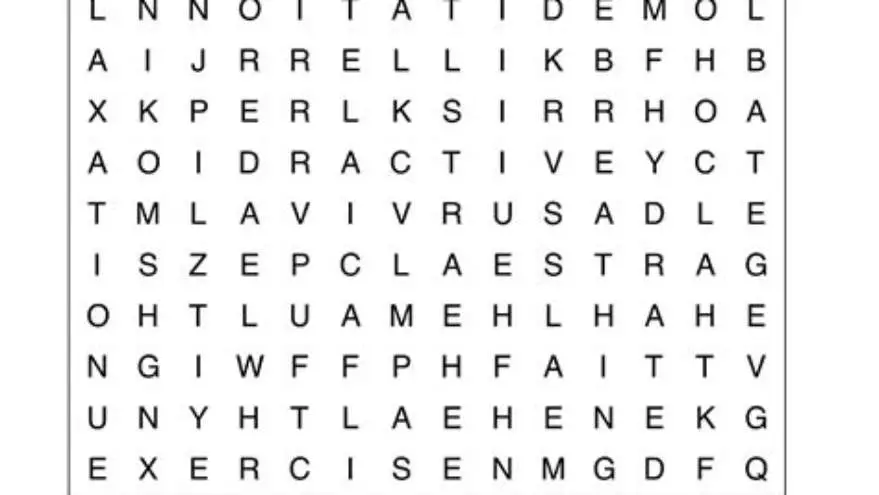
For seniors with dyslexia, a large print word search works when the print is plain and roomy. Use a sans serif font, wide spacing, dark text on cream paper, and words that run across and down only. Keep the grid small.
On this page (9 sections)
- Quick recap
- What makes a large print word search for seniors with dyslexia work
- The print settings that do the heavy lifting
- How to lay out a grid that reads calmly
- Picking words a reader actually wants to find
- A quick test before you print a whole stack
- What changes when dyslexia meets older eyes and hands
- When a ready-made book is the easier answer
- Still wondering?
Part of our guide on post-stroke exercise suggestions
Key figures
- Font
- Plain sans serif, like Arial
- Text size
- 12 to 14 point minimum
- Line spacing
- 1.5, with wide letter spacing
- Paper
- Cream, matt, thick
- Grid
- Small, across and down only
- Word count
- About ten words to start
Quick recap
- Print single-sided on matt paper so nothing shows through from the back.
- Hand the reader a soft pencil; it circles words without tearing the page.
- Keep finished puzzles in a folder so favourites can be solved again.
- Offer the puzzle at a calm time of day, not when the house is busy.
What makes a large print word search for seniors with dyslexia work
Dyslexia changes how letters sit on a page. Some readers mix up look-alike letters. Others lose their place when lines crowd together. Standard word searches add to both problems: small print, tight grids, and words running in every direction at once.
In a large print word search for seniors with dyslexia, print comes first and the puzzle second. Letters get bigger and the space around them grows. Grids shrink so the eye has less ground to cover. Words run across and down only, so the reader never has to scan backwards. None of this makes the puzzle childish. It makes a puzzle the reader can actually finish. Readers work through the grid at their own pace, with no clock and no score to keep.
Most puzzles sold as large print still fail this reader. Grids look big, but the letters sit close together. Word lists hide at the bottom in small type. Paper comes bright white and glossy, so glare joins the hunt. Harder puzzles are not the answer here. Clearer print is, and the settings in the next section show how to get it.
The print settings that do the heavy lifting
The British Dyslexia Association publishes a style guide that many accessibility and print teams draw on. It puts body text at 12 to 14 point as a minimum, in a plain sans serif font such as Arial or Verdana. It asks for letter spacing around 35% of the average letter width. Word spacing runs at least three and a half times the letter spacing, and line spacing sits at 1.5. On a puzzle page they decide whether the eye scans the grid or loses the row. The other half of this decision is word search stroke survivors.
Colour matters as much as size. Pure white paper can look too bright for a dyslexic reader. Cream or a soft pastel works better, with dark text on top. Matt paper beats glossy paper because glare adds strain. Paper should be thick enough that print from the other side never shows through. Avoid green and red or pink for marking words, since those colours are hard for readers with colour vision differences to tell apart.
Two more rules from the same guide shape the words. Skip italics and underlining, which make letters run together, and use bold for emphasis instead. Skip block capitals too, since a row of capitals is harder to read than lower case with a capital at the start. Keep the text left aligned with a ragged right edge. Set this way, the word list stays easy to scan from top to bottom.
| Setting | Standard print | Dyslexia-friendly print |
|---|---|---|
| Font | Serif or decorative | Plain sans serif such as Arial |
| Letter spacing | Default | Wider than default |
| Background | Bright white | Cream or soft pastel |
| Paper | Thin, glossy | Matt, thick enough to stop show-through |
| Emphasis | Italics and underlining | Bold, no italics |
How to lay out a grid that reads calmly
Start with a small grid and ten or so words. Ten rows give the eye a short trip. Words run across and down only, never diagonally and never backwards. Every word appears in the word list at the top, in the same large type as the grid. No one has to hold a word in mind while hunting for it. Our free Large Print Word Search Maker makes a large-print word search PDF from your own words, with an answer page. The answer page comes with it, so nothing else needs printing. If that sounds like your situation, read up on word search puzzles for seniors with arthritis next.
Leave white space between the grid and the word list, and between the rows. Crowded letters are the main reason a reader loses the row. Extra space costs nothing and buys a steadier scan. Put the answer page at the back, on its own, so a wrong turn never shows the answer by accident. One puzzle per page keeps the sheet calm; two puzzles on one page halves the type size before you start.
Ten familiar words, found and circled, beat thirty words nobody finishes. Short and clear beats long and crowded. The next section looks at which words to pick.
- Pick ten familiar words on one theme.
- Set them in a plain sans serif font at a large size.
- Place them across and down only, in a small grid.
- Put the word list at the top in the same large type.
- Run off one page and circle one word yourself first.
Picking words a reader actually wants to find
Familiar words are easier to spot than rare ones. Someone who grew up with garden words will find ROSE and TULIP faster than a word they never use. Pick one theme the reader already knows: a garden, a kitchen, a decade of songs. Ten words on one theme give the eye a pattern to follow. Ten words from ten different places leave the eye with no pattern to follow. We go through choosing large print puzzles for macular degeneration step by step elsewhere on the site.
Keep the words short and plain. Short words are quicker to match letter by letter, and a long word is easy to lose. Skip pairs that differ by one letter, such as BREAD and BEAD. Skip words with doubled letters at the start, too, since the double can hide in the grid. Good lists use words the reader says every week.
Ask the reader which theme they want before you print. Built around their own words, a puzzle feels made for them, because it is. Their street names, their grandchildren's names, their favourite singers carry their own reward. A generic list from the internet cannot do that. Familiar words get found faster, so the puzzle gets finished.
- Garden: rose, tulip, soil, rain, spade, bench
- Kitchen: bread, butter, kettle, apron, thyme, oven
- Music: song, guitar, chorus, record, dance, piano
- Football: goal, pitch, whistle, boots, corner, crowd
A quick test before you print a whole stack
Print one page first, then hold it at arm's length in the light the reader usually reads by. If you can read the word list without leaning in, the type is large enough. Squinting or leaning means raising the size two points and printing again. This one test catches most problems: type that looked fine on screen, spacing that tightened in print, a grid that crowded at the edges. Testing takes a minute and keeps the rest of the stack from going to waste. For the detail, see our notes on engaging activities for deaf seniors.
Hand the test page to the reader and watch one puzzle. Do they find the first word without help? Do they keep their place while they scan? One nod and one circled word tell you more than any printer setting. If they stall on the first word, change one thing at a time: bigger type, wider spacing, or fewer words. Changing three things at once leaves you guessing which one helped.
Write the font size and spacing on the back of the test sheet. Eyes change slowly, so a setup that works today usually works for months. When it stops working, print one fresh test page and start the check again.
What changes when dyslexia meets older eyes and hands
Later in life, dyslexia rarely travels alone. Age adds its own changes: less sharpness up close, more glare, weaker contrast. A reader with dyslexia and low vision faces both at once, so the print must work harder. Grid letters should sit larger than the 12 to 14 point minimum for body text. One page of testing shows whether they are large enough, since no fixed size fits every pair of eyes. If that sounds like your situation, read up on board game adaptations for seniors with low vision next.
Light helps more than most people expect. Set a lamp to the side of the page to cut glare without throwing a shadow across the grid. Page magnifiers lift the whole grid at once, which suits a word search better than a hand-held lens. Keep the page flat, since curls throw the letters out of line.
Hands matter as much as eyes. A soft pencil or a thick marker is easier to hold than a thin pen. Highlighters mark a found word without tearing the page. Wider spacing gives a shaking hand more room to circle cleanly. One last limit: a word search is a pastime, not an intervention. It will not sharpen memory or reading, and anyone worried about either should ask their doctor.
When a ready-made book is the easier answer
Making your own puzzle is not always the kindest use of an afternoon. Ready-made books save the setup when time is short. Check the book before you buy it: look at a sample page and the answer key. If the answers sit in tiny type at the back, the publisher did not design for easy reading. Spiral binding helps as well, since the book lies flat on the table.
Choose a book whose theme matches the reader. Count the words per puzzle as well: a dozen or so words in a clear grid beats a dense page every time. Ask the reader to pick between two books on the shelf. Their choice tells you more about the right book than the page count does.
Whether you print your own or buy a book, the check stays the same. Give the word list a slow read where the reader will actually sit. If it reads cleanly, the puzzle will play well. When it does not, no theme or title will save it. Clear print decides whether the puzzle gets solved, whatever the title promises.
Still wondering?
Does a special dyslexia font help?
Some readers like OpenDyslexic; others find a plain sans serif set with wide spacing just as easy. Try both and let the reader choose.
What size should the letters be?
Ordinary text sits at 12 to 14 point as a minimum, says the British Dyslexia Association. Grid letters need to be larger than body text. Start bigger and read the word list in the room where the puzzle will be solved. Leaning in means raising the size. Trust the reading test more than any number.
Should words run diagonally?
Across and down is enough for the easiest puzzles. Diagonal and backwards words force the eye to scan in directions it does not expect, which is the part a dyslexic reader finds hardest. Add diagonals only when the reader asks for a harder puzzle. Most readers never ask.
How many words should a puzzle have?
A first puzzle works well with ten or so words. Fewer words leave room for wide spacing and a clear word list. Thirty words look full on the page, but the grid crowds and the reader gives up. Add words only when ten start to feel too easy.
Can I use a puzzle book I already own?
Check the print before you hand it over. Read the word list and the answer key, and make sure the paper is matt rather than glossy. Small type or a crowded grid will frustrate the reader. Make a fresh puzzle with their own words instead.
Ready to try it? It turns the reader's own familiar words into a large-print puzzle with an answer page, in one step.
Make your puzzle free