Leftover sight vs none: two activity plans for blind seniors
Activities for blind elderly relatives work best when sorted by what the person can still perceive. Big print with strong contrast suits one track. Tactile marks, audio, and screens that talk suit the other. Watch what she tracks first, then set up that track properly.
On this page (12 sections)
- Quick recap
- How do you tell which track someone is on?
- Activities for blind elderly who can still use print
- Activities for blind elderly who can't use print at all
- What screens still work when eyesight is gone
- Activities that cost nothing, on a table that stays put
- No-cost activities that need no sight
- A table setup that lets her find things again
- Helpers, dementia, and games you already own
- Which activities run alone and which need a helper
- Scaling down and adapting games
- Still wondering?
Part of our guide on seniors low vision games
Key figures
- Paper finish
- matte, not glossy
- Puzzles per page
- one
- Card marking
- puff paint dots or braille
- Position words
- clock face, e.g. 12 o'clock
- Talking books
- free by post in the US
- Screen option
- voice assistant, no screen
Quick recap
- Watch what the person tracks - print, a lamp, a face - before choosing any activity
- Print earns its place only when she can track it: matte paper, strong contrast, one puzzle per page
- Puff paint dots or braille labels turn an ordinary card deck into a playable one
- Tablets, voice assistants, and phone apps by type all work without sight once set up
- Keep one tray, one layout, and describe positions like clock faces
How do you tell which track someone is on?
Most activity lists quietly assume one reader. Either everything is large print, or everything is tactile, and neither list fits the person in front of you. Sort the activities into two tracks before you plan anything. Track one is usable leftover sight: enough vision to follow big, high-contrast print at reading distance. Track two is little or no usable sight, where touch and hearing carry the session.
You do not need a diagnosis to sort this, and you should not turn it into one. Watch for a minute on three things. Does she track print on a cereal box held at her normal reading distance? Does she notice and turn toward a bright window or a lit lamp? Does she follow your face across the table when you talk? Two or three yeses put her on track one. A no on all three, or a look that hunts and never settles, points to track two.
Vision drifts, so run this watch again every month or two. Someone who did a word search last spring may need the tactile deck now. If her sight changes suddenly, that is a question for her doctor or an eye clinic, not for an activity plan.
| What you observe | Track | Best fit |
|---|---|---|
| Tracks print at reading distance | One | Large print and magnifiers |
| Notices light but not print | One, borderline | Try bigger print for a week, then go tactile if she still avoids it |
| Eyes hunt, never settle | Two | Tactile and audio |
Activities for blind elderly who can still use print
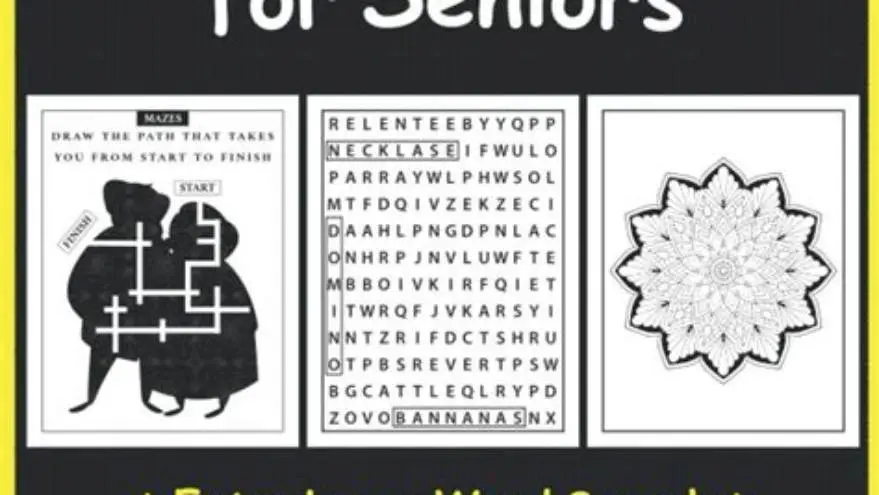
Track one lives or dies on print size. Start around 36 to 40 points and go bigger when in doubt, because a puzzle she cannot track is a puzzle she will not finish. Give the puzzle a whole page, so nothing crowds the edges. Black ink on white or pale yellow paper gives the strongest contrast. Print on matte paper, since gloss throws glare that wipes out whatever vision remains. We cover bedridden senior activities in its own article.
Light matters as much as type. Set a task lamp to one side of the page so the light falls across the print without shining in her eyes. Never put the lamp behind her head or straight into her face. Add a stand magnifier for the fiddly corners, and set the page on a slope, lamp to one side, magnifier within reach.
If you would rather not enlarge things by hand, our free word search maker helps. It builds a big-print puzzle PDF from your own words, with an answer page included. Crosswords and sudoku still come from a dedicated large-print book, since this maker covers word searches only. For group sessions, our Big Print Trivia for Seniors printable gives you rounds of questions already set in large print.
Activities for blind elderly who can't use print at all
On track two, fingertips and ears replace eyesight, and the marking is the whole project. Take an ordinary deck of cards and squeeze a dot of puff paint onto each corner. One workable scheme is a dot for each value: one dot for an ace, two for a two, and so on up the values. Give suits their own position or shape, and leave the deck to dry overnight before anyone plays with it. The same marking labels dominoes and bingo cards, with bottle caps as chips. It helps to understand adapting activities for vision needs before going further.
Talking books fill the quiet hours between games. In the US, the National Library Service for the Blind and Print Disabled lends audio players and books free by post. Ask at a local library, since the library handles the application. Local libraries also lend audiobooks. A small smart speaker answers voice commands for news, music, and quizzes with no screen involved.
The point of track two is not to imitate track one with braille versions of everything. Some people love learning braille numbers. Many simply want the same card game they played for fifty years, playable again because the deck now speaks through their fingers. Mark what you already own first. Buy tactile sets only if the household versions are too small to carry the marks.
| Item | Tactile marking | Needs a helper? |
|---|---|---|
| Playing cards | Puff paint dots per value | No, once marked |
| Dominoes | Dots built up in layers | No |
| Bingo | Textured chips, caller reads numbers | Yes, a caller |
| Audio books and radio | None needed | No |
What screens still work when eyesight is gone
A screen is not useless without sight. It just has to talk, or show things big. Set a tablet to its largest text and highest zoom, and a newspaper becomes something a track-one reader can follow. Track-two readers use the same tablet differently, with the screen reader switched on so every tap is spoken aloud. Set it up once, together, and leave the settings alone after that. It helps to understand adults with parkinson's before going further.
Voice assistants earn their place on the table. Put one on the table and it answers spoken questions with news, weather, music, or a quiz. Ask it to play a radio station, set a reminder, or read the headlines. Commands stay the same every day, which is what makes them learnable. Keep the speaker in one spot so she can find it by touch.
Smartphones carry the same tools in a pocket. Magnifier apps turn the phone camera into a reading lens for labels and letters. Screen reader apps speak whatever is on the screen, including messages from family. Audiobook apps play books through the phone speaker or a pair of headphones. None needs a new device, just a patient first setup.
Start with one device and one job. Add a second job only when the first one runs without help. We go through low vision crafts step by step elsewhere on the site.
Activities that cost nothing, on a table that stays put
- Sort coins or buttons by feel into compartments
- Fold laundry, knead dough, shell peas, wind wool
- Sing together or play name-that-tune from the radio
- Retell a familiar family story and let her correct your details
No-cost activities that need no sight
Before buying anything, walk through the house. Coin sorting by feel is a genuine activity, not a chore dressed up. Separate pennies from quarters into a muffin tin. It works exactly the fingertip discrimination the tactile track depends on. Button boxes work the same way, sorted by size, shape, or number of holes into labelled jars.
Household tasks double as activities when you slow them down and make them the point. Folding towels, kneading bread dough, shelling peas, winding a ball of wool. All of them are rhythmic, two-handed, and completely sight-free. Then there are the purely verbal ones: singing old songs, retelling a story, twenty questions, name-that-tune. These also work when hands are stiff or tired.
A table setup that lets her find things again
Independence at the table is mostly a matter of fixed geography. Use the same tray every session, with the same items in the same spots. Cards at two o'clock, the counting tray at six, the lamp switch within reach at nine. Non-slip matting stops everything migrating when an elbow lands. It helps to understand chunking puzzles for better focus before going further.
Describe positions the way pilots describe a clock face. 'The glue is at twelve, the cards are at three, your cup is at nine' means the same thing next Tuesday as it does today. Resist tidying for her between sessions. Ten minutes saved cost her the independence the whole setup exists to protect. If something must move, say so out loud before she reaches for it.
Helpers, dementia, and games you already own
- Pick the game she misses most and play a round with your eyes closed
- Add marks to every piece the closed-eye test fumbled, with puff paint, tape, or texture
- Decide which rules a helper takes over, such as reading cards or scoring
- Re-test, fix, then hand it over on a familiar tray in the usual layout
| Activity | Runs alone? | Helper's role |
|---|---|---|
| Talking books and radio | Yes | None |
| Coin and button sorting | Yes | Reset the tray |
| Towel folding, dough kneading | Yes | Fetch supplies |
| Marked card games | Mostly | Deal or referee |
| Bingo, trivia, new tactile games | No | Call, read, teach |
Which activities run alone and which need a helper
Say it plainly, because planning an afternoon around an activity that silently needs a second person is how sessions collapse. Talking books narrate themselves. Radios play themselves. Folding towels checks itself. A marked deck can be laid out solitaire-style once she knows the layout.
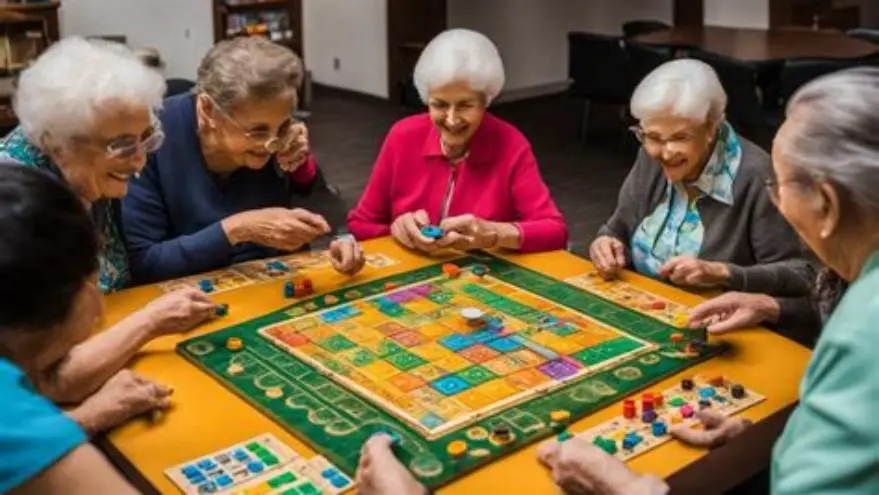
Everything competitive or instructional needs someone alongside. Bingo needs a caller. A new tactile marking system needs a teacher for the first few rounds. Audio quizzes work, but a helper reading the questions keeps the pace human and lets her answer aloud, which is half the pleasure. Try the interrupted activity as a middle ground: a marked card game she can start alone, with a helper dropping in every twenty minutes. Group sessions help with the loneliness as well as the boredom: a talking-book circle where one person reads aloud, or a singing group where everyone knows the words.
Scaling down and adapting games
When memory loss sits alongside vision loss, cut the steps before cutting the activity. Sorting coins becomes sorting two kinds, not five. Folding towels becomes folding one towel, finished and admired, then another. A hand-over-hand start often restarts an activity she has forgotten how to begin. Drop scoring and competition entirely. Someone who cannot remember the score cannot enjoy the game the score was for. Repeat the same two or three activities daily.
Our Gentle Minds Activity Kit is built for exactly this scaling-down. Inside are printable activities at three levels, plus conversation cards. As a printable kit, it serves track one as printed pages. Its conversation cards work read aloud for track two. Made for enjoyment and connection, not therapy, it will not suit someone who still wants a real challenge.
Almost any game in the cupboard can cross a track with an afternoon of marking. Dominoes take dots built up in layers so the pips are countable by touch. A Scrabble board takes raised tape on every tenth square so the grid can be followed by feel. Monopoly works if a helper reads the cards and handles the money. Chess and checkers adapt best with a tactile board, black squares raised, pieces told apart by shape or size rather than colour. Test the adaptation before the gift-wrap moment: play three rounds yourself with your eyes closed, and fix whatever your fingers could not find.
Sort by what the person can still perceive, set up that track properly, and almost every game she loved stays playable.
Still wondering?
How big does print actually need to be for someone with low vision?
Let the reader judge. Print one page, hold it at her normal reading distance, and watch whether she tracks the lines without strain. If she squints or pushes the page away, print bigger.
What can a completely blind older person do for fun at home?
Marked card games, tactile dominoes, audio books and radio, coin or button sorting, towel folding, dough kneading, singing, and storytelling. Most need one marking session or no equipment at all.
Where can I borrow talking books for free?
In the US, the National Library Service for the Blind and Print Disabled lends players and books free by post. Your local library can help with the application. Readers elsewhere should ask their own national library service.
Can I adapt a deck of cards I already own?
Yes. Look in the track-two section above for the marking method; it works on any standard deck. Test the marked deck yourself with your eyes closed before handing it over.
Do these activities still work if she also has dementia?
They still work, but scale them down: fewer steps, a hand-over-hand start, the same activity repeated daily, and no scoring or competition. Read-aloud conversation cards work on both tracks.