Functional vision checklist printable
Identify functional vision signs with a printable checklist to adapt large-print puzzles and activities for older adults successfully.
A functional vision assessment checklist printable helps identify key vision abilities like acuity, contrast sensitivity, and field of view, enabling tailored adaptations of large-print puzzles by measuring these under simple conditions.
On this page (8 sections)
- Key takeaways
- Printable functional vision checklist for older adults
- How to measure vision-related abilities for activity tailoring
- How to use checklist results to adapt puzzles and activities
- Printable functional vision assessment checklist printable
- Using BigPrint Puzzle Studio to tailor large-print puzzles
- Common mistakes in functional vision assessment and tailoring
- Questions people still ask
A printable functional vision checklist with clear measurements helps tailor large-print puzzles precisely to seniors’ abilities and preferences.
| Visual acuity tested | 20/60 to 20/200 typical |
|---|---|
| Contrast sensitivity range | Low to high contrast needed |
| Field of vision | Normal 120° horizontal |
| Light sensitivity | Varies widely |
| Print size for low vision | 18-24 pt font |
Key takeaways
- Functional vision signs guide activity adaptations effectively.
- Measuring vision includes acuity, field, contrast, and light sensitivity.
- Printable checklists help caregivers assess abilities systematically.
- Checklist results inform font size, contrast, and puzzle complexity.
- BigPrint Puzzle Studio simplifies making tailored large-print puzzles.
Printable functional vision checklist for older adults
A functional vision assessment checklist printable focuses on abilities that matter for puzzle and activity engagement, not clinical diagnoses. Key signs include difficulty reading standard print sizes, trouble with contrast, reduced peripheral awareness, and light sensitivity.
Such a checklist breaks vision into measurable components: visual acuity, contrast sensitivity, peripheral field, and glare sensitivity. You can print a simple form listing these and space for notes.
Commonly, you would include items like Can the person read 18-point font? Does the person see puzzle lines clearly? Do they notice items at the edges of their vision? Can they tolerate bright lights or prefer dimmer illumination?
Another important consideration is how lighting conditions affect functional vision. Older adults often experience changes in pupil size and lens clarity, which can reduce the amount of light reaching the retina. This means that even with good acuity, they may require brighter, but not glaring, lighting to perform tasks comfortably. For checklist observations, note whether the person prefers to do activities near windows during daylight or needs additional lamps for evening use. For the detail, see our notes on large print puzzles memory loss.
The checklist can also include a simple timed reading task to observe fatigue or strain. For example, ask the person to read a short paragraph in 18-point font aloud and time how long it takes and how many errors occur. If reading speed decreases or mistakes increase significantly over a minute or two, this may indicate the need for larger print or breaks between puzzles. This functional measure complements static checks like acuity and contrast sensitivity.
- Visual acuity: ability to see details at a distance or close up.
- Contrast sensitivity: detecting differences between light and dark.
- Peripheral vision: awareness of objects to the side.
- Glare sensitivity: response to bright or uneven lighting.
- Easy to use
- Directly linked to activities
- Supports tailoring
- Does not replace medical exam
- Relies on subjective observation
How to measure vision-related abilities for activity tailoring
Measuring functional vision for tailoring activities involves simple tests you can do at home or care settings. Visual acuity can be roughly assessed using printed letters at known font sizes, such as 18 to 24 points, held at normal reading distance (about 14-16 inches).
Contrast sensitivity checks whether the person can distinguish puzzle lines and letters against the background. You can test this by showing puzzles or printouts with varying shades of grey or colored text versus background. For the detail, see our notes on large-print puzzles for low vision.
Peripheral vision assessment involves asking if the person notices objects or movement beside them without turning their head. A simple method is to hold an object at the side and see if they spot it.
Light sensitivity is more subjective but can be gauged by observing discomfort or squinting in brightly lit rooms or direct sunlight.
- Print sample letters or numbers in 18, 20, and 24 pt font.
- At normal reading distance, ask if they can read each size clearly.
- Show puzzles or print samples with different contrast levels.
- Present objects or hand gestures at side fields of view.
- Note any signs of discomfort under different light intensities.
- Uses accessible materials
- Can be repeated regularly
- Informs practical choices
- Subject to variability
- Needs caregiver attention
How to use checklist results to adapt puzzles and activities
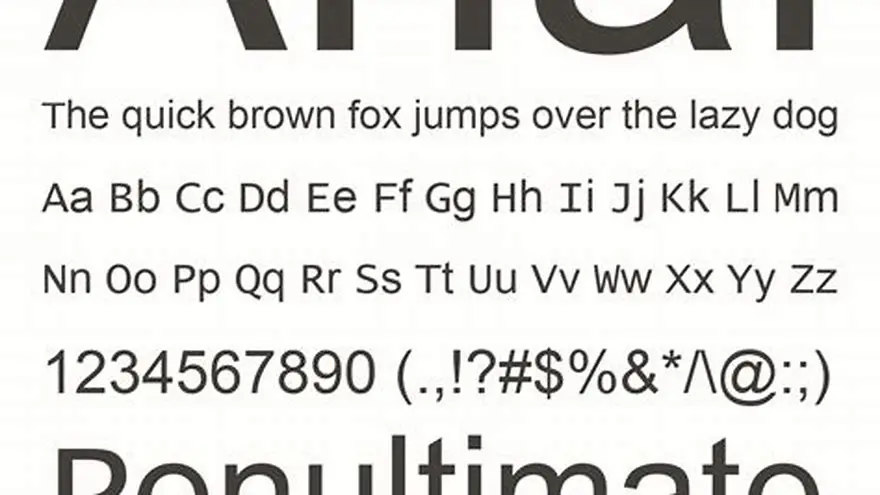
Once you have functional vision assessment results, tailor large-print puzzles by adjusting font size, contrast, and layout complexity to match abilities. For example, if visual acuity is reduced to around 20/100 or worse, increase font size to 22-24 pt or larger. For the detail, see our notes on font legibility comparison.
Low contrast sensitivity means you should use puzzles with high contrast colors — black letters on white or yellow backgrounds are often easier. Avoid pale or pastel backgrounds that can blur the images.
Restricted peripheral vision suggests keeping puzzles simple and centered to avoid confusion from peripheral distractions. Avoid highly detailed borders or cluttered pages.
If light sensitivity is marked, provide puzzles with matte finishes or print on non-glossy paper and ensure room lighting is soft and even.
| Functional Vision Sign | Adaptation for Puzzles |
|---|---|
| Reduced visual acuity (~20/100 or worse) | Use 22-24 pt font or larger |
| Low contrast sensitivity | High contrast black on white or yellow |
| Narrow peripheral field | Simple, uncluttered layouts centered on page |
| Light sensitivity | Matte paper, soft lighting, avoid glare |
Printable functional vision assessment checklist printable
Here is a practical, printable checklist ready for download and use. It includes key columns for vision signs, simple yes/no or scale answers, and notes for each item regarding observations and accommodations needed.
The checklist covers: Visual Acuity (Can read 18 pt? 20 pt?), Contrast Sensitivity (Can see faint lines?), Peripheral Vision (Notices objects at side?), and Light Sensitivity (Discomfort in bright light?).
Using this checklist regularly helps caregivers and activity planners track changes and adjust puzzle difficulty and print style accordingly.
When preparing the printable checklist, consider including a section for recording environmental factors such as typical room lighting, glare sources, and seating distance from puzzles or screens. These contextual notes help interpret checklist results more accurately and guide specific adaptations.
To verify the checklist's effectiveness, caregivers can perform a brief follow-up test after adapting puzzle materials. For instance, after increasing font size or changing contrast, observe whether the person completes the puzzle more comfortably or with fewer errors. Documenting these outcomes on the checklist form helps confirm that adjustments based on the assessment are beneficial and supports iterative improvements.
- Print on one A4 or Letter page for easy use.
- Use checkboxes or scales (e.g., 1-5) for quick recording.
- Add space for comments on preferred puzzle styles and difficulty.
- Simple format
- Supports consistent assessment
- Easy to share with team
- No diagnostic value
- Requires caregiver honesty
Using BigPrint Puzzle Studio to tailor large-print puzzles
BigPrint Puzzle Studio is a web-based tool that helps you create large-print puzzle books quickly, adjusting font size, contrast, and puzzle types to the user’s functional vision needs.
After completing your checklist and measuring key vision abilities, use this tool to generate puzzles with appropriate font sizes (18 to 24 pt or larger), high contrast colors, and simple layouts. It includes 8 puzzle types and 42 customizable themes.
BigPrint Puzzle Studio saves time by automating formatting, generating print-ready PDFs for Amazon KDP or personal use, and designing covers. It is a practical way to implement your checklist findings without manual design hassles.
Note that success depends on your own publishing and marketing skills; this tool is not a guarantee of income but a reliable way to make puzzles tailored to vision needs.
- Quick puzzle book creation
- Customizable fonts and contrast
- Print-ready output
- Requires learning curve
- No guaranteed sales
Common mistakes in functional vision assessment and tailoring
A frequent error is confusing clinical vision measures with functional vision relevant to activities. For instance, 20/40 medical acuity might still mean puzzles need larger print depending on contrast sensitivity or glare.
Another mistake is using inconsistent or subjective observations without a checklist, leading to poorly matched activity difficulty.
Also, some caregivers overlook lighting conditions, which can invalidate measurements or puzzle usability despite correct font sizes.
Finally, ignoring changes over time can cause frustration. Regular reassessment with a printable checklist ensures puzzles evolve with vision changes.
- Equating clinical acuity with functional reading ability.
- Skipping systematic measurement with a checklist.
- Neglecting lighting and glare effects on vision.
- Failing to update activity adaptations over time.
- Raises awareness
- Avoids wasted effort
- Requires caregiver effort
- Needs planning
Questions people still ask
Can I use this checklist without professional vision tests?
Yes, this checklist is designed for functional observations and simple home tests to help tailor activities, not to replace medical eye exams.
How often should I reassess functional vision for puzzle tailoring?
Reassess every 3-6 months or whenever you notice changes in puzzle engagement or complaints about print size or visibility.
What font size is usually best for low vision in puzzles?
Font sizes between 18 and 24 points are common starting points, adjusted upward if necessary based on checklist outcomes.
What if someone has good acuity but poor contrast sensitivity?
Choose high-contrast puzzles and avoid subtle shades or pale backgrounds even if font size seems adequate.
Can glare sensitivity be reduced by puzzle design?
Yes, using matte paper and non-glossy finishes plus soft, even lighting reduces glare and improves usability.
Ready to try it? It automates creating large-print, high-contrast puzzles tailored to measured vision needs quickly and easily.
Create tailored large-print puzzles