KDP Puzzle Book Cover Size: Exact Pixels with Bleed
Exact pixel dimensions for KDP puzzle book covers in popular sizes, with bleed included and spine width for any page count.
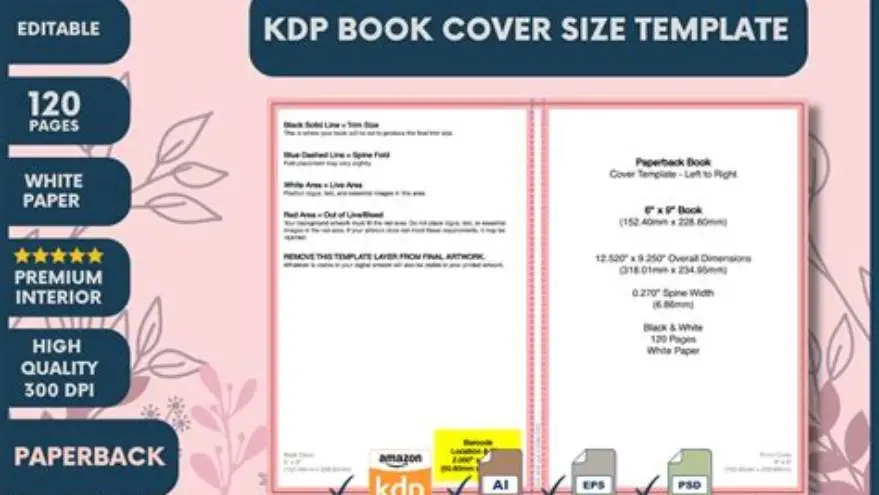
A 8.5 × 11 inch KDP puzzle book cover with 100 pages needs 4,338 × 2,813 pixels with bleed included. The spine is 0.22 inches wide. Every size and page count changes these numbers, so calculate yours before uploading.
On this page (8 sections)
- The short version
- Standard KDP puzzle book sizes and their base dimensions
- How to calculate spine width by page count
- Pixel dimensions with bleed included for common page counts
- Paperback versus hardcover cover differences
- Building your cover file in the right format
- Common sizing mistakes that trigger KDP rejections
- Questions people still ask
Part of our guide on large print word search book kdp niche
KDP rejects covers that are even one pixel off, and the spine width changes with every 50 pages you add.
| Resolution required | 300 DPI |
|---|---|
| Bleed on each edge | 0.125 inches |
| White paper spine | page count × 0.002252 in |
| Cream paper spine | page count × 0.0025 in |
| Most common size | 8.5 × 11 inches |
The short version
- Add 0.125 inches of bleed to all four edges of your cover
- Calculate spine width as page count × 0.002252 inches for white paper
- Use 300 DPI for all KDP covers to meet print quality standards
- Paperback and hardcover spine formulas differ; hardcover adds case thickness
- Test your cover template in KDP's previewer before ordering a proof copy
Standard KDP puzzle book sizes and their base dimensions
Large-print puzzle books sell best in 8.5 × 11 inches and 8.25 × 11 inches. These sizes give older readers room for big grids and wide margins. The 8.5 × 11 matches US Letter, so it feels familiar and prints easily at home. The 8.25 × 11 is slightly narrower and costs less per copy to print.
The 7 × 10 inch size works for travel puzzle books or mixed activity books that readers carry around. It's compact but still readable. The 6 × 9 inch size is standard for paperbacks but cramped for large-print puzzles. Use it only when portability matters more than font size.
At 300 DPI, an 8.5 × 11 inch trim size needs 2,550 × 3,300 pixels for the front cover alone, before adding bleed or spine. The 8.25 × 11 needs 2,475 × 3,300 pixels. The 7 × 10 needs 2,100 × 3,000 pixels. Those are your starting points, but KDP needs the full wrap-around cover with spine and bleed.
Pick your size before you design a single puzzle. Changing trim size later means reformatting every page, recalculating margins, and rebuilding the cover from scratch. Most large-print sellers stick with 8.5 × 11 across their whole catalog so they can reuse templates and interiors. Before you commit to anything, it is worth looking at kdp senior puzzle book types.
| Trim size (inches) | Width (pixels) | Height (pixels) | Best for |
|---|---|---|---|
| 8.5 × 11 | 2,550 | 3,300 | Large-print puzzles, senior activities |
| 8.25 × 11 | 2,475 | 3,300 | Large-print on a budget |
| 7 × 10 | 2,100 | 3,000 | Travel puzzle books |
| 6 × 9 | 1,800 | 2,700 | Standard paperback, tight space |
How to calculate spine width by page count
KDP's spine width formula for white paper is page count × 0.002252 inches. A 100-page book has a spine of 0.2252 inches. A 200-page book doubles that to 0.4504 inches. Cream paper is slightly thicker, so multiply by 0.0025 inches per page instead.
Round your result to two decimal places and use it in the cover template. KDP's cover calculator does this math for you, but knowing the formula lets you plan ahead before you finalize your page count. Add 10 pages for front matter and you'll see the spine grow by 0.02 inches.
At 300 DPI, convert the spine width in inches to pixels by multiplying by 300. A 0.2252-inch spine becomes 68 pixels wide. A 0.4504-inch spine becomes 135 pixels. When you build your cover in Photoshop or Canva, draw a guide at that width between the front and back panels. We go through puzzle book interior margins for kdp step by step elsewhere on the site.
Most puzzle books land between 80 and 150 pages, so spine width runs from 0.18 to 0.34 inches. Thicker books look more substantial on a shelf, but they cost more per unit and raise your break-even price. If your spine is under 0.12 inches, KDP won't print text on it.
- White paper: page count × 0.002252 inches
- Cream paper: page count × 0.0025 inches
- Convert to pixels: multiply inches by 300
- Minimum printable spine: 0.12 inches (about 53 pages on white)
Pixel dimensions with bleed included for common page counts
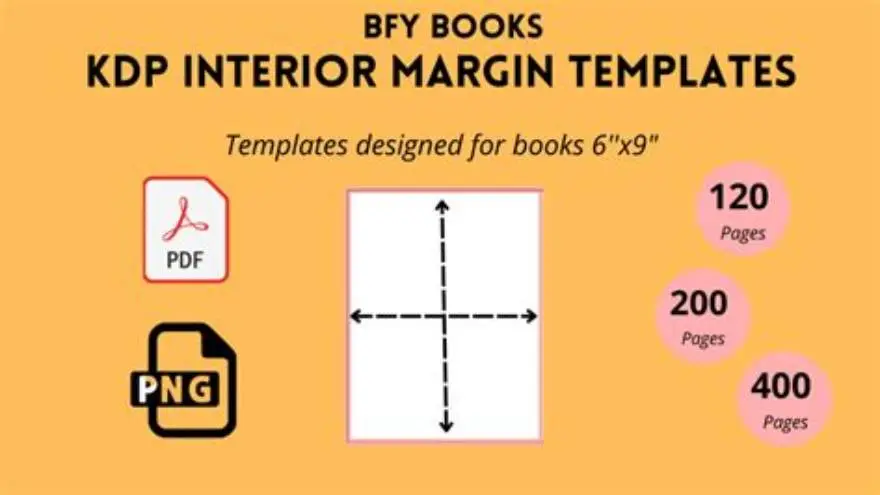
Bleed is the 0.125-inch safety margin KDP adds on all four edges. Anything inside that zone might get trimmed during cutting. Your full cover width is front width + spine + back width + 0.25 inches of bleed. Your height is trim height + 0.25 inches.
For an 8.5 × 11 inch book with a 0.2252-inch spine and 100 pages, the math is (8.5 + 0.2252 + 8.5 + 0.25) × 300 = 5,213 pixels wide and (11 + 0.25) × 300 = 3,375 pixels tall. Round down to the nearest whole pixel. KDP's calculator gives you 5,213 × 3,375 pixels exactly. People in this spot often ask about maze formats for kdp as well.
At 150 pages, the spine grows to 0.3378 inches and the cover becomes 5,251 × 3,375 pixels. At 200 pages, the spine hits 0.4504 inches and the cover reaches 5,285 × 3,375 pixels. Every 50 pages adds about 34 pixels to the width. Get this wrong and KDP's uploader flags your file instantly.
BigPrint Puzzle Studio generates these exact dimensions and builds the cover for you. Tell it your page count and trim size, and it outputs a print-ready PDF with bleed and spine already calculated. We built it specifically for large-print puzzle book sellers who were tired of rejected covers and spreadsheet math. It won't teach you design skills, but it does eliminate the most common upload errors in one step.
| Page count | Spine width (in) | Cover width (px) | Cover height (px) |
|---|---|---|---|
| 80 | 0.18 | 5,203 | 3,375 |
| 100 | 0.23 | 5,213 | 3,375 |
| 120 | 0.27 | 5,231 | 3,375 |
| 150 | 0.34 | 5,251 | 3,375 |
| 200 | 0.45 | 5,285 | 3,375 |
Paperback versus hardcover cover differences
KDP hardcover spines add 0.125 inches of case wrap, the boards that stiffen the front and back. The formula becomes (page count × 0.002347) + 0.125 inches. A 100-page hardcover has a spine of 0.3597 inches instead of 0.2252. That's a jump of 40 pixels in width. We cover features of paid puzzle generators in its own article.
Hardcover bleed is still 0.125 inches on all edges, same as paperback. The height calculation doesn't change. Only the spine width formula shifts to account for the boards. If you design a paperback cover and upload it to a hardcover listing, KDP will reject it for spine mismatch.
Hardcovers cost more per unit and sell at higher prices. Puzzle books rarely go hardcover unless you're targeting libraries or gift buyers. The extra cost doesn't make puzzles more valuable to most readers, who want inexpensive activity books they can mark up and recycle.
Most large-print puzzle sellers never touch hardcover. Stick with paperback unless you have a specific buyer in mind who values durability over price. If you do print hardcover, recalculate the spine for every page count separately and store each template with its specs labeled.
- Hardcover spine: (page count × 0.002347) + 0.125 inches
- Case wrap adds 0.125 inches to spine width
- Bleed and height remain the same as paperback
- Hardcover unit cost is higher; price accordingly
Building your cover file in the right format
KDP accepts PDF, TIFF, and JPEG for covers, but PDF is the safest choice. Export as PDF/X-1a:2001 with fonts embedded and images flattened at 300 DPI. This format locks everything in place and prevents color shifts during upload.
Work in RGB color mode for KDP, not CMYK. Amazon converts RGB to its own print profile. If you design in CMYK, the conversion happens twice and colors drift. Keep your background close to white or light neutrals. Dark covers cost more to print and show scuffs easily.
Set your canvas to the exact pixel dimensions KDP's calculator gives you, bleed included. Draw guides at 0.125 inches from each edge for the bleed line, and another set 0.125 inches inside the trim for the safe area. Place your title and barcode zone inside the safe area, never in bleed.
The barcode goes on the back cover, bottom right, in a white rectangle at least 2 × 1.2 inches. Leave that space blank in your design. KDP prints the barcode automatically during production. If you put content there, it will be covered.
- Download KDP's cover template for your trim size and page count from the cover calculator.
- Open it in Photoshop, GIMP, or Affinity Photo at 300 DPI.
- Design your front and back covers inside the safe-area guides.
- Extend background colors and images into the bleed zone so no white edges appear after trimming.
- Flatten all layers and export as PDF/X-1a with embedded fonts.
- Upload to KDP and check the online previewer for spine alignment and bleed.
Common sizing mistakes that trigger KDP rejections
The most frequent error is using the wrong page count when calculating spine width. You design the cover for 100 pages, then add an introduction and push the interior to 104 pages, but forget to rebuild the cover. KDP's system detects the mismatch instantly and blocks publishing.
Another mistake is designing at 72 or 150 DPI and assuming KDP will accept it because the canvas is large. Resolution and pixel count are independent. A 5,213-pixel-wide file at 72 DPI prints at 72 dots per inch, far below the 300 minimum. Always set your document to 300 DPI before you place a single element.
Forgetting bleed is common. You design a cover exactly 5,100 × 3,300 pixels for an 8.5 × 11 book with no spine, thinking that's the trim size. KDP expects 5,213 × 3,375 pixels with bleed and spine included. The file uploads but previews show white edges where the cutter would slice into your design.
Text too close to the edge survives the previewer but gets cropped on the printed proof. The trimmer shifts up to 0.0625 inches during cutting. Anything closer than 0.25 inches to the trim line is at risk. Keep titles, author names, and puzzle samples inside the safe zone, or order a proof and find half your back cover gone.
- Page count mismatch: cover spine doesn't match interior page total
- Low resolution: file designed at 72 or 150 DPI instead of 300
- Missing bleed: cover sized to trim dimensions without 0.125-inch margins
- Text in danger zone: content placed closer than 0.25 inches to trim line
Questions people still ask
Can I use Canva's free templates for KDP puzzle book covers?
Canva's built-in KDP templates work only if you manually adjust the canvas size to match your exact page count and spine width. Most Canva templates assume a fixed spine, so you'll need to edit the dimensions and add bleed yourself. Download as PDF with 300 DPI, not PNG, or the file won't meet KDP's print resolution.
What happens if my cover is one pixel too narrow or too wide?
KDP's uploader checks dimensions to the pixel and rejects covers that don't match the calculator's output. You'll get an error message before the file even processes. Reopen your design file, verify the canvas size, and re-export at exactly the required dimensions.
Do I need a different cover file for Kindle and paperback?
Yes. Kindle ebooks use a simple front-cover image, usually 2,560 × 1,600 pixels or larger. Paperback covers are wrap-around files with spine and bleed. You can crop your paperback front cover and upscale it for Kindle, but don't try to use the same file for both.
How do I calculate spine width for a spiral-bound puzzle book?
KDP doesn't offer spiral binding. Only paperback and hardcover are available. If you want spiral binding, you'll need to print through a separate service like Lulu or a local print shop, and each one has its own spine and cover templates.
Can I change my puzzle book's trim size after it's published?
You can, but you'll need to reformat the entire interior and upload a new cover with recalculated dimensions. KDP treats it as a new edition. Existing buyers won't automatically get the updated size, and your page count will likely change, which affects printing cost.
Ready to try it? It calculates spine width and exports print-ready covers with correct bleed for any page count.
Build your cover in minutes