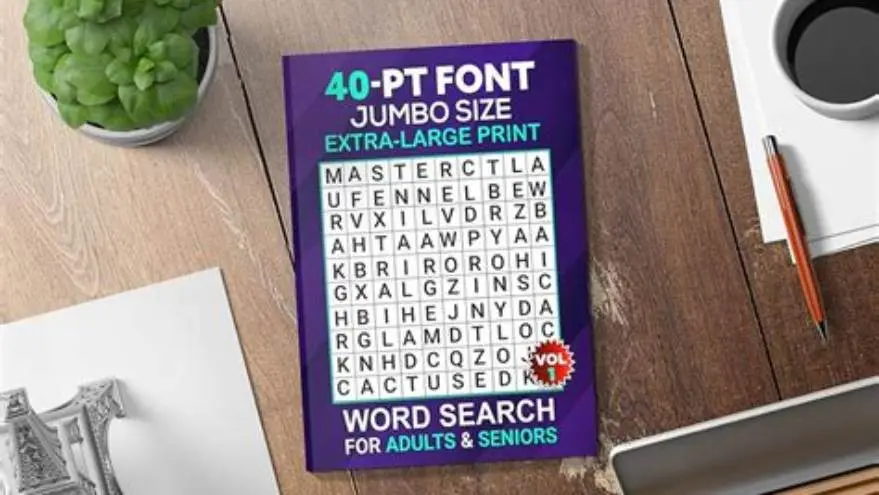
KDP puzzle generator for large-print puzzles meeting Amazon specs
Create large-print puzzles that meet Amazon KDP's specs with practical tips and tools for senior-friendly design and publishing.
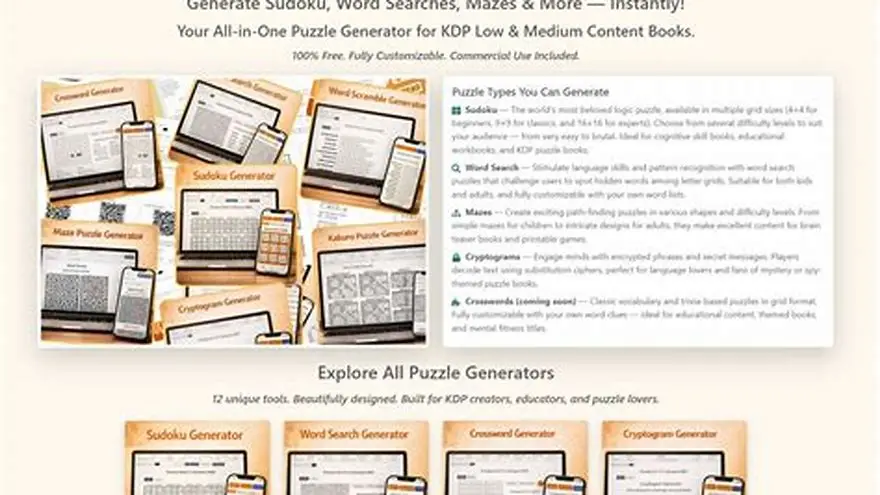
Use a KDP puzzle generator designed for large print, like BigPrint Puzzle Studio, to create puzzles readable for seniors and correctly formatted for Amazon KDP publishing.
On this page (7 sections)
Part of our guide on how to create large print puzzles kdp
Generate large-print puzzles that fit KDP specs and seniors' needs with practical tools and clear design tips.
| Font size | 18-24+ pt for seniors |
|---|---|
| KDP trim sizes | Commonly 8.5x11 or 8.5x8.5 inches |
| Puzzle types | 8 types common in BigPrint Studio |
| Print-ready PDFs | Must include margins and bleed |
| BigPrint Studio cost | One-time payment |
The short version
- Large-print puzzles require font sizes usually 18-24 points or bigger for readability.
- KDP formatting demands specific page sizes, margins, and bleed settings to avoid content cut-off.
- BigPrint Puzzle Studio provides ready-made themes and print-ready PDFs tailored for seniors.
- Manual puzzle creation is possible but time-consuming and error-prone for KDP standards.
- Senior-friendly puzzles need clear fonts, simple layouts, and suitable puzzle types for cognitive ease.
How to generate puzzles in large print
Creating large-print puzzles starts with choosing a readable font size, usually 18 to 24 points or larger. This size depends on the typeface and puzzle complexity; simpler fonts with clear letters improve legibility.
Manual puzzle generation involves using word lists or number grids, then enlarging font and spacing carefully. This process often requires trial and error to avoid overlapping text or cramped layouts.
A useful shortcut is using a puzzle generator that supports large print. BigPrint Puzzle Studio offers eight puzzle types with built-in large-print fonts and spacing, streamlining creation.
This software also lets you customize puzzles with themes and controls font size for seniors. It saves hours compared to manual methods and avoids common layout mistakes. Before you commit to anything, it is worth looking at sudoku book creation amazon.
Font choice affects more than size. Some fonts appear larger at the same point size. For example, Arial at 18 points is easier to read than Times New Roman at 18 points because it has wider letters and more spacing. Test fonts on a printed page to decide what works best for your puzzle type.
Puzzle spacing between letters and cells can affect readability too. In a crossword puzzle, increase the spacing to prevent letters from blending together. For word searches, larger grids with fewer overlapping words help keep the print clear. Spacing adjustments of 1.5 to 2 times the default size are common in large-print puzzles.
- Easy large-print options
- Multiple puzzle types
- Customizable themes
- Limited to eight puzzle types
- Not free software
How to format puzzles for KDP publishing
Amazon KDP requires puzzles to fit specific trim sizes, commonly 8.5 by 11 inches for large-print books. Margins should be at least 0.5 inch to prevent content from being cut off. The other half of this decision is KDP formatted puzzle tools.
Files must include bleed if images or backgrounds reach the edge. BigPrint Puzzle Studio generates print-ready PDFs with correct margins and bleed settings, ensuring your puzzles print safely without crop issues.
Manual formatting requires creating custom page templates in design software and exporting PDFs according to KDP's specs. This can be confusing and error-prone without experience.
Using a tool with built-in KDP formatting support reduces the risk of rejection due to improper page sizes or bleed. It also speeds up the publishing process. We cover best puzzle book maker software for kdp in its own article.
Keep in mind, KDP allows embedding fonts. Make sure your PDFs have fonts embedded or outlined to avoid substitution during printing.
Amazon KDP requires PDF files to use RGB or CMYK color modes depending on print options. BigPrint Puzzle Studio handles color profiles automatically, avoiding color shifts during printing. If you create PDFs manually, make sure to set the color profile to the recommended mode to keep puzzle colors accurate.
For puzzles with images or decorative elements, the bleed area should be at least 0.125 inch beyond trim lines to prevent white edges after trimming. Your puzzle pages should include crop marks if you submit files manually to KDP. These marks guide printers and keep puzzle content within safe zones. It helps to understand best puzzle font sizes before going further.
KDP also requires embedded fonts in PDFs to avoid font substitution during printing. If fonts are not embedded, Amazon might replace them with defaults that distort puzzles. BigPrint Puzzle Studio embeds fonts automatically, but if you export PDFs from other tools, double-check font embedding before upload.
- Automatic page sizing
- Includes bleed and margins
- PDFs ready for upload
- Requires learning KDP specs if manual
- Some features need software familiarity
Tools that support big-print puzzle creation
BigPrint Puzzle Studio is designed specifically for large-print puzzle book creation. It delivers puzzles with senior-friendly font sizes, wide spacing, and clear layouts.
The tool supports eight puzzle types: word search, sudoku, mazes, crosswords, and more, each with 42 ready themes plus custom theme options. For the detail, see our notes on designing large print puzzles.
It creates print-ready PDFs for KDP and other platforms like Etsy and includes a wrap-around cover maker and Amazon listing helper for titles and keywords.
BigPrint Puzzle Studio sells for a one-time payment of $17 and works on up to three computers. It does not require technical skills or subscriptions.
An alternative free tool is the Large Print Word Search Maker. It produces big-print word searches with answer pages but covers only that puzzle type and lacks advanced formatting for books.
- All-in-one puzzle and cover maker
- Simple for non-technical users
- No monthly fees
- Limited puzzle variety
- No free trial version
Tips for senior-friendly puzzle design
Use sans-serif fonts sized 18 points or more to maximize legibility for older adults. Avoid ornate or condensed fonts that strain vision.
Choose puzzle types with manageable difficulty, like word searches and sudoku, which engage without frustration. Complex puzzles might overwhelm.
Include wide spacing between letters and puzzle elements. Crowding makes puzzles harder to complete and less enjoyable.
High contrast colors or black on white backgrounds work best. Avoid pastel or patterned backgrounds that make reading harder.
Provide clear answer keys and instructions in large print. This helps caregivers and players understand puzzles without confusion.
Test your puzzles by printing a sample page and checking readability at normal viewing distance before finalizing your book.
Seniors often prefer puzzles without time limits to reduce pressure. Offering puzzles with varying difficulty levels gives a better experience. For example, a word search with 10 words and 12x12 grid is easier than one with 25 words and 20x20 grid. Large-print puzzles should lean toward simpler grids.
Use bold lines to separate puzzle sections. Thin or faint lines might be hard to see for older adults. Bold outlines around the puzzle grid and answer areas enhance clarity and guide eyes effectively.
Color blindness affects some seniors. Avoid using only color to differentiate puzzle parts. Use patterns or labels combined with color so everyone can solve puzzles comfortably. Black and white puzzles often work best for universal accessibility.
- Improves readability
- Reduces frustration
- Supports seniors' cognitive needs
- May limit design creativity
- Requires testing on real users
KDP puzzle generator: how to create large-print puzzles ready for Amazon publishing
Using a dedicated KDP puzzle generator ensures your puzzles meet both large-print requirements and Amazon’s publishing standards. BigPrint Puzzle Studio is built for this purpose.
It lets you generate puzzles in large fonts with proper spacing, applies KDP trim sizes and margins automatically, and outputs print-ready PDFs.
The software includes a wrap-around book cover maker designed for KDP, so your puzzle book looks professional on the marketplace.
You can create unlimited puzzle books, each with varied themes and puzzle types that appeal to seniors and caregivers.
This approach saves hours of formatting work and reduces errors that could cause printing issues or customer complaints.
The trade-off is paying a small one-time fee and investing time to learn the software interface.
This tool does not guarantee sales; success depends on marketing and the puzzle book’s appeal to your audience.
- Saves time formatting and layout
- Designed specifically for seniors
- Generates KDP-ready files
- Not a turnkey sales solution
- Limited puzzle types
Questions people still ask
Can I make large-print puzzles for free?
Yes, you can create large-print puzzles manually or use free tools like the Large Print Word Search Maker. But manual formatting for KDP is complex and time-consuming.
What font size is best for seniors in puzzle books?
Fonts sized 18 to 24 points or more are best. Sans-serif fonts improve clarity for older adults with low vision.
Does BigPrint Puzzle Studio work for all puzzle types?
It supports eight common puzzle types including word search, sudoku, mazes, and crosswords. It may not cover some niche puzzles.
How do I ensure my puzzles print correctly on KDP?
Use correct trim sizes, include margins of at least 0.5 inch, add bleed if needed, and embed fonts in the PDF file. Puzzle generators designed for KDP can automate this.
Can I customize puzzle themes and difficulty?
Yes, BigPrint Puzzle Studio offers 42 ready themes and some customization options. Manual methods allow full control but take more effort.
Will using a puzzle generator guarantee book sales?
No. A puzzle generator helps create quality products but sales depend on marketing, cover design, niche appeal, and competition.
Ready to try it? It streamlines creating large-print puzzles that meet KDP formatting and senior readability requirements.
Create large-print puzzles now