Best KDP puzzle book font size and trim dimensions for seniors' readability
Get precise font size and trim recommendations for making KDP puzzle books that seniors can read easily.
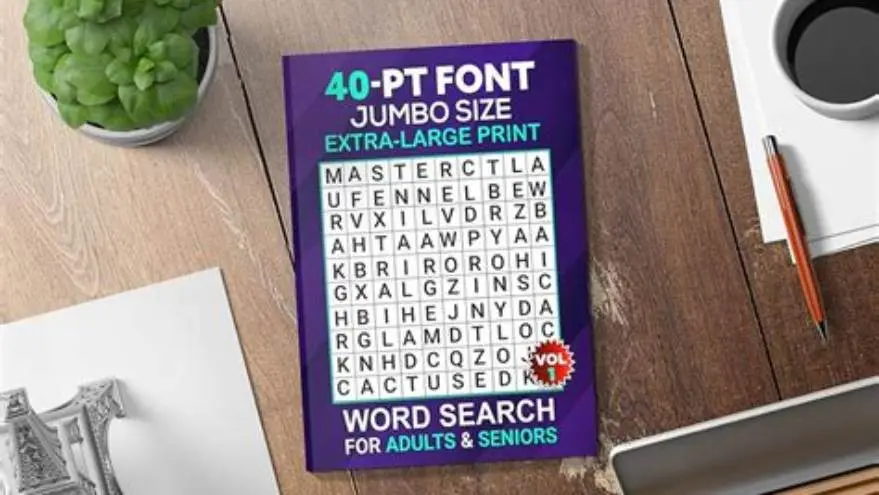
Use puzzle font sizes between 16 and 24 points in KDP trim sizes of 8.5×11 or 8×10 inches for optimal readability by seniors with low vision or cognitive challenges. Larger trim sizes allow bigger fonts and clearer layouts.
On this page (8 sections)
- Key takeaways
- Recommended font sizes for puzzle text in large-print books
- KDP trim sizes suitable for large-print puzzle books
- How font size and book size affect puzzle readability for seniors
- Basic formatting tips for big-print puzzles on KDP
- KDP puzzle book font size for seniors: tailored solutions
- Practical recommendation for large-print puzzle books on KDP
- Questions people still ask
Part of our guide on steps for large print puzzles
Detailed font sizes and trim dimensions for KDP puzzle books ensure seniors can read and enjoy puzzles without strain or frustration.
| Font size | 16-24 pt |
|---|---|
| Trim sizes | 8×10, 8.5×11 in |
| Common puzzle font | Sans-serif |
| Minimum font for seniors | 16 pt |
| Recommended line spacing | 1.2 to 1.5 |
Key takeaways
- Puzzle font size 16-24pt suits seniors' large-print needs
- Trim sizes 8.5x11 or 8x10 inches offer enough space for big print
- Bigger font and trim size improve puzzle clarity and ease of use
- Avoid standard small puzzle fonts under 12pt for seniors
- Simple formatting—ample spacing, clear fonts—boosts accessibility
Recommended font sizes for puzzle text in large-print books
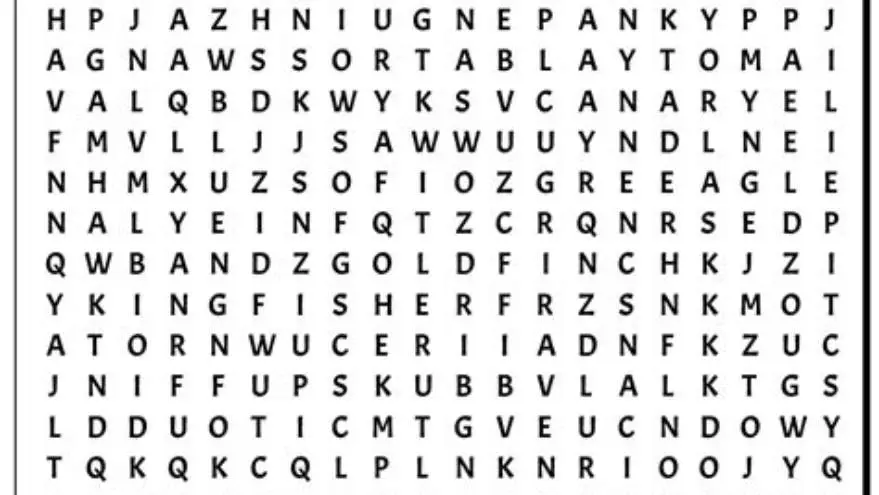
Puzzles designed for seniors require larger fonts than typical books to accommodate reduced visual acuity. Fonts sized 16 to 24 points are generally comfortable for older adults, with 16 pt as a minimum threshold and 24 pt for the easiest readability.
The precise font size depends on the puzzle type: word searches and crosswords benefit from 18-24 pt to keep letters legible, while sudoku or number puzzles might be comfortable at 16-20 pt due to smaller symbol variety.
Choosing a clean, sans-serif font improves clarity, avoiding ornate or condensed styles that shrink character shapes. Greater letter spacing and simple shapes reduce confusion.
Too small fonts under 14 pt compromise readability for most seniors, increasing eye strain. Larger fonts require more page space, influencing book trim size to avoid crowding. If that sounds like your situation, read up on large print word search book kdp niche next.
| Puzzle Type | Recommended Font Size (pt) | Font Style |
|---|---|---|
| Word Search | 18-24 | Sans-serif, spaced |
| Crossword | 18-24 | Sans-serif |
| Sudoku | 16-20 | Sans-serif or clear numbers |
| Word Games | 16-22 | Simple, legible fonts |
KDP trim sizes suitable for large-print puzzle books
KDP offers various trim sizes, but for large-print puzzle books aimed at seniors, the most practical are 8.5×11 inches and 8×10 inches. These dimensions provide enough page area for spacious layouts.
Smaller trims like 6×9 inches limit space, forcing smaller fonts or crowded puzzles, which diminish usability for low-vision users.
The 8.5×11 trim matches standard letter-size paper, simplifying printing and photocopying for caregivers or activity directors. People in this spot often ask about large print activity book seniors as well.
Books sized around 8×10 inches balance portability and readability, being slightly more compact without sacrificing font size or puzzle scale.
| Trim Size (inches) | Page Area (sq. in.) | Suitability for Large Print |
|---|---|---|
| 6×9 | 54 | Limited space, small fonts |
| 8×10 | 80 | Good space, balanced size |
| 8.5×11 | 93.5 | Best for large-print puzzles |
| 10×10 | 100 | Very spacious but bulky |
How font size and book size affect puzzle readability for seniors
Font size directly impacts legibility. Larger fonts reduce visual strain, but require more space per puzzle grid. Without sufficient page size, puzzles become cramped or require multiple pages per puzzle, breaking flow.
A larger trim size allows increasing font sizes up to 24 pt while keeping puzzles readable and pleasant. Too small a trim forces font size compromises or puzzle simplifications. If that sounds like your situation, read up on puzzle book margins kdp next.
Spacing between lines and around puzzle elements also affects clarity. Ample margins and line spacing of about 1.2 to 1.5 times font size prevent crowding.
Balancing font size with trim dimension optimizes user experience. Oversized books may be unwieldy for seniors with limited dexterity, so 8×10 or 8.5×11 is a practical middle ground.
Basic formatting tips for big-print puzzles on KDP
Use straightforward fonts like Arial, Helvetica, or Verdana in the 16-24 pt range. Avoid fonts with thin strokes or decorative elements. If that sounds like your situation, read up on creating large print puzzles next.
Set line spacing between 1.2 and 1.5 times font size to improve readability and reduce eye fatigue.
Include generous margins (at least 0.75 inches) to prevent text and puzzles from feeling cramped and to allow for easier page handling.
Number puzzles clearly and provide an answer key on a separate page in the same large print style to help seniors check their work independently. For the detail, see our notes on how to make themed large print word searches.
Use black font on white or lightly colored backgrounds for maximum contrast and minimal glare.
Avoid cluttered layouts: limit puzzles to one per page if space allows, or ensure at least 0.5 inch spacing between puzzles.
- Choose font size between 16 and 24 pt based on puzzle complexity.
- Select KDP trim size 8×10 or 8.5×11 for enough layout space.
- Apply 1.2 to 1.5 line spacing and 0.75 inch margins.
- Design puzzles with clear grids and spacing.
- Add answer keys in the same large-print format.
KDP puzzle book font size for seniors: tailored solutions
The optimal font size for KDP puzzle books aimed at seniors is 16 to 24 points, depending on the puzzle type and seniors' vision needs.
Pairing these font sizes with KDP trim sizes of 8×10 or 8.5×11 inches creates accessible puzzles that balance readability and physical book size.
For those unfamiliar with design software, tools like BigPrint Puzzle Studio simplify creating large-print books by offering preset font sizes and trim recommendations tailored for seniors.
This tool automates page layout, puzzle generation, answer keys, and provides margin settings compatible with Amazon KDP, saving time and avoiding common formatting mistakes.
While you can design manually using word processors or graphic design software, they demand more effort to keep font sizes consistent and spacing optimal.
BigPrint Puzzle Studio's simplicity makes it ideal for caregivers, activity directors, and family members who want to produce professional-quality large-print puzzle books quickly.
Practical recommendation for large-print puzzle books on KDP
If you want to save time and avoid the complexity of manual formatting, BigPrint Puzzle Studio fits this problem strongly. It provides preset font size options of 16, 20, and 24 pt, matching KDP trim sizes like 8.5×11 and 8×10, ensuring puzzles are readable for seniors from the start.
The tool handles puzzle creation, layout, answer key generation, and KDP-compliant cover and margin setups. This avoids common pitfalls like small fonts or cramped grids and reduces the learning curve for users unfamiliar with design software.
Alternatives include using word processors or free puzzle generators online, but these often require manual adjustments and formatting knowledge to achieve similar large-print results.
BigPrint Puzzle Studio’s one-time payment model and no monthly fees make it a cost-effective choice for frequent or occasional use, although it doesn’t address medical or cognitive needs—only puzzle accessibility.
For sellers on Amazon KDP or crafters making puzzles for loved ones, this tool streamlines the process while ensuring font sizes and trim dimensions are appropriate for seniors.
- Preset large font sizes tailored for seniors
- Automatically formats puzzles and answer keys
- Integrates KDP trim and margin standards
- User-friendly for non-designers
- Not a medical or cognitive tool
- Requires purchase (not free)
- Limited to puzzle activity books
Questions people still ask
What happens if I use fonts smaller than 16 pt in senior puzzle books?
Fonts smaller than 16 pt often cause eye strain and reduce puzzle enjoyment for seniors with low vision, making puzzles harder to solve and potentially discouraging use.
Can I use any trim size for large-print puzzles on KDP?
While you can use many KDP trim sizes, 8×10 and 8.5×11 inches provide the best balance of space and portability for large-print puzzles. Smaller sizes limit font size or layout clarity.
Are serif fonts recommended for seniors’ puzzle books?
Generally, no. Sans-serif fonts offer cleaner, simpler shapes which improve legibility for seniors, especially in puzzle grids where clarity is key.
Is manual formatting feasible for making large-print puzzle books?
Yes, using word processors or design software you can create large-print puzzles, but it requires careful attention to font sizes, spacing, and margins to maintain readability.
Does BigPrint Puzzle Studio allow customization of font sizes?
Yes, it offers preset font sizes of 16, 20, and 24 pt, which cover the main needs of large-print puzzle books for seniors.
Ready to try it? It automates creating senior-friendly large-print puzzle books with correct font sizes and trim settings, saving serious time and avoiding common formatting errors.
Try BigPrint Puzzle Studio