Which puzzle maker tools support large-print puzzles formatted for KDP books
Learn which puzzle maker tools create large-print puzzles optimized for Amazon KDP publishing with easy formatting and readability.
BigPrint Puzzle Studio is the main tool that supports large-print puzzle creation formatted for KDP publishing, offering ready themes, large text options, and print-ready PDFs suitable for Amazon KDP book requirements.
On this page (8 sections)
- The short version
- What puzzle maker tools are available
- Which tools support large-print puzzle creation
- How to format puzzles for KDP publishing
- Differences between generic and big-print puzzle makers
- Which puzzle maker tools support large-print puzzles formatted for KDP books
- How to create large-print puzzle books that sell
- Questions people still ask
Part of our guide on steps for large print puzzles
Compare puzzle maker tools that actually produce large-print puzzles formatted for Amazon KDP publishing with ease and clarity.
| Puzzle types | 8 types |
|---|---|
| Print-ready PDF | Yes |
| Large-print themes | 42 plus custom |
| KDP cover maker | Built-in |
| One-time cost | Yes |
| Free large-print tool | Word Search Maker |
The short version
- Large-print puzzles require bigger fonts and clear layouts for seniors.
- Few generic puzzle makers format puzzles properly for KDP large-print books.
- BigPrint Puzzle Studio offers eight puzzle types with customizable large print.
- Manual formatting for KDP needs precise PDF settings and cover design.
- Free tools exist but lack broad puzzle types and KDP integration.
What puzzle maker tools are available
Multiple puzzle maker tools exist, ranging from general puzzle creators to those specialized in large-print formats. Generic tools often provide standard-sized puzzles and may not easily produce large-print designs required for seniors or KDP.
Some free online tools focus on single puzzle types, like word searches, but lack variety or KDP-specific formatting features. Subscription-based software can offer many puzzles but can be costly and may not prioritize large-print layouts.
Selecting a tool depends on your puzzle type needs, printing requirements, and whether you intend to self-publish on platforms like Amazon KDP or sell printables elsewhere.
Which tools support large-print puzzle creation
Few puzzle makers explicitly support large-print formats suitable for older adults or KDP publishing. Large-print puzzles typically require font sizes above 18 points and clear spacing to aid readability. If that sounds like your situation, read up on kdp puzzle generator next.
BigPrint Puzzle Studio offers eight puzzle types, such as word searches, sudoku, and mazes, with 42 ready themes emphasizing large, clear print and easy-to-read layouts. It allows customization to adjust font sizes and formats to maintain accessibility.
Free tools like the Large Print Word Search Maker create single puzzle types in large print but do not support multiple puzzle types or full book formatting for KDP.
Generic puzzle creators often lack options to increase text size significantly or format puzzles for KDP's print specifications, making BigPrint Puzzle Studio a more practical choice for large-print puzzle books. It helps to understand best software for puzzle books before going further.
Some puzzle makers allow you to manually increase font sizes, but without layout adjustments, the puzzle can become crowded or hard to solve. The key is balancing font size with puzzle size so the grid fits neatly on the page. For example, a 15x15 word search with 20-point font may be too wide for an 8.5x11 page, requiring a smaller grid or larger page.
BigPrint Puzzle Studio includes preset layouts optimized for large fonts and page sizes common in KDP books. It automatically adjusts puzzle spacing to maintain clarity. Users can preview puzzles in different sizes before exporting, avoiding print errors that could make puzzles unreadable or poorly formatted.
| Tool | Puzzle Types | Large-Print Support | KDP Formatting | Cost |
|---|---|---|---|---|
| BigPrint Puzzle Studio | 8 | Yes, customizable | Yes, print-ready PDFs and covers | One-time |
| Large Print Word Search Maker | 1 | Yes, large fonts | No | Free |
| Generic puzzle makers | Varies | Limited or no | No | Varies |
- Multiple puzzle types
- Custom themes for readability
- Built-in KDP export tools
- One-time cost
- Requires learning the software
- No guaranteed sales
How to format puzzles for KDP publishing
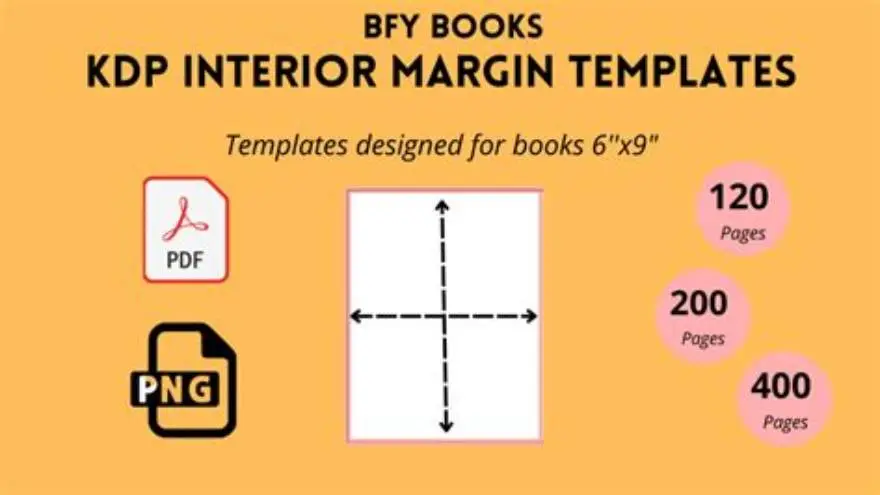
KDP requires print-ready PDF files sized correctly for the chosen book trim, usually 8.5 by 11 inches or similar. Puzzles need margins for binding and enough white space for clarity. Before you commit to anything, it is worth looking at large print activity book for seniors kdp.
Large-print puzzles must use fonts large enough (generally 18 points or more) to ensure legibility on printed pages. Spacing between puzzle elements helps prevent crowding and confusion.
Creating wrap-around covers matching KDP's specifications can be challenging without proper tools. Puzzle makers like BigPrint Puzzle Studio include built-in cover creators and listing helpers for Amazon.
Manual formatting involves setting up page sizes in a layout program, using large fonts, and exporting high-resolution PDFs. This approach requires more time and skill than using dedicated puzzle makers. We go through how to make a sudoku book to sell on amazon step by step elsewhere on the site.
KDP print specs also require color mode set to CMYK for accurate print output, which some puzzle makers do not support. BigPrint Puzzle Studio outputs CMYK PDFs, avoiding color shifts or unexpected darkening when printed.
If you choose manual formatting, check resolution and font embedding to prevent blurry text or font substitution. Use at least 300 DPI resolution to ensure crisp lines and text in print. A PDF preflight or print preview in a PDF reader can catch common issues before uploading to KDP.
Margins for binding vary by page count and trim size; consult KDP's current guidelines. For example, a 100-page 8.5x11 book may require a 0.75-inch gutter margin to avoid losing content near the spine. Proper margins keep puzzles fully visible after binding. It helps to understand layout tips for kdp books before going further.
- Choose your puzzle size and page dimensions matching KDP trim options.
- Set font sizes to 18 points or larger for all puzzle text.
- Leave margins of at least 0.5 inches for binding and cutting.
- Export puzzles as print-ready PDFs with embedded fonts.
- Use a cover design tool or puzzle maker cover feature for KDP wrap-around covers.
Differences between generic and big-print puzzle makers
Generic puzzle makers focus on puzzle variety and speed, often producing puzzles sized for standard print or screen viewing. They rarely prioritize font size and layout for older adults' visual needs.
Big-print puzzle makers emphasize readability, offering larger fonts, high-contrast themes, and layouts designed to reduce eye strain. They also include options to customize puzzles for specific user needs.
Generic tools may lack integrated formatting for Amazon KDP, requiring users to manually adjust page sizes and covers. Big-print tools often bundle these features, easing publishing steps.
Cost differences exist. Big-print tools may charge a one-time fee but save time and effort, while generic tools can be free or subscription-based but need extra formatting work.
| Aspect | Generic Puzzle Makers | Big-Print Puzzle Makers |
|---|---|---|
| Font Size Options | Limited, standard sizes | Large, adjustable fonts (≥18pt) |
| Puzzle Variety | Often high | Moderate to high |
| KDP Formatting | Manual, external tools needed | Built-in PDF and cover support |
| Cost Model | Free or subscription | One-time fee typical |
| User Skill Required | Intermediate | Beginner to intermediate |
Which puzzle maker tools support large-print puzzles formatted for KDP books
BigPrint Puzzle Studio stands out as a puzzle maker designed specifically for large-print puzzle books that fit Amazon KDP publishing requirements. It handles eight puzzle types, offers customizable themes for readability, and produces print-ready PDFs.
The built-in wrap-around cover maker and Amazon listing helper simplify the self-publishing process by generating correctly sized covers and optimized metadata.
While free tools like the Large Print Word Search Maker help create simple puzzles, they lack multiple puzzle types and integrated KDP formatting. BigPrint Puzzle Studio saves time and effort by combining puzzle creation and publishing steps.
Still, no tool guarantees sales. Success depends on your publishing skills and marketing efforts after creating the puzzles.
BigPrint Puzzle Studio also supports exporting puzzles as individual pages or in a compiled book format. This flexibility lets you generate both single puzzles for printables and full puzzle books smoothly.
The software regularly updates to comply with KDP's evolving print requirements, such as bleed settings and spine width calculations. This reduces the risk of rejected files or print errors after upload.
Some users combine BigPrint Puzzle Studio with other design tools to add extra graphics or page elements. However, the built-in features often eliminate the need for complex editing, which speeds up production and reduces errors.
How to create large-print puzzle books that sell
Creating puzzle books that sell on Amazon KDP or Etsy goes beyond puzzle creation. Choose puzzles popular with seniors, such as word searches, sudoku, or simple mazes, all in large print.
Design books around clear themes and include covers that attract older buyers or caregivers. BigPrint Puzzle Studio helps with themed puzzle sets and matching covers.
Set font sizes above 18 points to suit readers with low vision. Avoid cluttered layouts and use high-contrast colors.
Test print sample pages to check readability and adjust if needed.
Invest time in creating compelling Amazon listings with keywords that buyers use. The Amazon listing helper in BigPrint Puzzle Studio assists this step.
Consider offering printable digital versions on Etsy for added income streams.
- Select puzzle types favored by seniors and ensure large print.
- Use a puzzle maker with KDP formatting and cover creation.
- Design a themed book with matching covers and ample white space.
- Test print samples to confirm font size and readability.
- Write optimized Amazon listings using keyword tools.
- Publish and promote your puzzle book across relevant platforms.
Questions people still ask
Can I create large-print puzzles for free?
Yes. Free tools exist for single puzzle types like word searches with large print. However, they often lack variety and KDP formatting, making them less suitable for full puzzle books.
Do I need special skills to format puzzles for KDP?
Formatting puzzles for KDP requires setting the right page size, margins, and fonts. Tools like BigPrint Puzzle Studio streamline this, but manual formatting demands some layout knowledge.
What font size qualifies as large print for puzzles?
Usually, font sizes of 18 points or larger are considered large print for older adults, ensuring text is clear and easy to read.
Can I use generic puzzle makers for large-print books?
You can, but they typically lack large-print features or KDP-specific formatting. Expect to spend extra time adjusting layouts and fonts manually.
Does BigPrint Puzzle Studio guarantee I will sell puzzle books?
No puzzle maker guarantees sales. BigPrint Puzzle Studio simplifies creation and publishing, but your marketing and book quality determine success.
Ready to try it? It directly supports large-print puzzle making and KDP formatting in one tool, saving time and ensuring accessibility.
Try BigPrint Puzzle Studio