8.5x11 black-and-white puzzle interior: layout, margins, and KDP paper weight
Step-by-step setup for 8.5x11 black-and-white large-print puzzle interiors optimized for KDP print quality and margins.
Set your puzzle interior to 8.5x11 inches with minimum 0.5-inch margins on all sides, use KDP-approved paper weight of 50-60 lb text, and prepare black-and-white files as 300 dpi TIFF or PDF to avoid printer artifacts and maintain large clear grids.
On this page (8 sections)
- Key takeaways
- How to set layout size and margins for 8.5x11 black-and-white puzzle interiors
- Paper weight tolerance for KDP interiors at 8.5x11 large print
- File setup specifics for black-and-white puzzle books on KDP
- How to make 8.5x11 puzzle interior in black and white
- Common mistakes to avoid when preparing black-and-white 8.5x11 puzzle interiors
- BigPrint Puzzle Studio as a solution for making large-print 8.5x11 black-and-white puzzle interiors
- Questions people still ask
Part of our guide on steps for large print puzzles
Prepare clean, large-print black-and-white puzzle interiors at 8.5x11 inches tailored to KDP print requirements without guesswork.
| Page size | 8.5x11 inches |
|---|---|
| Minimum margin | 0.5 inches |
| Paper weight | 50-60 lb text |
| Resolution | 300 dpi |
| Line thickness | ≥1 pt |
Key takeaways
- Use 8.5x11 inch page size with 0.5-inch margins minimum
- KDP interiors require 50-60 lb text paper weight for best results
- Prepare black-and-white files at 300 dpi to avoid printer artifacts
- Keep puzzle grid lines at least 1 point thickness for clarity
- Use tested software or manual setup to maintain large-print legibility
How to set layout size and margins for 8.5x11 black-and-white puzzle interiors
Your puzzle interior must be set exactly to 8.5 by 11 inches to fit KDP's standard trim size. This ensures compatibility with Amazon’s print-on-demand system without unexpected cropping or scaling.
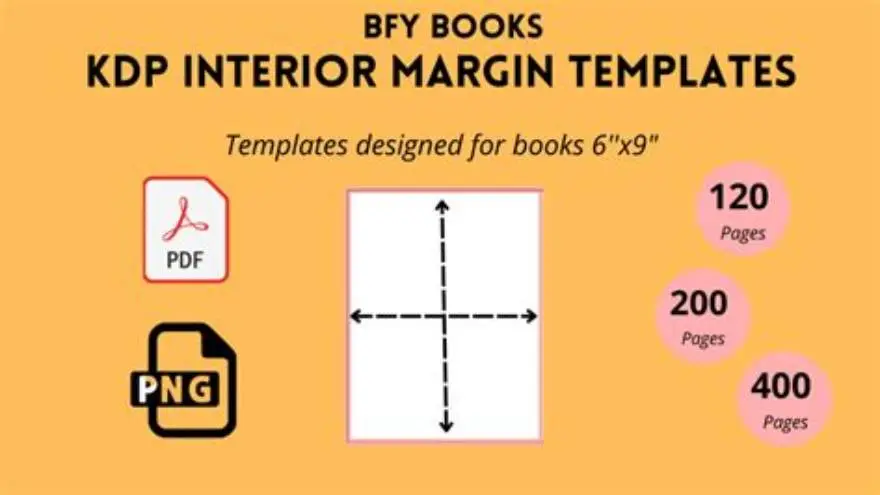
Set minimum margins of 0.5 inches on all sides to keep puzzle grids and text away from the edges. Margins closer than this risk being trimmed off or causing binding issues.
For large-print puzzle books, keeping margins consistent prevents crowding and maintains readability, especially for older adults who need spacious layouts.
When setting margins, also consider the gutter margin if your puzzle book will be bound with a spine wider than a few millimeters. For perfect-bound books, adding an extra 0.125 inches to the inner margin (the side nearest the spine) helps ensure no puzzle elements are obscured or lost near the binding. This means the inner margin may total 0.625 inches, while the outer margins can remain at 0.5 inches. There is more on correct margins for puzzles in a separate guide.
If your puzzle interiors contain page numbers or headers, allocate margin space accordingly to prevent these from overlapping puzzle content. For example, reserving 0.5 to 0.75 inches at the top or bottom for headers or footers keeps puzzles uncluttered and maintains a professional appearance. Always preview your layout in a two-page spread to verify balanced margins and alignment.
- Layout size: set width to 8.5 inches, height to 11 inches
- Margins: minimum 0.5 inches top, bottom, left, and right
- Grid placement: center puzzles within margins for balance
Paper weight tolerance for KDP interiors at 8.5x11 large print
KDP specifies that text interiors should ideally use paper weights between 50 and 60 pounds (text weight) for black-and-white books. This range balances opacity and thickness, preventing show-through on double-sided pages.
If paper weight is too low, puzzles printed on both sides may have heavy bleed-through, reducing clarity especially in black-and-white grids with thick lines. People in this spot often ask about large print activity book for seniors kdp as well.
Heavier papers above 60 lb are not offered by KDP for standard black-and-white interiors and may cause binding or formatting issues.
Paper weight also affects the feel and durability of the puzzle book. While 50-60 lb text paper is standard, the slightly heavier 60 lb paper leans toward a more substantial, premium feel, especially appreciated by older adults who may prefer a sturdier page for ease of handling.
KDP’s paper weight options do not allow for custom choices, so when you upload your file, the platform automatically assigns 50 lb for black-and-white interiors unless you select cream paper, which is generally 55 lb. White paper at 50 lb tends to provide higher contrast, ideal for crisp black-and-white puzzles. There is more on how to make a sudoku book to sell on amazon in a separate guide.
If bleed-through is noticeable on double-sided pages, consider designing puzzles to print on only one side or spacing puzzles so that complex grids do not face each other on opposite pages, reducing distractions caused by show-through.
- Optimal: 50-60 lb text weight paper
- Too light: <50 lb causes bleed-through and poor opacity
- Too heavy: >60 lb not supported by KDP standard interiors
File setup specifics for black-and-white puzzle books on KDP
Files must be prepared in pure black and white (1 bit color depth) or grayscale at 300 dpi resolution for sharp, clear print. Lower resolution risks pixelation around puzzle lines.
Use lossless formats like TIFF or print-optimized PDFs. Avoid JPEGs which introduce compression artifacts that appear as noise on puzzle grids. It helps to understand printable puzzles etsy selling before going further.
Set color mode to grayscale or bitmap to prevent printer dithering or halftone patterns, which cause fuzzy or speckled puzzle lines.
If using software like Adobe InDesign or Photoshop, export with crop marks and bleed settings disabled when preparing interiors for Amazon KDP as KDP handles these automatically.
- Resolution: at least 300 dpi
- Color mode: strictly black and white, or grayscale
- File format: TIFF or print-optimized PDF preferred
- No crop marks or bleed in interior files for KDP
How to make 8.5x11 puzzle interior in black and white
Start by creating your puzzle grids in software that supports vector or high-res bitmap output, ensuring grid lines are at least 1 point thick to remain visible in print. We cover cost effective bookbinding in its own article.
Design the layout within an 8.5x11 inch canvas, applying 0.5-inch margins on all sides. Place puzzles and accompanying clues clearly inside these margins.
Convert any color or grayscale elements to pure black and white to avoid color shifts in printing, which could cause unintended grayish spots or smudges.
Export your final interior file as a 300 dpi PDF or TIFF with no compression and no crop marks. Check the file on screen at 100% zoom to verify line clarity and spacing.
Test print a sample page on your home printer using black ink to confirm the puzzle grid lines are sharp and the text is legible before uploading to KDP.
For a practical example, create a 9x9 Sudoku grid with 1.5-point thick lines on an 8.5x11 inch canvas, ensuring it fits within a 7.5x10 inch area after applying 0.5-inch margins. Place clues or numbers using a font size of at least 14 points for large print clarity.
Adjust line weight based on test prints: if lines appear too faint or thin on a home printer, increase thickness by 0.25 points until the puzzle remains legible without overpowering the page.
To check your puzzle interior file before uploading, zoom in to 400% in your PDF viewer and visually inspect each puzzle grid for jagged edges or pixelation. If any lines look broken or blurred, revisit your source file to improve resolution or line smoothness before export.
- Set document size to 8.5x11 inches
- Add 0.5-inch margins all around
- Create or import puzzle grids with ≥1 pt line thickness
- Convert colors to pure black and white
- Export at 300 dpi as TIFF or PDF without compression
- Test print for clarity before submission
Common mistakes to avoid when preparing black-and-white 8.5x11 puzzle interiors
Using margins smaller than 0.5 inches leads to puzzles getting trimmed or lost in the binding area, frustrating users trying to solve them.
Submitting images or puzzles at less than 300 dpi causes pixelation and blurred lines on physical copies, making puzzles hard to read especially for large-print needs.
Choosing color or grayscale files with halftone effects creates printer artifacts like dots or smudges that degrade the puzzle’s clean appearance.
Uploading JPEG files compresses images and introduces artifacts, making grids look fuzzy or distorted after printing.
- Margins below 0.5 inches risk trimming
- Resolution under 300 dpi loses clarity
- Halftone/grayscale causes printer dots
- JPEG compression blurs puzzle lines
BigPrint Puzzle Studio as a solution for making large-print 8.5x11 black-and-white puzzle interiors
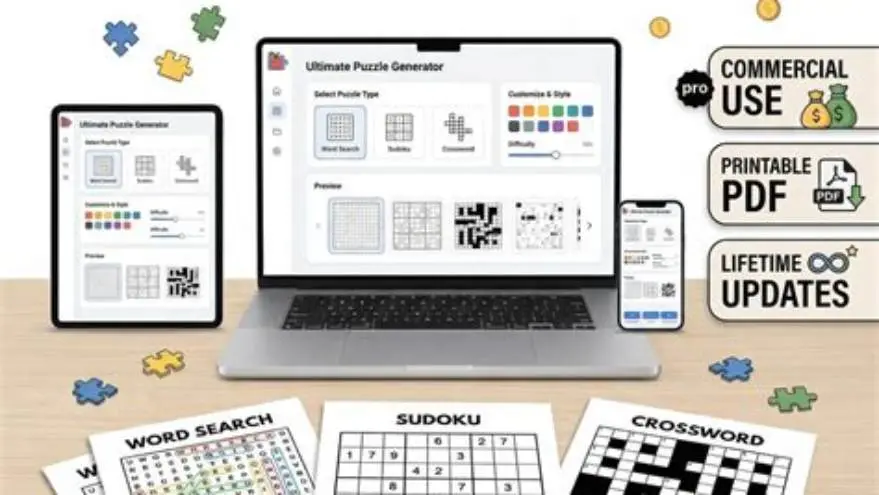
BigPrint Puzzle Studio simplifies making large-print puzzle books tailored for older adults by automating layout, margin, and file setup to KDP standards. It ensures puzzles have large, clear grids with line thickness optimized for black-and-white printing.
The software outputs ready-to-upload PDFs sized exactly at 8.5x11 inches with 0.5-inch or larger margins, eliminating manual guesswork and margin errors.
It supports exporting black-and-white large print puzzle interiors at 300 dpi, avoiding the typical pitfalls of file resolution or incorrect color mode.
BigPrint Puzzle Studio includes puzzles like word searches and sudoku in large print, saving time over building layouts manually. However, it does not solve marketing or sales challenges beyond puzzle creation.
- Auto-sets correct 8.5x11 layout and margins
- Exports 300 dpi black-and-white PDFs
- Creates large-print puzzles with clear grids
- One-time purchase, no monthly fees
- Saves time on setup and export
- Ensures KDP-compliant files
- User-friendly for non-experts
- Limited to puzzle creation only
- Not a marketing or sales tool
BigPrint Puzzle Studio offers a practical shortcut for correctly formatted black-and-white large-print puzzle interiors, saving manual setup time.
Questions people still ask
Can I use smaller margins than 0.5 inches to fit more puzzles?
No. Margins less than 0.5 inches risk having content trimmed in print and reduce readability, especially for large-print puzzles aimed at older adults.
Is 300 dpi really necessary for black-and-white puzzle interiors?
Yes. 300 dpi ensures crisp, clean lines without pixelation. Lower resolution files look blurry or jagged, which frustrates solvers.
What file format does KDP prefer for puzzle interiors?
KDP prefers PDF files for interiors, exported without compression or crop marks. TIFF is acceptable but PDF is standard for puzzle books.
Can I print puzzle books at home with these files?
Yes, but home printers vary. Testing a sample page helps verify line thickness and clarity before uploading to KDP.
Does BigPrint Puzzle Studio create puzzles other than word searches and sudoku?
Yes, it includes various puzzle types suitable for large print, but it focuses on puzzles for senior audiences, not medical or therapy puzzles.
Ready to try it? It automates layout, margin, and file setup for large-print black-and-white 8.5x11 puzzle interiors ready for KDP upload.
Try BigPrint Puzzle Studio