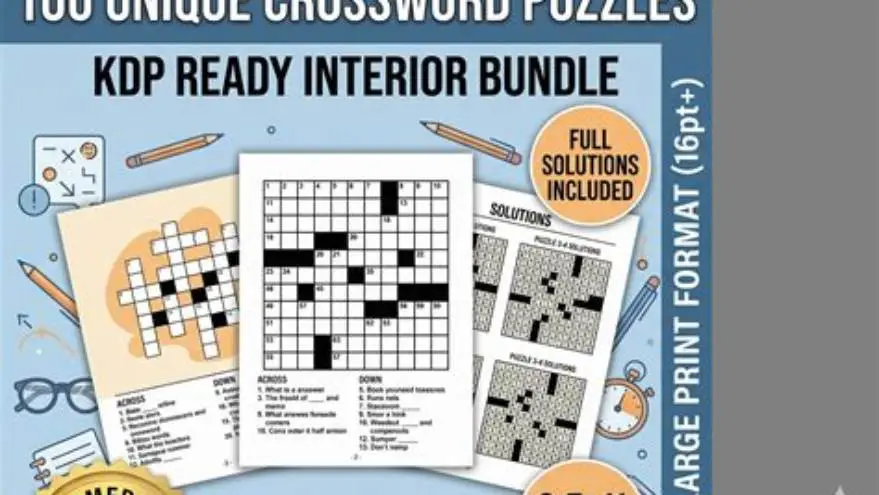
Puzzle book interior template with exact KDP 6x9 size and margin guides
A free KDP puzzle book interior template with exact 6x9 dimensions, margins, and large-print formatting ready to customize for any puzzle type.

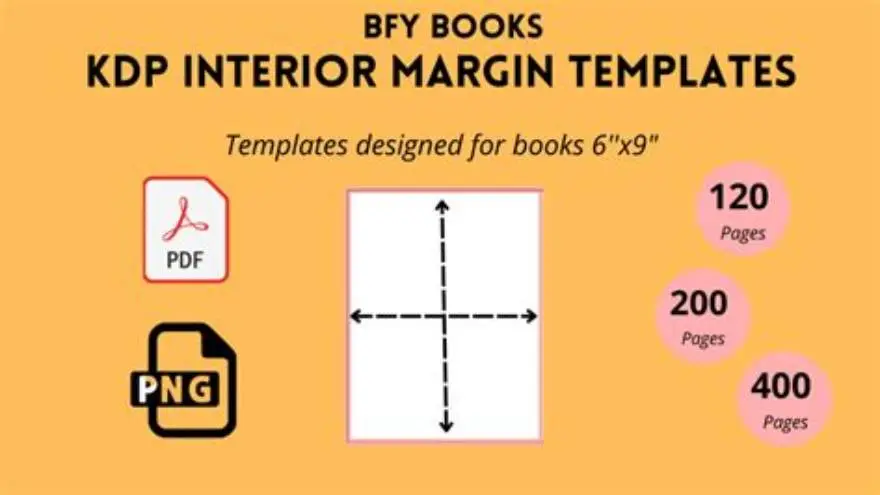
A 6x9 inch puzzle book interior for KDP needs 0.375-inch inside margins and 0.25-inch outside margins, with puzzle grids sized at 16-18 point type for large print. You can download a free template below or build one in Word, InDesign, or a dedicated puzzle tool.
On this page (8 sections)
- The short version
- What are the exact KDP size and margin specs for puzzle books
- How to set up the puzzle page layout for large print
- Where to download a free editable KDP puzzle book interior template
- How to customize the template for different puzzle types
- Common mistakes that make KDP reject your puzzle book file
- Alternatives to building your own template from scratch
- Questions people still ask
Part of our guide on kdp large print word search
Most puzzle templates you'll find online have the wrong margins for KDP's print specs and text too small for older readers to enjoy.
| Page size | 6 x 9 inches trim |
|---|---|
| Inside margin | 0.375 inches minimum |
| Outside margins | 0.25 inches top, bottom, outside |
| Large-print type | 16-18 point |
| Puzzle grid width | 4.5-5 inches |
| Page count range | 24-200 pages for KDP |
The short version
- KDP 6x9 puzzle books need 0.375-inch inside margins for perfect binding and 0.25-inch outside edges
- Large-print puzzles use 16-18 point type with grids 4.5-5 inches wide to fit comfortably on the page
- A free template saves hours of margin testing and gives you a working example to customize
- Most layout mistakes happen at the inside margin where the binding eats into the puzzle grid
- You can build your own template in Word or use a puzzle tool to skip the formatting entirely
What are the exact KDP size and margin specs for puzzle books
KDP prints 6x9 inch puzzle books with perfect binding, which means the pages are glued at the spine. That binding eats into the inside margin, so you need 0.375 inches on the inside edge to keep your puzzle grids clear of the gutter. The outside, top, and bottom margins can sit at 0.25 inches each. Anything tighter and KDP's preflight check will reject the file.
Page count changes the inside margin requirement slightly. A 24-page book needs 0.375 inches, but a 200-page book needs closer to 0.5 inches because the spine is thicker and the gutter deeper. KDP's margin calculator gives the exact figure for your page count, but 0.375 inches covers most puzzle books in the 50-120 page range without trouble.
The trim size is the finished size after cutting. KDP cuts 0.125 inches off each edge, so any border, page number, or puzzle element sitting closer than 0.25 inches from the edge risks getting chopped. That's why the safe zone for all content sits 0.25 inches in from the trim on three sides and 0.375 inches in from the spine.
Bleed is optional for puzzle books. Most puzzles use white or cream paper with black ink and no background color, so you don't need to extend anything past the trim. If you're adding a colored border or background, KDP wants 0.125 inches of bleed on all four sides, which makes the PDF 6.25 x 9.25 inches instead of exactly 6x9. There is more on kdp puzzle book margins in a separate guide.
| Page count | Inside margin | Outside margin | Top & bottom |
|---|---|---|---|
| 24-50 pages | 0.375 inches | 0.25 inches | 0.25 inches |
| 51-120 pages | 0.375-0.438 inches | 0.25 inches | 0.25 inches |
| 121-200 pages | 0.438-0.5 inches | 0.25 inches | 0.25 inches |
How to set up the puzzle page layout for large print
Large-print puzzles need 16 to 18 point type for the puzzle content itself: the numbers in a sudoku grid, the letters in a word search, the clues in a crossword. Anything smaller and readers over 65 or anyone with low vision will squint or skip it. Titles and instructions can sit at 14 to 16 point, and page numbers at 10 to 12 point in the footer.
The puzzle grid itself should measure 4.5 to 5 inches wide to leave room for the margins. A 6x9 page with 0.375 inches on the inside and 0.25 inches on the outside gives you 5.375 inches of usable width. Subtract another 0.25 inches of breathing room on each side and you're left with a comfortable 4.8-inch grid that won't crowd the gutter or the edge.
Line spacing matters as much as type size. Set leading to 120-130% of the point size: so 18-point type gets 22 to 24 points of leading. Crossword clues and word lists need the same treatment. Tight leading makes the page look dense and hard to parse, especially for readers with macular degeneration or cataracts. If that sounds like your situation, read up on puzzle interior 8.5x11 black and white next.
Page layout stays simple. Center the puzzle on the page, or align it slightly toward the outside edge to keep it away from the spine. Leave 0.5 to 1 inch of white space between the puzzle title and the grid, and another 0.5 inches between the grid and any clues or word lists below. White space isn't wasted space; it guides the eye and reduces fatigue.
- Puzzle title: 18-20 point bold, centered or left-aligned, 0.75-1 inch from the top margin
- Grid or clues: 16-18 point, centered on the page with equal space left and right
- Instructions: 12-14 point, placed above the puzzle or on the facing page
- Page numbers: 10-12 point, centered in the footer or placed in the outside corner
Where to download a free editable KDP puzzle book interior template
A free template gives you the margins, page size, and example layouts already set. You open it in Word, Google Docs, or InDesign, replace the placeholder puzzles with your own, and export a print-ready PDF. It saves the two or three hours you'd spend measuring margins and testing test prints, and it eliminates the margin errors that make KDP reject your file on the first upload.
We built BigPrint Puzzle Studio to handle the entire process (margins, large-print formatting, puzzle generation, and cover design) so you don't need a separate template at all. It generates print-ready PDFs with the exact KDP specs for 6x9, 8.5x11, and other trim sizes, and it includes 8 puzzle types (word search, sudoku, crossword, mazes, and more) with 42 ready themes. You pick a theme, choose your puzzles, and the tool formats everything to large-print standards with one click. It's $17 one-time, no subscription, and you can use it on up to three computers. It won't guarantee sales (those depend on your titles, keywords, and cover) but it does remove the layout and formatting bottleneck. We go through kdp cover dimensions puzzle step by step elsewhere on the site.
If you prefer to work in Word or another editor, you can build your own template from scratch. Set the page size to 6 x 9 inches, the inside margin to 0.375 inches, and the other three margins to 0.25 inches. Add a text box or table for your puzzle grid, sized to 4.5-5 inches wide and centered on the page. Save it as a template file and reuse it for every puzzle book.
Google Docs works for simpler layouts, but it doesn't handle precise margins or grid alignment as cleanly as Word or InDesign. Canva has puzzle templates, but most are sized for social media or printables, not KDP's 6x9 trim, and you'll spend time adjusting every margin and every grid to fit the print specs.
How to customize the template for different puzzle types
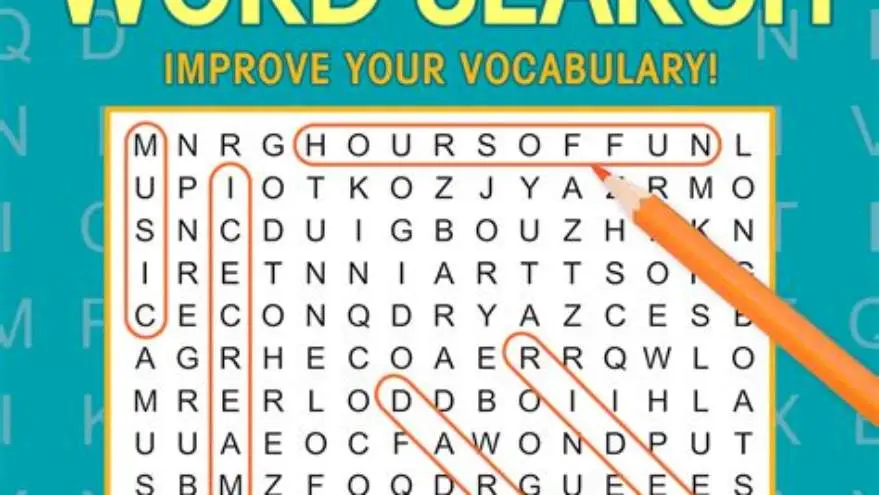
Each puzzle type needs a slightly different layout. A word search uses a square or rectangular grid with a word list below or beside it. A sudoku grid is always 9x9 but can be printed at different sizes depending on how much space you want to give each cell. Crossword puzzles need a grid plus numbered clues, usually split into Across and Down, printed in two columns or on facing pages. Mazes, logic puzzles, and fill-in puzzles each have their own spatial demands. It helps to understand layout density effects before going further.
Start with the grid size. A word search fits comfortably at 4.5 inches square with 16-point letters, leaving room for a title and a word list. A sudoku grid can sit at 4 to 4.5 inches square with 18-point numbers; any larger and the spacing gets awkward. Crossword grids vary by puzzle size: a quick 9x9 crossword fits at 3.5 inches, while a Sunday-size 15x15 needs 5 inches or more. Shrink it too far and the numbers and letters become unreadable.
Clues and word lists take up as much space as the grid. For crosswords, place the clues on the page opposite the grid, or run them in two columns below the puzzle if space allows. For word searches, list the words in two or three columns to avoid a long, narrow list that's hard to scan. Use the same 16-point type as the grid, and add 6 to 8 points of space between each word or clue.
Adjust the template for each puzzle by duplicating the master page and resizing the grid or clue area. Don't try to fit every puzzle type into the same 4.5-inch box. A maze needs more height than width, a cryptogram needs more room for the cipher key, and a fill-in puzzle needs space for instructions. Save each variation as a separate page style so you can drop in new content without re-measuring every margin.
- Open your template and duplicate the master page for each puzzle type you're using.
- Resize the puzzle grid to fit the type: 4.5 inches square for word search, 4 inches for sudoku, 3.5-5 inches for crosswords.
- Adjust the space below or beside the grid for word lists, clues, or instructions, keeping 16-18 point type.
- Export a test page as PDF, upload it to KDP's previewer, and check that nothing sits in the gutter or past the trim.
- Save each layout as a named page style (Word Search, Sudoku, Crossword) so you can reuse it without starting over.
Common mistakes that make KDP reject your puzzle book file
The most common rejection is insufficient inside margin. You set it to 0.25 inches because that's what you saw in another template, and KDP's system flags it as too tight for the binding. The page gets rejected before it ever goes to review. Always check KDP's margin calculator for your exact page count and add 0.0625 inches of padding if you're close to the limit.
The second mistake is content in the bleed zone. You place a page number or a puzzle grid element 0.2 inches from the edge, and the cutter trims it off. KDP's previewer will show you the cut lines; anything touching them is at risk. Move all content 0.25 inches in from the edge, or 0.375 inches if you want a visible safety margin.
Wrong page size is another killer. You design the interior at 8.5x11 inches because that's your printer's default, then try to publish it as a 6x9 book. KDP rejects it outright or scales it down, which breaks your carefully set margins and shrinks your large-print type to regular print. Always set the page size in your document to match the KDP trim size exactly before you start designing.
Low-resolution images and embedded fonts cause silent failures. Your PDF uploads fine, but the preview shows blurry puzzle grids or missing characters. Embed all fonts when you export the PDF, and make sure any puzzle grids created as images are at least 300 DPI. KDP's system doesn't always flag these errors during upload; you'll see them in the proof.
Inconsistent margins from page to page make the book look unfinished. You change the layout halfway through, or you paste puzzles from different sources, and the page numbers jump around or the grids shift left and right. Lock your margins in the template and apply the same page style to every puzzle.
Alternatives to building your own template from scratch
If you don't want to measure margins and format grids by hand, a puzzle generation tool does it for you. BigPrint Puzzle Studio is one option, designed specifically for large-print KDP books, but there are others. Puzzle Generator Pro and Crossword Compiler handle crosswords and word searches with customizable grid sizes, though neither focuses on large print or KDP formatting. You'll still need to check the margins and adjust the type size yourself.
Hiring a formatter on Fiverr or Upwork costs $50 to $150 for a full puzzle book interior, depending on page count and complexity. You send them your puzzles as text or spreadsheets, and they return a print-ready PDF. It's faster than doing it yourself if you're only publishing one or two books, but it's not economical if you're planning a series of 10 or 20 puzzle books.
Canva has low-content book templates, including some puzzle layouts, but most are designed for printables or smaller formats. You'll spend time adapting them to KDP's 6x9 size and resizing every grid to fit the margins. It works for simple word searches or sudoku, but crosswords and mazes need more precise control than Canva's drag-and-drop system offers.
InDesign or Affinity Publisher give you complete control over every margin, grid, and text box, but they come with a learning curve. If you already use them for other design work, they're the best choice for a custom template. If you're starting from zero, the time investment is steep unless you're planning to publish regularly.
Questions people still ask
Can I use the same template for 8.5x11 puzzle books?
No. An 8.5x11 book needs different margins (usually 0.5 inches inside and 0.375 inches outside) and a wider puzzle grid to fill the page. You'll need to create a separate template with the larger trim size, or use a tool that generates both sizes automatically.
How many puzzles fit in a 6x9 book?
One puzzle per page is standard for large print, so a 50-page book holds 50 puzzles. You can fit two smaller puzzles per page if each grid is under 3 inches, but it crowds the layout and reduces readability for older adults.
Do I need to add bleed if my puzzles have no background color?
No. Bleed is only required when you have color, images, or borders that extend to the edge of the page. Black-and-white puzzles on a white background don't need it, so you can submit a 6x9 PDF with no bleed at all.
What DPI should I use for puzzle grids created as images?
300 DPI minimum. Anything lower will look pixelated in print, especially at large-print sizes. If you're generating puzzles in a design tool, always export them as vector PDFs or high-resolution PNGs before placing them in your template.
Can I change the margins after I've already designed half the book?
Yes, but you'll need to reposition every puzzle grid to fit the new margins. It's faster to get the margins right at the start by using KDP's margin calculator and sticking with those dimensions for the entire book.
Ready to try it? It formats puzzle book interiors with exact KDP margins and large-print layouts automatically, eliminating the manual template work
Build your puzzle book interior