Cryptogram puzzle generator: how to make large-print puzzles for books
Generate cryptogram puzzles in large, readable print for older adults and puzzle books using free tools or software that handles formatting.
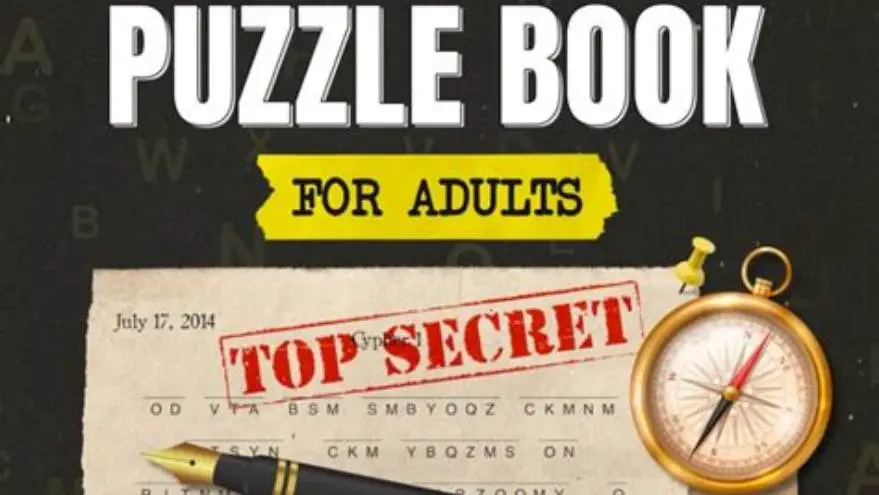
Use a free cryptogram generator to create the puzzles, then format them yourself in 16-18pt type with clear grids, or use puzzle book software that builds multiple cryptograms in large print with consistent spacing and answer keys in one step.
On this page (8 sections)
- The short version
- Why standard cryptogram generators don't work for large-print books
- Where to find free or low-cost cryptogram generators
- How to create cryptogram puzzles suitable for seniors
- How to format puzzles in large print for puzzle books
- Tips for making puzzles beginner-friendly and printable
- Free method versus dedicated puzzle book tools
- Questions people still ask
Part of our guide on designing for older adults
Most cryptogram generators produce puzzles in tiny type with cramped grids that older readers can't use without reformatting every puzzle by hand.
| Minimum readable type | 16-18pt for older readers |
|---|---|
| Ideal quote length | 40-80 characters |
| Grid letter spacing | 0.4-0.5 inches per box |
| Free generator options | Yes, with manual formatting |
| Puzzles per page | 1-2 in large print |
| Answer key | Required on separate page |
The short version
- Free generators create puzzles but leave you to format grids, spacing and answer keys manually for each one
- Large-print cryptograms need 16-18pt type, generous line spacing and a clear substitution alphabet grid
- Beginner-friendly puzzles use short quotes, common words and letter-frequency hints to avoid frustration
- Dedicated puzzle book software formats dozens of cryptograms in consistent large print and adds answer pages automatically
- Test printed samples at actual size before committing to a full book to catch spacing and readability problems
Why standard cryptogram generators don't work for large-print books
Most online cryptogram generators produce puzzles in 10-12pt type crammed onto a single screen or page. The substitution grid runs in a tight block with minimal spacing between letters. That works fine for a quick puzzle printed at home, but it fails completely when you're building a book for older readers or anyone with low vision.
The problems stack up fast. Text below 16pt becomes hard to read under typical indoor lighting. Grids with less than 0.4 inches between letter boxes force readers to squint or guess which letter sits in which position. Line spacing under 1.5 makes it easy to lose your place mid-sentence. You can fix one puzzle by hand in a word processor, but formatting 50 or 100 puzzles the same way takes hours and introduces inconsistencies in spacing, font size and grid alignment.
Free generators also skip the answer key formatting that a book needs. You get the solution as a plain decoded sentence, but readers expect a formatted key showing which letter maps to which, ideally on a separate page at the back. Building that by hand for every puzzle doubles your layout time.
The result is a book that looks amateurish or a workflow so slow you abandon the project halfway through. The generator itself isn't the bottleneck: it's everything that comes after. Before you commit to anything, it is worth looking at low content puzzles for seniors.
Where to find free or low-cost cryptogram generators
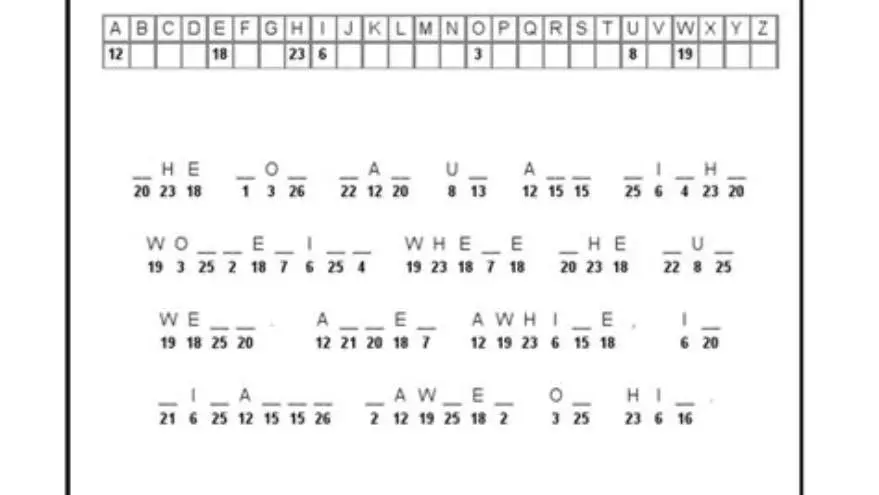
Several free online tools generate cryptogram puzzles from your own quotes or phrases. You type in a sentence, the generator substitutes each letter with a random replacement, and you download or print the result. The cryptogram appears as encoded text with a blank substitution alphabet grid underneath.
Puzzle-Generator.org.uk lets you enter a quote up to 200 characters, choose a difficulty level, and generate a printable cryptogram in seconds. The output is a basic black-and-white puzzle with a grid for filling in letter mappings. Crossword Hobbyist offers a similar tool with slightly more control over font and layout, though the default output is still on the small side. Both are completely free and require no signup.
These tools work well for a handful of puzzles. The catch is formatting. You'll download a PDF or web page in standard type, usually 10-12pt, with tight spacing. To turn that into a large-print puzzle, you'll need to rebuild the layout in a word processor or design program: increase font size to 16-18pt, expand the substitution grid so each letter box is at least 0.4 inches wide, adjust line spacing to 1.5 or more, and format an answer page showing the correct letter mappings. People in this spot often ask about cryptogram puzzles for beginners as well.
For a single puzzle, that takes 10-15 minutes. For a book with 50 puzzles, you're looking at 8-10 hours of formatting alone, not counting the time spent choosing quotes, checking for errors and assembling the final PDF. Free generators save you the cost of software but leave you with all the layout work.
How to create cryptogram puzzles suitable for seniors
Cryptograms for older adults need shorter quotes, familiar vocabulary and clear visual structure. A puzzle that works for a newspaper's mixed-age audience can frustrate seniors if the quote is obscure, the grid is cramped, or the puzzle offers no starting hints.
Pick quotes between 40 and 80 characters. Longer quotes increase solving time and the chance of giving up halfway through. Shorter quotes feel too easy and finish in a minute or two. Stick to well-known sayings, proverbs or lines from classic books and movies that most readers over 60 will recognize. Avoid slang, recent pop culture references and sentences with unusual punctuation or abbreviations. It helps to understand KDP large-print puzzle maker before going further.
Provide a frequency hint. Most beginner-friendly cryptogram books list the three most common letters in English (E, T, A) at the bottom of the grid or note that one-letter words are usually A or I. That gives solvers a foothold without revealing the answer. Some books also mark the spaces where E appears in the encoded text, cutting solving time by a third.
Use consistent substitution rules across all puzzles in the same book. If your first puzzle substitutes A for Q, don't reuse that pairing in puzzle two. Random substitution every time is traditional, but some readers appreciate a gentler start where common letters like E or T are revealed in the first few puzzles, then withheld later as difficulty ramps up.
Test your puzzles with someone in the target age group before you commit to printing 50 of them. What feels obvious to you may be baffling to a reader unfamiliar with cryptograms, and a single frustrating puzzle early in the book can stop someone from continuing. People in this spot often ask about kdp sudoku generator as well.
- Choose a quote between 40 and 80 characters with familiar words and simple punctuation.
- Run it through a cryptogram generator to produce the substitution cipher.
- Add a frequency hint noting that E, T and A are the most common letters in English.
- Format the puzzle in 16-18pt type with a substitution grid at least 0.4 inches per letter box.
- Print one copy at 100% scale and solve it yourself to check for spacing and readability issues.
How to format puzzles in large print for puzzle books
Large-print formatting for cryptograms means more than just increasing the font size. You need generous spacing, a clear substitution grid and enough white space that the page doesn't feel crowded. A single puzzle formatted correctly will often take up a full page or half a page, depending on quote length.
Set body text at 16-18pt in a clean sans-serif font like Arial or a serif like Times New Roman. Avoid decorative or script fonts that reduce legibility. Line spacing should be 1.5 to 2.0, which prevents lines from blending together when a reader looks up from the page and back down.
The substitution alphabet grid sits below the encoded quote. Each letter box should be at least 0.4 inches wide and 0.5 inches tall, with a 1pt border so the boxes are clearly defined. Leave a blank line above and below the grid to separate it visually from the puzzle text and any instructions. If you're including letter-frequency hints, place them in 12-14pt italic text beneath the grid, not in the margins where they're easy to miss. The other half of this decision is generators for kdp mazes.
Answer keys go on separate pages at the back of the book, formatted in the same type size as the puzzles. Show the decoded quote in full, then list the letter mappings in a two-column table: A=Q, B=W, and so on. Readers will flip back and forth between the puzzle and the answer, so consistent page layout and clear page numbers matter.
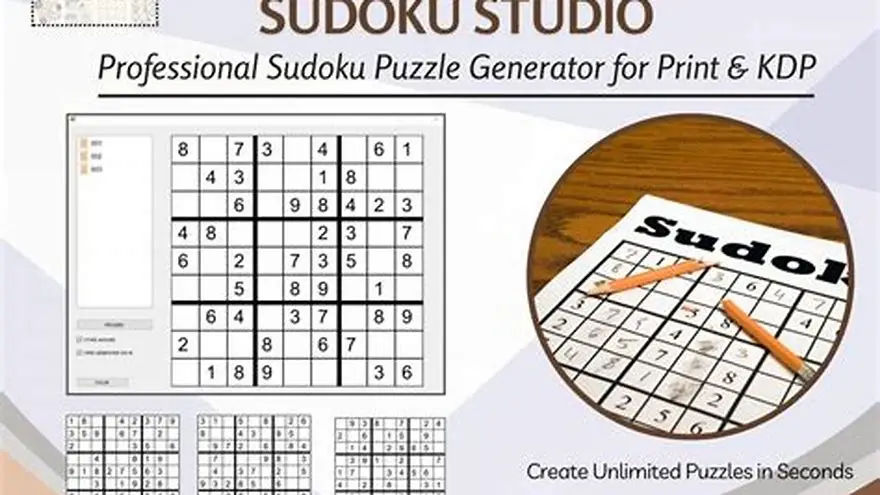
BigPrint Puzzle Studio handles all of this formatting automatically when you're building a cryptogram book. You enter your quotes, choose a theme, and the software generates each puzzle in 18pt type with properly spaced grids and answer pages already formatted to match. It saves hours of manual layout work and keeps every puzzle in the book visually consistent, which matters when you're aiming for a professional look on Amazon KDP or Etsy. The tool costs $17 one-time with no subscription, and it works for other large-print puzzle types too (word searches, sudoku, mazes) so it covers most of what a puzzle book publisher needs. It won't teach you how to market your book or guarantee sales, but it removes the formatting bottleneck that stops most people from finishing a second or third book.
Tips for making puzzles beginner-friendly and printable
A beginner-friendly cryptogram book builds confidence in the first five puzzles, then gradually increases difficulty. Start with short quotes that use high-frequency letters and common words. Puzzle six onward can introduce longer quotes, less common vocabulary and fewer starting hints. Before you commit to anything, it is worth looking at book bolt alternative for puzzle books.
Mark the first three to five puzzles as "warm-up" or "beginner" in the header or table of contents. That signals to solvers that these are easier and gives them permission to skip ahead if they want more challenge. Some publishers include a solved example on the first page with annotations showing how to spot patterns and use the frequency hint.
Print readiness depends on your target platform. Amazon KDP accepts PDFs with embedded fonts and requires 300 DPI for any images or graphics. If you're including decorative borders or shaded boxes, make sure they're set to grayscale or CMYK, not RGB, or they'll print too dark or shift color. Etsy printable listings usually deliver a PDF the customer prints at home, so file size matters: keep it under 10 MB by avoiding high-resolution photos or complex vector art.
Test your PDF on multiple devices before you publish. Open it on a phone, a tablet and a desktop computer to check that fonts display correctly and pages don't reflow. Print one full copy at actual size from your home printer to catch margin errors, text that bleeds into the spine, or grids that are too small to write in comfortably.
Number your puzzles clearly and include a table of contents with page numbers for both puzzles and answers. Readers flip around constantly, and a missing page number turns a 10-second lookup into a frustrating search. If your book has themes (nature quotes, movie lines, famous sayings) group puzzles by theme and label each section in the contents.
- High-frequency starters: Begin with quotes rich in E, T, A, O, I and N so solvers can spot patterns quickly.
- One-letter words: Point out that A and I are the only common one-letter words in English, giving an instant foothold.
- Consistent grid style: Use the same box size, font and spacing across every puzzle so readers don't have to relearn the layout.
- Clear answer format: Show the full decoded quote first, then the letter mappings in alphabetical order beneath it.
Free method versus dedicated puzzle book tools
The free method (generator plus word processor) works when you're making a small book or testing whether cryptogram books are worth your time. You'll spend 10-15 minutes per puzzle formatting, which adds up to a day's work for a 50-puzzle book. The upside is zero cost and full control over fonts, colors and layout quirks.
Dedicated puzzle book software cuts formatting time to near zero but costs upfront. BigPrint Puzzle Studio generates entire books in minutes, with every puzzle formatted in large print, grids aligned, answer keys built and a matching cover ready to upload. For publishers making multiple books a month, the time saved pays for the tool in the first week. For someone making one book as a passion project, the free method is often enough.
A middle option is using Canva or a similar design tool with a template. You'll still format each puzzle by hand, but pre-built text boxes and grids speed things up compared to a blank document. Canva's free tier works fine for simple layouts, though you'll need the paid version ($15 per month) to export print-ready PDFs with bleed and crop marks.
The real question is how many books you plan to make. One book? Free tools and patience will get you there. Five or ten books? The time spent reformatting the same grids over and over pushes most people toward paying for software that handles it once and reuses the setup forever.
| Method | Time per 50-puzzle book | Cost | Best for |
|---|---|---|---|
| Free generator + word processor | 8-10 hours | $0 | One-off books, testing ideas |
| Canva with template | 5-7 hours | $15/month or $0 free tier | Designers comfortable with layout tools |
| BigPrint Puzzle Studio | 20-30 minutes | $17 one-time | Publishers making multiple books |
Questions people still ask
Can I use famous quotes in a puzzle book I plan to sell?
Quotes by authors who died more than 70-95 years ago (depending on country) are public domain and free to use. Recent quotes from living authors or recent books may be protected by copyright. Stick to proverbs, historical figures and classic literature to stay safe, or write your own original sayings.
How many cryptograms should a large-print puzzle book have?
Most large-print cryptogram books contain 50 to 100 puzzles. Fewer than 40 feels thin for the price, and more than 120 makes the book so thick that spine margins become a problem in print-on-demand. Aim for 60-80 puzzles as a practical target.
Do I need to include instructions on how to solve a cryptogram?
Yes, especially if your book targets seniors or people new to cryptograms. A one-page walkthrough with a solved example at the front of the book prevents confused reviews and helps readers get started. Keep it to 200 words or less.
What's the best font for large-print cryptogram puzzles?
Arial, Verdana or Times New Roman at 16-18pt work well. Avoid decorative fonts, script styles or anything with thin strokes that disappear on cheap paper. Test a printed sample to confirm the font is readable under typical indoor lighting.
Can I sell cryptogram books on both Amazon KDP and Etsy?
Yes. KDP prints and ships physical books; Etsy listings usually sell the PDF as a printable download. Make sure your Etsy description is clear that the customer gets a file to print at home, not a printed book, or you'll get refund requests.
Ready to try it? It formats cryptogram puzzles in large print with consistent grids and answer keys automatically, cutting hours of manual layout work.
Build your cryptogram book