Large-print puzzles for seniors with memory loss: 3 key features to choose
Learn how to pick large-print puzzles with features that support seniors with memory loss, focusing on type, font size, and puzzle simplicity.
Choose large-print puzzles with 16-24 point font, simple puzzle types like word searches and mazes, and reduced complexity by limiting word lists or clues to support seniors with memory loss effectively.
On this page (8 sections)
- Key takeaways
- Which puzzle types suit memory loss
- What print size and font to use
- How to simplify puzzles without losing engagement
- Large-print puzzles for seniors with memory loss
- Comparison of creating puzzles manually versus using BigPrint Puzzle Studio
- How to adapt puzzles when memory loss progresses
- Questions people still ask
Part of our guide on crossword puzzles seniors large print
Identify the puzzle types, print sizes, and simplifications that truly support seniors with memory loss and how to create or find them.
| Print size range | 16-24 pt |
|---|---|
| Suitable puzzle types | Word searches, mazes |
| Optimal word list size | 10-15 words |
| Puzzle complexity | Simplified clues |
| Font recommendation | Sans-serif |
Key takeaways
- Select puzzle types that rely on recognition over recall, such as word searches and matching games.
- Use print sizes between 16 and 24 points with clear sans-serif fonts for easy reading.
- Simplify puzzles by reducing the number of clues or words to avoid frustration.
- BigPrint Puzzle Studio offers an easy way to create tailored large-print puzzles quickly.
- Balance engagement with simplicity to maintain interest without causing overwhelm.
Which puzzle types suit memory loss
Puzzles relying on recognition rather than recall are more accessible for seniors with memory loss. Word searches, simple crosswords, matching games, and mazes work well because they provide visual cues and reduce the need to recall information independently.
Avoid puzzles demanding complex problem-solving or heavy memory load, like standard cryptic crosswords or challenging sudoku, which can cause frustration and disengagement.
Word searches are particularly effective since the target words are visible and can be found by scanning, which suits diminishing short-term memory.
Mazes engage visual planning and motor skills without requiring strong memory retention, making them another suitable type. Matching games that pair images with words can also help by reinforcing memory through association. We cover easy cryptogram puzzles in its own article.
Some seniors with memory loss may find puzzles that incorporate repetitive patterns helpful, as these patterns can provide additional visual cues and reduce cognitive load. For instance, a word search with themed word lists—such as common fruits or animals—can stimulate recognition without demanding new memory formation.
In contrast, puzzle types that require recalling previously presented clues or results, like multi-step logic puzzles, tend to increase frustration and decrease motivation. Monitoring an individual’s reaction to different puzzle types over time helps identify which engage rather than overwhelm.
The level of memory loss also influences suitability; early-stage memory loss may tolerate puzzles with moderate complexity, whereas advanced stages benefit most from simple, visually guided puzzles. Adjusting puzzle type accordingly ensures activities remain enjoyable and effective. For the detail, see our notes on puzzles with large print type.
What print size and font to use
Print size between 16 and 24 points usually balances readability without overwhelming page layout or causing excessive eye movement. Larger print reduces eye strain and helps seniors with low vision or cognitive challenges focus on each letter.
Sans-serif fonts like Arial, Verdana, or Calibri are easier to read in puzzles because their simple shapes reduce confusion between similar letters, such as ‘I’ and ‘l’ or ‘O’ and ‘0’. Avoid ornate or script fonts.
High contrast between black letters and white or lightly tinted backgrounds enhances clarity. Avoid busy backgrounds or color combinations that may blur the letters or distract. We cover making acrostic puzzles easy to read in its own article.
Spacing between letters and words should be increased compared to standard print to avoid crowding. This helps visual tracking and minimizes misreading.
Within the recommended 16 to 24 point font range, 18 to 20 points often provide a sweet spot for seniors with mild to moderate vision impairments and cognitive challenges. For example, a crossword clue printed in 18-point Arial typically fits well on a page without excessive line breaks.
Letter spacing of around 1.5 times the normal spacing has been found to reduce misreading, particularly for letters that can be confused in smaller fonts. For example, spacing the letters in the word 'LOOK' prevents the ‘OO’ from merging visually. Before you commit to anything, it is worth looking at word scramble games for seniors.
To verify font effectiveness, a simple test is to print a sample puzzle page and ask the senior to read a few lines aloud. If letters or words are confused or skipped, adjusting font size, style, or spacing before finalizing the puzzle can prevent frustration.
- Print size: 16-24 pt recommended for clarity
- Font style: simple sans-serif fonts reduce confusion
- Contrast: black on white or light background for easy visibility
- Spacing: wider letter and word spacing aids focus
How to simplify puzzles without losing engagement
Simplifying puzzles involves reducing complexity while keeping the challenge enough to engage. For word searches, limit the word list to 10-15 words rather than 20 or more to avoid fatigue.
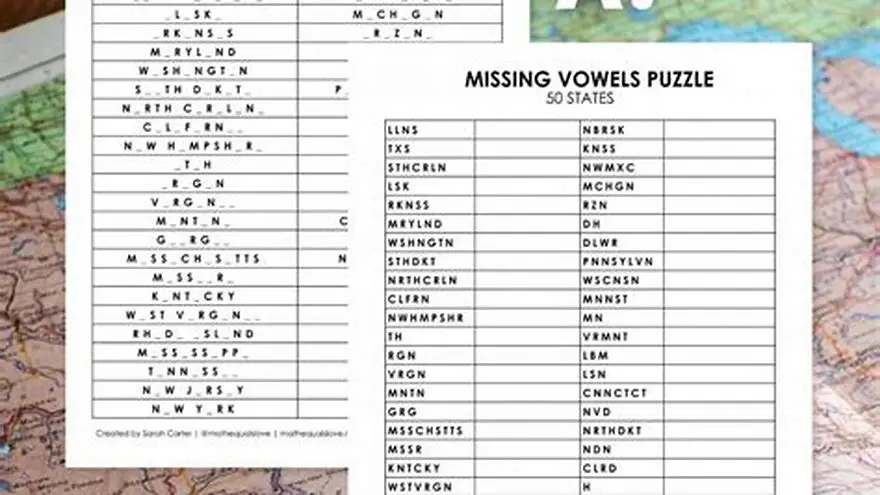
Use words familiar to the senior’s experience or interests to make the puzzle meaningful and easier to complete. Avoid obscure or multi-syllabic words. We go through missing vowels puzzle how to play step by step elsewhere on the site.
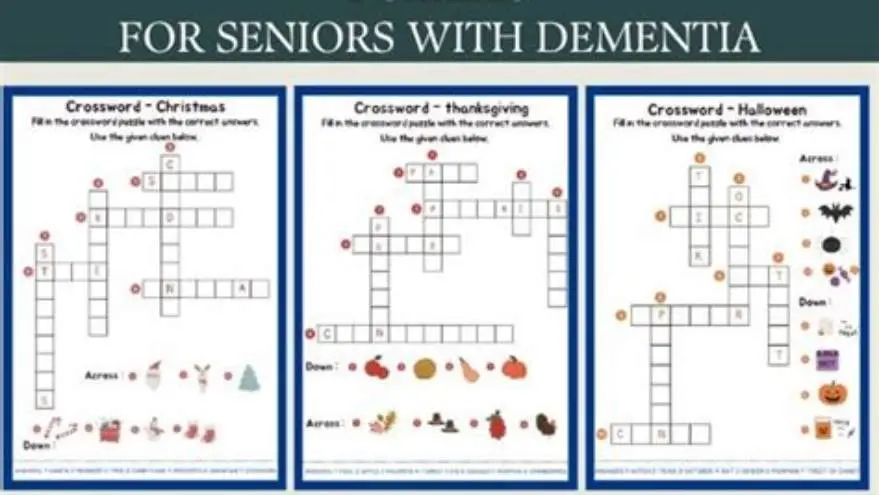
For crosswords, keep clues straightforward and direct, avoiding puns or wordplay which can confuse. Provide a word bank or multiple-choice clues to lower the cognitive burden.
Adding visual or verbal hints gently supports memory without removing the sense of accomplishment. For mazes, use less intricate paths and larger corridors.
Simplification should never mean childishness. Respect the adult’s intelligence and preferences by choosing content relevant and interesting to them.
One way to simplify puzzles while maintaining engagement is to incorporate thematic connections between words. For example, a word search featuring only garden-related words like 'rose', 'soil', and 'shovel' can boost recognition and interest.
Reducing puzzle size can also help; a small 7x7 word search grid with 10 words presents a manageable challenge compared to a 15x15 grid with 30 words. This reduction minimizes eye movement and cognitive load.
An example: instead of a crossword with 15 clues, create one with 7 clues and provide a word bank. For instance, clues like 'A red fruit' with the answer 'apple' become easier to solve with the bank, promoting success and confidence.
- 1. Select fewer, familiar words or clues.
- 2. Use direct and clear language for clues.
- 3. Provide optional hints or word banks.
- 4. Reduce puzzle size or complexity where possible.
- 5. Adjust based on the senior’s responses and preferences.
Large-print puzzles for seniors with memory loss
Seniors with memory loss benefit most from puzzles that combine large-print clarity with appropriate puzzle type and simplified content. Large-print puzzles that address these features help maintain focus and encourage success.
BigPrint Puzzle Studio is a tool designed for family members and activity directors to create large-print puzzles easily. It offers print sizes of 16, 20, or 24 pt and includes various puzzle types such as word searches and sudoku with simplified options.
This tool expedites the process of generating puzzles tailored to a senior’s cognitive level without needing advanced software skills. It also provides answer keys and page numbering automatically.
While it reduces the time spent searching or designing puzzles, it does not replace the need to personalize puzzle content thoughtfully. It is not a therapeutic device but an activity resource.
Large-print puzzles should also consider line spacing and margin size to avoid crowding. Increasing line spacing to 1.5 times normal and margins to at least one inch can reduce visual clutter, supporting seniors’ focus.
When selecting puzzle themes, consider topics familiar or personally meaningful to the senior, such as hobbies, family terms, or favorite foods. Familiarity reduces cognitive strain and enhances emotional engagement.
An example is a maze themed around a garden path familiar to the senior’s neighborhood, adding an element of reminiscence. This can transform the puzzle from a generic task into a comforting experience, which may encourage longer engagement.
- Easy to use for non-tech people
- Multiple print size options
- Includes answer keys and page numbers
- No ongoing fees
- Does not diagnose or treat memory loss
- Limited to puzzle types offered
- Requires computer access
Comparison of creating puzzles manually versus using BigPrint Puzzle Studio
Manually creating large-print puzzles involves selecting fonts, enlarging print size in a word processor or design program, and formatting clues and answers carefully to maintain clarity. This can be very time-consuming and prone to layout errors.
BigPrint Puzzle Studio automates these steps, offering templates, ready themes, and large-print options that ensure consistency and professional-looking results. It also helps users keep puzzles engaging yet accessible for seniors with memory loss.
If you prefer free methods, you can find printable large-print puzzles online and adjust font sizes using a PDF viewer or printer settings, but customization for memory loss needs is limited.
For those who want full control and have the time, manual creation allows choosing every aspect, but expect a steep learning curve and more trial and error.
| Aspect | Manual creation | BigPrint Puzzle Studio |
|---|---|---|
| Time required | Several hours per puzzle | Minutes per puzzle |
| Print size control | Manual adjustment needed | Preset 16, 20, 24 pt sizes |
| Puzzle types | Limited to skills and resources | Word searches, sudoku, crosswords |
| Ease of use | High skill needed | User-friendly interface |
| Customization | Full control, complex | Good but preset options |
- Manual: full customization
- BigPrint: fast and consistent
- Manual: no cost beyond software
- BigPrint: tailored large print
- Manual: time consuming
- BigPrint: limited puzzle types
- Manual: requires more skill
- BigPrint: one-time purchase needed
How to adapt puzzles when memory loss progresses
As memory loss advances, seniors may need even simpler puzzles with shorter word lists, clearer layout, and more support during activity time. Repeated engagement with familiar puzzles can maintain enjoyment.
Incorporate activities that stimulate other senses or use images alongside words to aid recognition.
Consider breaking down puzzles into smaller sections to reduce visual overload and allow for paced completion.
When frustration starts, switch to more passive activities or conversation prompts related to puzzle topics to keep connection without pressure.
Regularly reassess puzzle difficulty and adjust to current abilities, avoiding both boredom and overwhelm.
Using color coding can aid seniors with progressing memory loss. For example, highlighting keywords or paths in one color in a puzzle can guide attention and reduce confusion.
Introducing multisensory elements, such as reading clues aloud while completing the puzzle, supports different memory pathways and can improve success rates.
If a puzzle becomes too hard, transitioning to companion activities like storytelling about the puzzle’s theme or sharing related photographs can maintain social interaction and cognitive stimulation without the pressure of completing the task.
Questions people still ask
Can large-print puzzles improve memory loss symptoms?
Large-print puzzles support engagement and cognitive stimulation but do not improve or cure memory loss. They help maintain skills and provide enjoyable activities.
What font size is too large for puzzles?
Fonts larger than 24 points may cause excessive page breaks and require more eye or hand movement, potentially making puzzles harder to use.
How often should seniors with memory loss do puzzles?
Daily or several times a week for short sessions (15-30 minutes) is usually best to maintain interest without fatigue.
Can I adapt standard puzzles for memory loss?
Yes, by increasing font size, simplifying clues, and reducing puzzle complexity, but it takes time and trial to avoid frustration.
Are all large-print puzzles suitable for seniors with low vision?
Not all. Large print must be combined with clear fonts, high contrast, and simple layouts to suit both low vision and memory loss needs.
Ready to try it? It offers an easy way to create large-print puzzles with adjustable print sizes and simplified puzzles suited for seniors with memory loss.
Create large-print puzzles easily