Create a large-print word search with your own words and print it
Step-by-step guide to making large-print word searches with your own words, perfect for seniors or printable puzzle books.
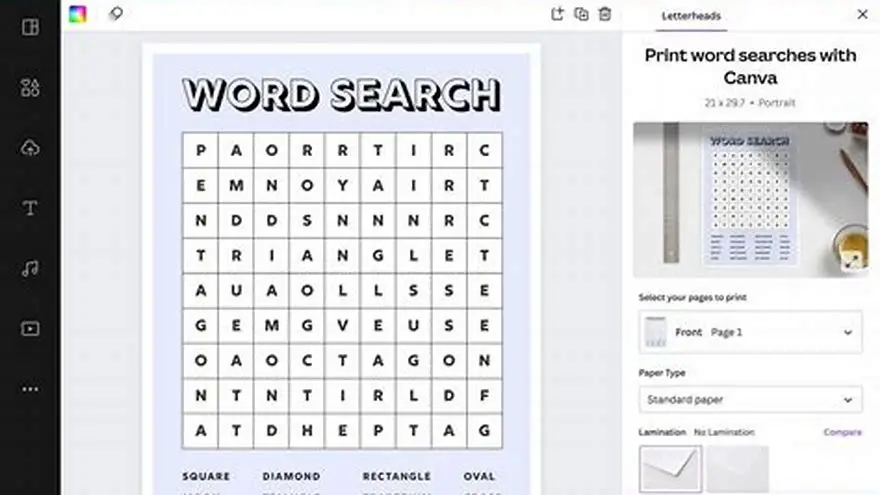
You can create a large-print word search using your own words by entering a word list into a free or paid word search generator that supports large fonts and formats suitable for printing. Adjust grid size and font for readability.
On this page (8 sections)
- The short version
- How to enter your own word list
- How to choose grid size and difficulty
- How to format output for large print
- How to print or export the puzzle for easy use
- How to create a large-print word search with your own words
- Choosing between manual, free, and paid tools for your word search
- Questions people still ask
Part of our guide on designing for older adults
Make your own large-print word search puzzles easily with your words, perfect for seniors and printable puzzle books.
| Font size | 18-24 pt typical |
|---|---|
| Grid size range | 10x10 to 20x20 |
| Print format | PDF preferred |
| Word count | 10-30 words typical |
| Recommended tool | BigPrint Puzzle Studio |
The short version
- Enter your own words carefully to avoid errors in the puzzle.
- Choose a grid size matching the difficulty you want for seniors.
- Format the puzzle with large, clear fonts for easy reading.
- Export or print the puzzle as a PDF for convenience.
- BigPrint Puzzle Studio simplifies generating and formatting puzzles.
How to enter your own word list
Start by compiling a list of words you want to include in your word search. Use words relevant to your theme or audience, such as holiday terms or hobbies your seniors enjoy. Keep the list between 10 and 30 words, as too many can clutter the grid.
When entering your words, type them carefully to avoid typos. Word search generators place words exactly as typed, so errors mean missing words or unsolvable puzzles.
Use a plain text format or a simple list separated by commas or line breaks. Many free tools accept this format directly. Avoid special characters or spaces within words because the grid only supports letters.
BigPrint Puzzle Studio lets you input your word list in a dedicated space. It checks for duplicates and warns you if words are too long for the grid size. Manual tools may require you to arrange the words yourself, increasing difficulty. The other half of this decision is creating large print themed word searches.
Try to keep your word list balanced in length. Words between 4 and 10 letters fit best into most grids and maintain puzzle flow. A very long word, like "transportation," may not fit unless you choose a larger grid, which can affect layout and difficulty.
Check for repeated letters within words. For example, words with many repeating letters can create clusters that look confusing. Mixing words with varied letter patterns helps keep the puzzle clear and fun.
If your word list includes proper nouns or foreign words, confirm your word search generator supports them. Some tools only accept standard alphabet characters and exclude accents or special symbols, causing errors or omissions. Before you commit to anything, it is worth looking at christmas word search seniors.
How to choose grid size and difficulty
Grid size determines puzzle difficulty and readability. For seniors or beginners, choose grids between 12x12 and 15x15. Larger grids increase difficulty and can look overwhelming.
The number of words affects complexity. More words in a smaller grid make the words overlap or force tricky placements. Fewer words in a large grid create more empty space, which might look sparse.
BigPrint Puzzle Studio offers preset grid sizes and automatically fits your word list. It balances letter spacing to enhance readability, especially in large print format. The other half of this decision is design puzzles for large print.
Free online generators may limit grid size or placement options. Some require manual word placement, which can be time-consuming and error-prone.
Grid size also affects the puzzle's physical print size. For large print, a 15x15 grid with 24-point font can take an entire page, so choose accordingly based on paper size.
Difficulty increases not only by grid size but also by word orientation. Including diagonal and backward words makes the puzzle harder. Some generators let you limit directions to keep it easier for your audience. We cover optimize keywords for kdp puzzles in its own article.
Try creating test puzzles at different grid sizes to see what works best for your group. For example, a 12x12 grid with 15 words can be easier to solve and print neatly than a 20x20 with 30 words.
| Grid size | Difficulty | Font size suitability | Recommended for |
|---|---|---|---|
| 10x10 | Low | 18-20 pt | New players, small puzzles |
| 12x12 to 15x15 | Medium | 20-24 pt | Seniors, moderate challenge |
| 16x16 and above | High | 18-20 pt | Experienced puzzlers |
- Custom fitting for word count
- Adjustable difficulty levels
- Larger grids may reduce font size
- Manual placement takes time
How to format output for large print
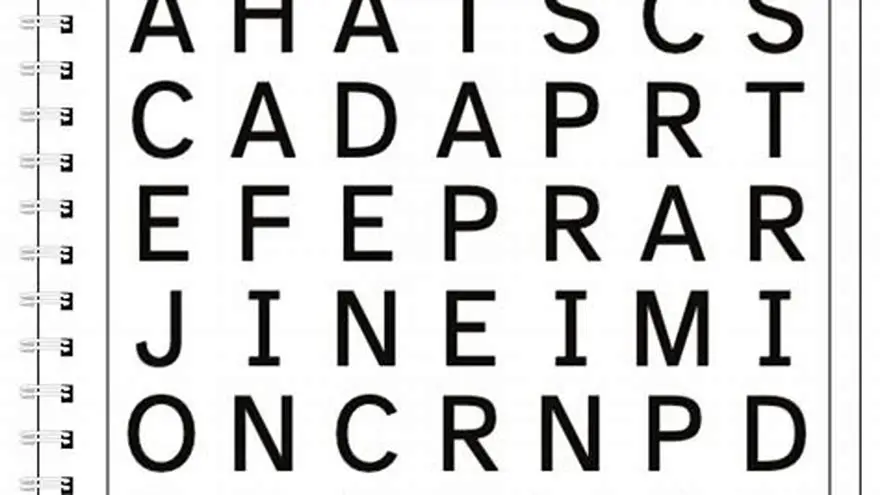
Use large, clear fonts to help older adults or anyone with low vision. Font sizes between 18 and 24 points work well. Sans-serif fonts like Arial or Verdana improve letter legibility.
Avoid tight spacing between letters or lines. Add extra padding around the grid and word list to prevent crowding and make the page look less busy. The other half of this decision is word search generator for commercial use.
BigPrint Puzzle Studio automatically formats puzzles with large fonts and wide spacing. It creates print-ready PDFs with easy-to-read puzzles and answers on separate pages.
If using free generators, you might have to adjust the font size and layout in a word processor or PDF editor before printing. This step requires measuring your output to ensure letters remain crisp and clear.
Check the contrast between font color and background. Black letters on white paper offer the best readability for large print. Avoid light gray or colored fonts that reduce clarity.
If you plan to print several puzzles, maintain consistent formatting across them. This consistency helps users get used to the style and find words faster.
Consider adding bold or shading to the word list to help users distinguish it from the grid. A shaded box or border around the word list can improve visual separation and ease of use.
How to print or export the puzzle for easy use
Export your completed puzzle as a PDF for best compatibility with printers and easy sharing. PDFs preserve font size, layout, and spacing exactly as designed.
BigPrint Puzzle Studio generates print-ready PDFs optimized for Amazon KDP or Etsy printables. It also includes an answer key on a separate page.
If you use a free word search tool, check if it offers PDF export. If not, print directly from your browser or save as a PDF using your computer’s print dialog.
Ensure your printer settings do not scale down the page. Scaling reduces font size and ruins readability. Choose “actual size” or 100% scale, and print on standard Letter or A4 paper.
- Save your word search as a PDF if the tool allows.
- Open the PDF in a reader or editor on your computer.
- Check page setup: paper size, orientation, and scaling.
- Print a single test page and check the font size and clarity.
- Print multiple copies or share the PDF file.
How to create a large-print word search with your own words
Creating a large-print word search starts with choosing your word list and grid size. Then input these words into a tool that supports large fonts and puzzle formatting.
BigPrint Puzzle Studio is a practical solution for this. It lets you enter your own words, choose grid size, and formats puzzles with large print automatically. The tool generates print-ready PDFs with answers and matching covers for puzzle books.
The software saves you time by handling word placement, font size, spacing, and export in one place. It’s designed for creating puzzles that suit older adults or anyone needing large print.
If you prefer a free option, the Large Print Word Search Maker offers a simpler, free way to create basic puzzles with your words in large print. However, it lacks the customization and book-ready formatting of BigPrint Puzzle Studio.
- All-in-one puzzle creation and formatting
- Saves hours compared to manual layout
- Includes answer key and cover design
- One-time purchase required
- No guaranteed sales or income
Choosing between manual, free, and paid tools for your word search
Manual creation means typing your grid and placing words yourself in a word processor. It works if you want full control but is slow and error-prone. Larger grids and large fonts take more effort to set up.
Free online generators let you enter words and create puzzles quickly but may not format for large print or print-ready PDFs. You might have to adjust font sizes and layout manually afterward.
Paid tools like BigPrint Puzzle Studio automate the entire process. You get puzzles optimized for seniors, with large fonts, clear layouts, and included answer keys. The software also helps build puzzle books with matching covers and listings suitable for Amazon KDP or Etsy.
Decide based on your goals. If you want occasional puzzles for family use, free tools or manual methods suffice. For selling puzzle books or regular activity packs, investing in a tool saves hours and frustration.
| Method | Ease of Use | Large Print Support | Output Quality | Cost |
|---|---|---|---|---|
| Manual | Low | Depends on skill | Variable | Free |
| Free Generators | Medium | Limited | Basic | Free |
| BigPrint Puzzle Studio | High | Full support | Professional | One-time $17 |
Questions people still ask
Can I use any words I want in my word search?
Yes, but keep words simple and relevant to your theme. Avoid very long words that won't fit the grid well.
What is the ideal font size for seniors?
Use font sizes between 18 and 24 points, choosing clear, sans-serif fonts for best readability.
Can I customize the puzzle difficulty?
Yes, by adjusting the grid size and the number of words. Larger grids and more words make puzzles harder.
Is it possible to print answer keys with the puzzle?
Many generators, including BigPrint Puzzle Studio, provide answer pages as part of the PDF export.
What paper size should I print on?
Standard Letter (8.5x11 inches) or A4 paper works best for large-print puzzles.
Ready to try it? It automates inputting your words, formats puzzles in large print, and exports print-ready PDFs for seniors and puzzle books.
Create large-print puzzles now