Easy word search puzzles for seniors with 18-point large print
Easy word search puzzles with 18-point large print and short word lists make activity time comfortable and fun for seniors.
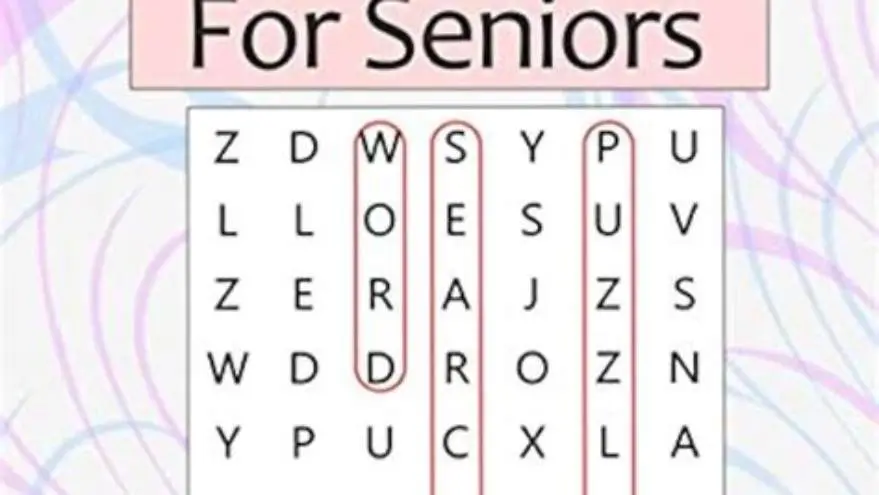
Easy word search puzzles for seniors use at least 18-point font size and 10-15 words per puzzle, balancing readability and engagement to suit older adults' vision and cognitive needs.
On this page (8 sections)
- Key takeaways
- Font size used in easy word searches for seniors
- Number of words per puzzle ideal for seniors
- Where to download or print free easy word search puzzles with large print
- How print size affects readability for seniors
- Easy word search for seniors with large print: practical creation tips
- Using BigPrint Puzzle Studio to make large-print word searches for seniors
- Questions people still ask
Part of our guide on download a printable word search
| Minimum font size | 18-point |
|---|---|
| Words per puzzle | 10-15 words |
| Print type | Sans-serif preferred |
| Recommended puzzle size | 8.5 x 11 inches |
| Puzzle complexity | Easy |
| Download sources | Free printable sites |
| Custom puzzle tool | BigPrint Puzzle Studio |
Key takeaways
- Use 18-point or larger font for easy readability.
- Keep word lists short, about 10-15 words per puzzle.
- Free printable puzzles are available online with large print.
- Larger print improves comfort but requires simpler puzzles.
- Tools like BigPrint Puzzle Studio simplify custom puzzle creation.
Font size used in easy word searches for seniors
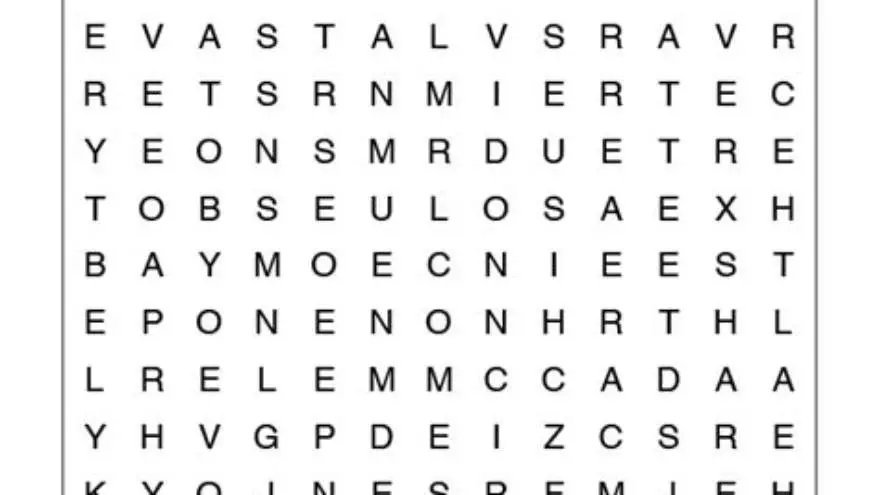
Most easy word search puzzles designed for seniors use a font size of 18 points or larger. This size is chosen because it balances clarity with reasonable space on the puzzle page, allowing letters to be clearly distinguishable without overwhelming the puzzle layout.
Font type also matters: sans-serif fonts like Arial or Verdana improve readability by presenting clearer letterforms and reducing visual clutter. For seniors with low vision, font sizes up to 20 or 24 points can be even more comfortable but require larger puzzle grids or fewer words to fit the page.
Print contrast is crucial for legibility. Black letters on a white background with no decorative shading help seniors locate words more easily. Some puzzles use thick, bold letters at 18 points to enhance visibility further.
When seniors have specific vision impairments such as cataracts or macular degeneration, font size needs can vary significantly. While 18-point font suits many seniors, some may find 22 to 24 points more comfortable, especially if they have reduced contrast sensitivity. Large print puzzles with such font sizes often require simpler grids or fewer words to maintain readability without overwhelming the user. The other half of this decision is easy-to-read large print puzzles.
Testing print samples under typical lighting conditions used by seniors—such as natural daylight or a good desk lamp—can reveal whether the font size is truly sufficient. Letters can appear smaller if lighting is poor or if the paper has a matte finish that reduces contrast. Adjusting font weight by using bold or semi-bold styles at 18-point size can sometimes improve legibility without increasing print size.
Number of words per puzzle ideal for seniors
Easy word searches for seniors typically contain between 10 and 15 words to find. This range keeps the puzzle engaging but not overwhelming, respecting seniors’ potential cognitive fatigue or mild memory loss.
Short word lists also mean the puzzle grid remains smaller or less dense, which complements the large font size and reduces eye strain. A puzzle with 10-12 words usually fits well on an 8.5 x 11 inch page using 18-point font. For the detail, see our notes on large print word search kdp.
Longer word lists push the grid size and complexity higher, which can discourage slow readers or those with limited attention spans. Conversely, fewer than 8 words may make the puzzle too trivial and less satisfying.
The complexity of words also influences the ideal word count. If the words are long or unfamiliar, fewer words (around 8-10) may be better to avoid frustration. Conversely, simple, common words allow for a slightly larger word list of up to 15 without overwhelming the solver.
For example, a puzzle with the theme 'Fruit' using 12 words like APPLE, PEAR, and GRAPE fits well with 18-point font on a single page. Longer word lists with complex terms, such as botanical names, would require a larger grid and potentially multiple pages, making it less practical. Before you commit to anything, it is worth looking at free printable sudoku word search puzzles.
Where to download or print free easy word search puzzles with large print
Several websites offer free printable word search puzzles in large print tailored for seniors. These usually specify font size, word count, and puzzle difficulty. Searching for terms like 'free large print word search puzzles for seniors' typically yields dozens of results.
Some sites categorize puzzles by theme or font size. However, not all declare the font size used, so check sample pages before printing. Using PDFs is recommended to preserve font clarity and layout.
For those wanting to create or customize puzzles, online tools like BigPrint Puzzle Studio offer large-print options with adjustable font sizes and word lists, producing print-ready PDFs with clear print. It helps to understand word searches for memory support before going further.
Some libraries and senior centers also provide printed collections of large-print word searches. These physical resources are valuable for seniors without internet access or those who prefer tangible puzzles. Checking with local community centers can be a helpful alternative to online sources.
Additionally, some websites offer subscription-based services that send monthly large-print word search booklets by mail. These services curate puzzles with themes suited to seniors’ interests, combining large fonts with varying difficulty levels to maintain engagement over time.
- Free puzzle sites: offer ready-made large print puzzles; check font size listed
- PDF downloads: maintain formatting and font clarity when printing
- Customization tools: allow tailored puzzles for specific seniors’ interests and needs
How print size affects readability for seniors
Print size directly impacts how comfortably seniors can read and complete word searches. 18-point print is a practical minimum; smaller fonts cause frustration and reduce participation, especially for people with mild to moderate vision loss. The other half of this decision is how to make a word search easier to read.
Larger fonts improve contrast perception and reduce eye strain but increase the puzzle’s physical size or reduce word count. This trade-off means puzzles with 20-24 point fonts often require fewer words or multiple pages to maintain manageable puzzle complexity.
Cognitive load also plays a role: puzzles with large print but too many words cause scanning fatigue. Balancing font size with word count and puzzle layout is critical to sustaining engagement and enjoyment.
Seniors with conditions like age-related macular degeneration often report that contrast and font spacing are as important as font size. Excessively tight letter spacing can make individual letters blur together, even at 18 points. Designers sometimes increase spacing slightly to aid letter recognition, especially for diagonal or backward words. Before you commit to anything, it is worth looking at word search puzzles for people with macular degeneration.
A practical check is to ask the senior to scan the puzzle for a single, clearly visible word first. If they can easily find a word without straining, the print size and layout are likely effective. If the eyes tire quickly or letters seem to blend, consider increasing font size or simplifying the word list.
Some seniors benefit from puzzles printed on matte, non-glossy paper to reduce glare, which interacts with print size to influence overall readability. Even the best font size can be compromised by poor paper choices or harsh lighting conditions.
Easy word search for seniors with large print: practical creation tips
To create large-print easy puzzles manually, start with selecting a sans-serif font at 18 points or above in a standard word processor or puzzle generator. Limit the word list to 10-15 familiar words related to a clear theme to keep the puzzle inviting.
Use a puzzle grid sized to fit an 8.5 x 11 inch page comfortably. Arrange words horizontally, vertically, and diagonally but avoid overlapping or very dense packing to maintain simplicity.
PDF export ensures the print layout and font stay intact when printing. Test print a page to confirm that letters are clear and words are not too close together.
- Choose a puzzle theme and 10-15 relevant words.
- Set up grid with 18-point sans-serif font in puzzle creation software or manually.
- Arrange words with easy directions (horizontal/vertical preferred).
- Export as PDF for consistent print quality.
- Print sample pages to check readability before bulk printing.
Using BigPrint Puzzle Studio to make large-print word searches for seniors
BigPrint Puzzle Studio makes creating large-print word search puzzles for seniors straightforward by offering preset font sizes including 18, 20, and 24 points, along with ready-made word lists or the option to enter your own. It automates grid creation, ensuring puzzles fit standard page sizes neatly.
You can customize the number of words, font size, and puzzle theme, then export print-ready PDFs. This saves hours compared to manual layout and reduces errors in font consistency or spacing.
The tool targets caregivers, activity directors, and family members who want puzzles tailored to seniors’ vision and cognitive needs without needing complex software skills. However, it is not a medical product or a cognitive therapy device.
For those who prefer free, manual methods or simple online printable puzzles without customization, BigPrint Puzzle Studio is optional but valuable if you regularly create or sell large-print puzzle books.
- Preset large font sizes (18-24 pt) ensure readability
- Custom word lists and themes
- Generates print-ready PDFs with answer keys
- Easy for non-technical users to operate
- One-time payment required
- Limited to puzzle creation, no medical or therapeutic features
- May be more than needed for casual users
Questions people still ask
What font size should I use if 18-point print is still hard to read?
Try increasing font size to 20 or 24 points, but reduce the number of words in the puzzle to keep layout manageable. Also consider sans-serif fonts with high contrast and good lighting conditions.
Can I use regular word search puzzles and just print them larger?
Simply enlarging small-print puzzles often reduces clarity because letter spacing and grid size are fixed. True large-print puzzles are designed from scratch with bigger fonts and adjusted layouts.
Are there free printable large-print word searches I can download right now?
Yes, many websites offer free puzzles specifying large print or 'easy' difficulty. Verify the font size on sample pages before printing to ensure they meet your needs.
How does word list length affect seniors’ enjoyment of puzzles?
Shorter word lists (10-15 words) reduce visual and cognitive load. Longer lists may be frustrating or too tiring, especially for seniors with mild cognitive challenges.
Is BigPrint Puzzle Studio suitable for non-professionals?
Yes, it is designed for caregivers and family members, with simple controls and no complex software requirements.
Ready to try it? It enables easy, consistent creation of large-print puzzles tailored to seniors’ needs without technical hassle.
Create large-print puzzles