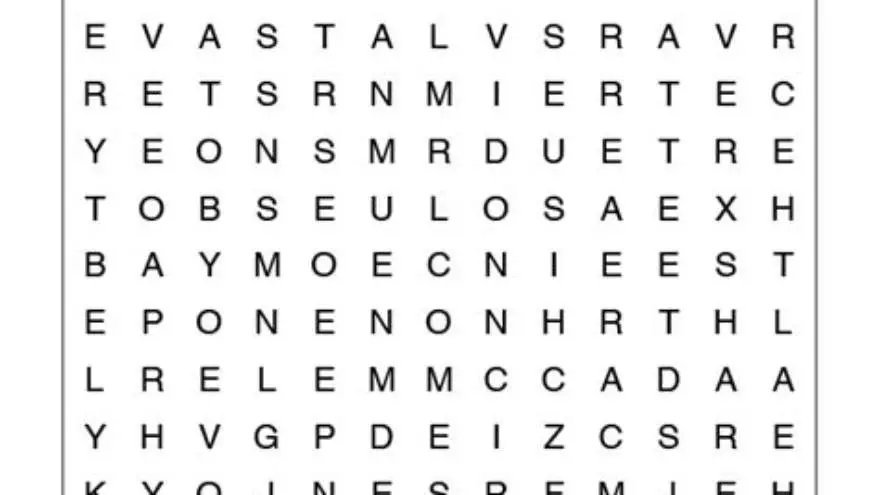
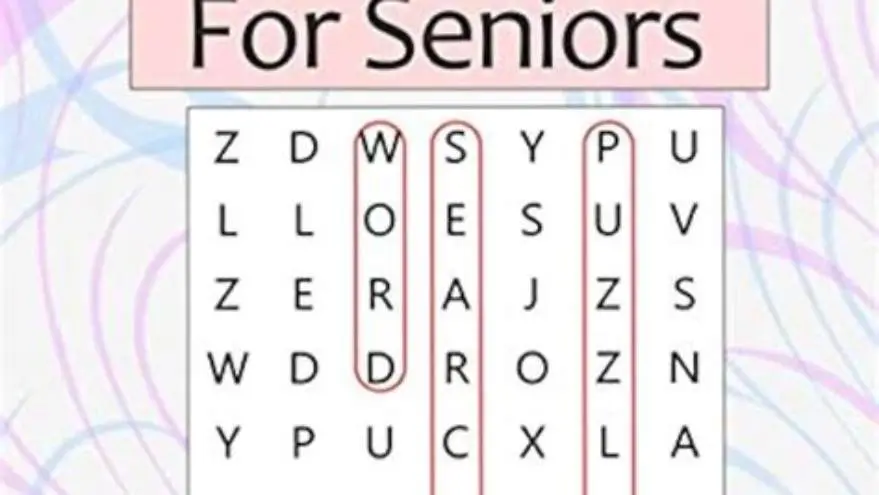
Large print word search puzzles free to print for seniors
You can print free large print word search puzzles from several reliable sources: search puzzle sites filtering by large print, use newspaper archives, or generate custom puzzles with a free maker tool. Print at 100% scale on white card stock for best readability.
On this page (8 sections)
- Quick recap
- Where to find free large print word search puzzles that are actually large enough
- How to print word search puzzles clearly for seniors with low vision
- Why large print matters for older adults and what size actually works
- Making custom large print word searches with names and themes that matter
- What to look for in pre-made large print word search books and downloads
- Printing and storing puzzles so they stay readable and easy to handle
- Still wondering?
Part of our guide on large print word search for seniors
Key figures
- Minimum letter size
- 18-point for low vision
- Best paper
- white card stock, 110 lb
- Print scale
- 100%, never fit-to-page
- Grid size
- 12×12 or smaller
- Contrast ratio
- black ink on white
- Words per puzzle
- 8 to 12 maximum
Quick recap
- Look for puzzles with 18-point letters or larger - standard large print at 14 points is still too small for many seniors
- Print on bright white card stock at 100% scale to prevent ink bleed and preserve letter clarity
- Custom puzzle makers let you build word searches with familiar names and themes that match the person's interests
- Test a single page first before printing a batch to check that letters are clear at arm's length
- Store printed puzzles flat in a folder rather than stapling them, which makes them harder to hold steady
Where to find free large print word search puzzles that are actually large enough
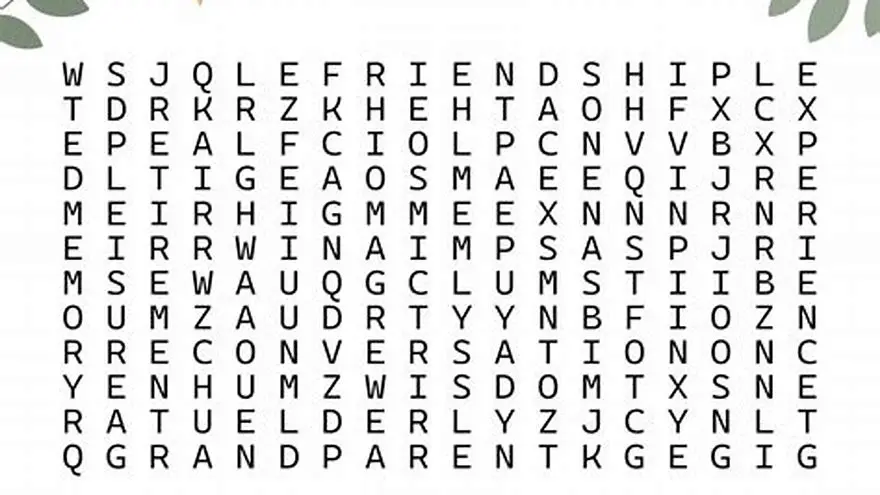
Most word search sites claim large print but deliver 14-point letters, which look fine on a screen but shrink to unreadable when printed. You need at least 18-point type for someone with moderate low vision, and 20 to 24 points if macular degeneration or cataracts are present. That means hunting for sources that state the font size or show a sample you can measure.
Start with puzzle sites that let you filter by accessibility features. Look for downloads labeled "extra large print" or "vision friendly" rather than just "large print." The difference matters. A 14-point grid forces you to lean in. An 18-point grid can be read at a comfortable arm's length. Newspaper puzzle archives sometimes offer printable versions in bigger type, especially those aimed at senior centers.
Free puzzle generators give you the most control. You pick the grid size, usually from 10×10 up to 15×15, and the tool renders it in a font large enough to fill the page. Smaller grids mean bigger letters. A 12×12 grid on letter-size paper typically gives you 18 to 20-point type, which is the sweet spot. Go smaller than 10×10 and the puzzle feels too easy. Go larger than 15×15 and the letters shrink back down.
Public libraries often have printable large-print activity packs on their websites, free to download with a library card. Senior center sites sometimes post monthly puzzle packs as PDFs. Quality varies, so download one and hold it at reading distance before committing to a full set. If you squint, it's not large enough. We go through word searches for memory support step by step elsewhere on the site.
How to print word search puzzles clearly for seniors with low vision
Printer settings wreck more puzzles than bad source files. The default "fit to page" option scales everything down by 5 to 10 percent, which turns an 18-point font into a 16-point one. Always set the scale to 100% in your print dialog. Accept that the margins might be wider. The letter size is what counts.
Paper choice matters as much as ink. Standard 20 lb copy paper lets ink bleed slightly, which softens the edges of letters. 110 lb white card stock keeps edges crisp and makes the page easier to hold without it buckling. Bright white, not cream or ivory. You want maximum contrast between the black letters and the background. Off-white paper looks elegant but reduces legibility for someone with contrast sensitivity.
Ink density is the setting most people miss. Printers default to a balanced or eco mode that saves toner but produces gray-black text instead of true black. Switch to high quality or best mode in your printer settings. It uses more ink, but the letters come out sharp and dark. Laser printers handle this better than inkjets, which can smudge if the paper is touched before the ink dries fully. There is more on choosing readable fonts for word searches in a separate guide.
Print one test page before you print a stack. Hold it under the light where the person will actually work on it. Kitchen table light is different from a living room lamp. If the letters look washed out or thin, adjust density. If they look blurry, check that you haven't enabled any smoothing or enhancement features, which can blur edges in an attempt to make text look softer.
- Open the PDF and go to Print settings
- Set scale to 100% or Actual Size, never Fit or Shrink to Fit
- Select high quality or best print mode for dense black ink
- Load 110 lb white card stock into the manual feed tray
- Print one test page and check it in typical room lighting
- Adjust density or switch to a different paper if letters look faint or blurred
Why large print matters for older adults and what size actually works
Vision changes are nearly universal after 60. The lens stiffens, contrast sensitivity drops, and the amount of light reaching the retina decreases. A person who could read 12-point type at 50 often needs 18 to 20 points by 70, even with reading glasses. Macular degeneration, glaucoma, and cataracts push that requirement higher. Standard print becomes a barrier, not a challenge.
Large print is not just about magnification. It's about reducing eye strain so the activity stays enjoyable instead of turning into work. A word search in 12-point type forces someone to lean forward, squint, and hold the page at an awkward angle. After ten minutes their neck hurts and they stop. The same puzzle in 20-point type lets them sit back, hold the page comfortably, and work for as long as they like. That's the difference between an activity they'll do once and one they'll ask for again. If that sounds like your situation, read up on easy word search for seniors with large print next.
Font size alone is not enough. You also need clean letter shapes with no decorative flourishes, wide spacing between letters, and a grid layout that doesn't crowd words together. Sans-serif fonts like Arial or Verdana work better than serif fonts for low vision readers because the letter shapes are simpler. Avoid script, condensed, or light-weight fonts entirely. They look nice on a screen but disappear on paper.
The research is clear: 18-point type is the minimum for large print accessibility, and 20 to 24 points is better for anyone with diagnosed low vision. Anything smaller is regular print in a bigger grid. Publishers sometimes stretch a 14-point puzzle onto a larger page and call it large print. The grid is bigger but the letters are not. Measure the capital letter height with a ruler if you're unsure. An 18-point capital letter is about 6 millimeters tall. Smaller than that, and it's not truly large print.
| Font size | Capital letter height | Comfortable for |
|---|---|---|
| 12 point | 4 mm | No low vision, good light |
| 14 point | 5 mm | Mild presbyopia with glasses |
| 18 point | 6 mm | Moderate low vision, standard large print |
| 20-24 point | 7-8 mm | Macular degeneration, cataracts, glaucoma |
Making custom large print word searches with names and themes that matter
Generic puzzles use random words that mean nothing to the person solving them. Custom puzzles let you build a word list around the things they care about: family names, hometown streets, favorite songs, plants from their garden, recipes they used to make. That personal connection turns a puzzle from a time-filler into a memory prompt. It's the difference between spending ten minutes hunting for "telescope" and spending ten minutes remembering the camping trips where they used one. The other half of this decision is large grid sudoku and word search.
We make a free tool called the Large Print Word Search Maker that takes your word list and generates a clear, large-print puzzle with an answer key. You type in 8 to 12 words, pick the grid size, and download a PDF ready to print. It uses a clean sans-serif font at 18 points or larger, depending on the grid. The tool is free and you can make as many puzzles as you need. It's designed for families and activity staff who want puzzles that match a specific theme or holiday without hunting through generic packs.
Custom puzzles work especially well for people with memory loss. Familiar words are easier to spot and they trigger conversation. A puzzle with the names of their children, their old street, and their wedding church becomes a talking point, not just a task. You sit together, they find a word, and it reminds them of a story. That's worth more than finishing a puzzle about kitchen appliances.
Other free generators are available if you want different features. Some let you add a title or change the letter case. Some offer diagonal or backward words, which makes puzzles harder. For seniors with low vision, keep it simple: horizontal and vertical words only, 8 to 12 words maximum, and a grid no larger than 12×12. Harder is not better when the goal is engagement and a sense of success. People in this spot often ask about word search for macular degeneration as well.
What to look for in pre-made large print word search books and downloads
Commercial large print word search books vary wildly in actual font size. Some use genuine 18 to 20-point type. Others print a standard puzzle on a bigger page and call it large print. Before you buy or download a pack, check the sample pages. Most sellers on Amazon or Etsy show a preview. Zoom in and look at the letter height. If the grid is 15×15 or larger, the letters are probably too small unless the book is oversized.
Look for books that state the font size in the description or show a ruler in the sample image. Honest publishers know that seniors and caregivers are checking. Be wary of books with decorative covers and no sample pages inside. They're often standard-print puzzles reformatted to look larger. A 12×12 grid on a standard letter or A4 page usually delivers 18 to 20-point letters. A 10×10 grid gives you closer to 24 points. Anything bigger than 13×13 starts to shrink the type.
Themed books work well if the themes match the person's interests. Birds, flowers, classic movies, 1950s music, Bible verses, state capitals. Generic word lists bore people faster. Books with answer keys in the back are more useful than those without. Someone with low vision may miss a word even in large print, and checking the answer is better than abandoning the puzzle in frustration. There is more on make word search easier to read in a separate guide.
For activity directors printing puzzles for a group, pre-made packs save time but limit personalization. A free generator lets you build puzzles for each holiday, each resident's birthday, or each week's theme. That flexibility often outweighs the convenience of a purchased book. Test both and see which fits your workflow.
- 12×12 grid or smaller - keeps letter size at 18 points or larger on standard pages
- Sample pages in the listing - shows actual letter size, not just the cover
- Answer key included - lets the person check their work without frustration
- Themed word lists - birds, music, places, not random nouns
- Black ink on white - no gray, no patterns, no decorative backgrounds
Printing and storing puzzles so they stay readable and easy to handle
Print puzzles one at a time or in small batches. Printing 50 at once feels efficient but they curl, fade, or get mixed up before you use them. Print a week's worth and store them flat in a folder. White card stock stays flatter than copy paper, especially in humid climates. If the pages curl, they're harder to write on and the light reflects off the curve, which reduces readability.
Store printed puzzles in a two-pocket folder or a large envelope, not stapled or clipped. Staples make it awkward to hold the page flat, and they can snag arthritic fingers. Clips bend the corner and create a shadow. A folder keeps them clean, flat, and easy to grab one at a time. Label the folder with the theme or difficulty level if you're managing puzzles for more than one person.
Keep a soft pencil or a medium-point pen with the puzzles. Ballpoint pens require more pressure, which tires hands quickly. A #2 pencil or a rollerball pen glides over the paper with less effort. Some people prefer highlighters to circle words, which works well on thick card stock but bleeds through standard copy paper. Test it first.
Light matters more than most caregivers realize. A puzzle that looks fine in daylight becomes hard to read under a dim lamp. Set up a reading spot with a bright LED task light positioned over the shoulder, not directly overhead. Overhead light creates shadows in the grid. A task light puts the light where it's needed and reduces glare. If the person wears glasses, check for reflections off the page and adjust the light angle.
Still wondering?
Can I resize a regular word search to make it large print?
Enlarging a standard puzzle on a photocopier or in print settings usually makes the letters blurry and the grid too large to fit on one page. The letters also lose sharpness. Use a puzzle designed as large print from the start, or generate a custom one at the size you need.
What grid size works best for someone with macular degeneration?
A 10×10 grid gives the largest letters on a standard page, usually 22 to 24 points. It's easier to complete and less visually overwhelming. Avoid grids larger than 12×12, which shrink the type and make words harder to track.
Are there large print word searches with pictures or decorative borders?
Some exist, but decorative elements reduce contrast and distract the eye. For low vision, plain black letters on a white background work best. Pictures and borders belong on the cover, not in the grid.
How do I know if the font size is actually 18 points?
Print a sample and measure a capital letter with a ruler. An 18-point capital is about 6 mm tall. If it's smaller, the puzzle is not true large print, no matter what the title says.
Can I use colored paper to make word searches easier to read?
Stick with bright white. Colored or tinted paper reduces contrast, which makes letters harder to see for people with low vision. Save colored paper for other crafts.
Ready to try it? It makes custom large-print word search puzzles from your own word lists, free and ready to print.
Make a custom puzzle now